
You can lend Nintendo Switch 2 digital games to someone in your Nintendo Account family group using Virtual Game Cards. The game can be borrowed for up to 14 days, and the lender keeps ownership. Both consoles must be close together and connected to the internet when the loan is made.
It works much like lending a physical game card: the other person gets to play, but you cannot use that particular game yourself until it is returned. Here are Nintendo’s exact steps, the borrowing limits and what happens to saved progress when the 14 days run out.
How to lend Nintendo Switch 2 digital games to a family member
Before you lend Nintendo Switch 2 digital games, make sure the borrowing Nintendo Account belongs to your family group. This is an account group, not a paid Nintendo Switch Online family subscription. Bring the two consoles together and check their internet connections.
Choose the family member who will borrow your virtual game card.
- On the owner’s console, select Virtual Game Cards on the HOME Menu.
- Select the user linked to the Nintendo Account that bought the game, and complete identity authentication if prompted.
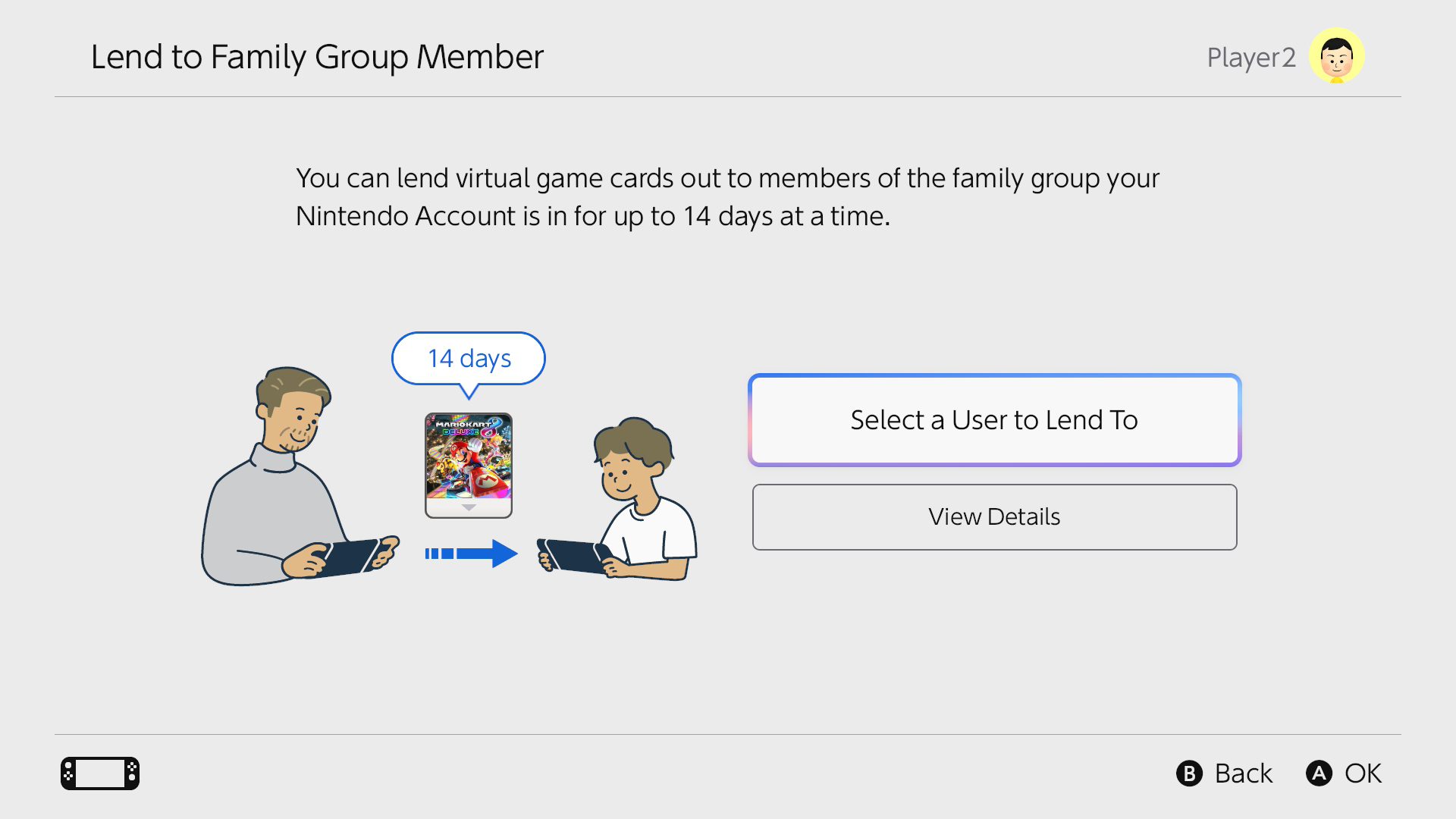
- Choose the game and select Lend to Family Group Member.
- Select Select a User to Lend To and choose the family member whose account is linked to the receiving console.
- Select Lend.
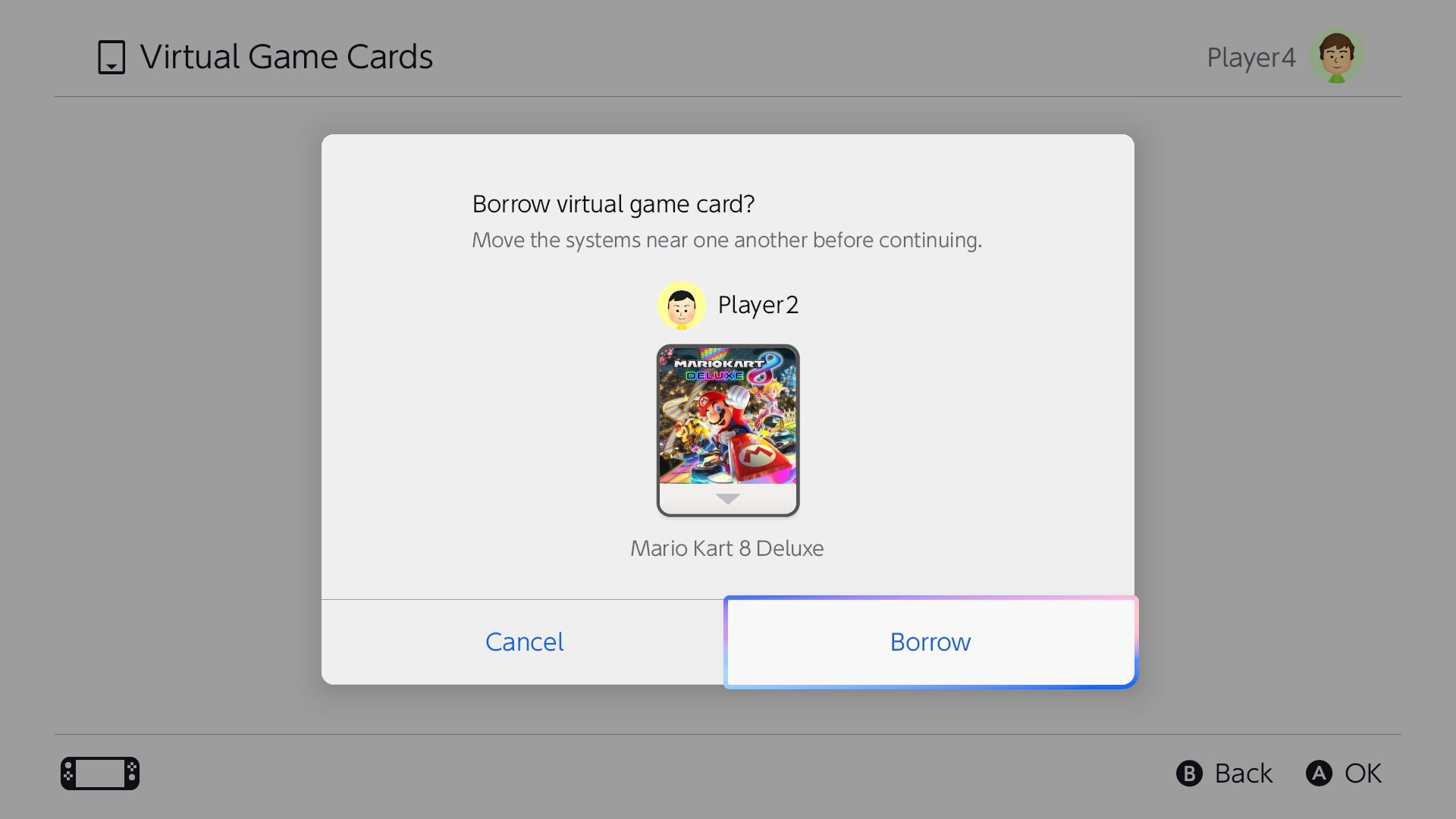
- On the borrower’s console, open Virtual Game Cards, choose the borrowing user and enter the account password or PIN if asked.
- Select Borrow to accept the loan.
If the consoles cannot find each other, move them closer and try again. Once the game is loaded and its first online check is completed, offline play is possible when the game itself supports it.
How long can you lend Nintendo Switch 2 digital games?
When you lend Nintendo Switch 2 digital games, each loan lasts a maximum of 14 days. Nintendo automatically returns the virtual game card when that period ends. The borrower can return it early from Virtual Game Cards by selecting the title, then Return to Family Group Member and Return. The owner can also select Collect from Family Group Member and then Collect. The borrowing console needs to be online and the game cannot still be in use.
An owner can lend three different virtual game cards at once. However, a borrower may have only one borrowed game at a time, and a receiving console can hold only one borrowed virtual card even if several people use it. A console with users belonging to different Nintendo Account family groups cannot accept a loan.
Can you play your game while it is lent out?
No. If you lend Nintendo Switch 2 digital games, you cannot play that game until the virtual card comes back. The purchase stays with your Nintendo Account, but the borrower temporarily holds the usable card.
For digital games, purchased DLC is lent with the main game. Demos and some Nintendo Switch Online-exclusive titles cannot be lent.
Does the borrower keep their save data?
Yes. Nintendo confirms that the borrower’s save data remains on their console after the game is returned. If they borrow the title again or buy it themselves, they can carry on from their previous save. Lending a game does not move the owner’s save data to the borrower’s device.
If a borrower sees error 2819-0006, the 14-day lending limit has expired. The owner can lend the game again; the error does not mean the purchase has been deleted.
Can you lend Nintendo Switch 2 digital games to an older Switch?
Compatible Nintendo Switch games can be shared across Nintendo Switch and Nintendo Switch 2 hardware using virtual game cards. A Switch 2-exclusive title cannot be lent to an original Switch because it is incompatible. The same hardware restriction matters when you move virtual game cards between your own paired systems.
Is Nintendo Switch Online required for family lending?
No Nintendo Switch Online subscription is needed simply to lend Nintendo Switch 2 digital games that you own and that support the feature. You do need an appropriate Nintendo Account family group. Online-only game modes and membership-exclusive software can still have their own access rules.
When you lend Nintendo Switch 2 digital games to a family group member, you are not moving a virtual card between paired consoles, which uses the same purchasing account. You can also play digital games offline after loading their cards. Virtual game card settings manage authorised systems, while GameShare is a separate feature for supported games.
Official source: Nintendo Virtual Game Card Guide.





