
Nintendo Online License Error messages can appear when online licenses are enabled but the user trying to start a digital game does not own that game on the current console. The exact message says the software cannot be played using the online license, and Nintendo ties it to ownership and Virtual Game Card rules rather than a corrupted installation.
The key difference is who purchased the game. Online licenses let the purchasing Nintendo Account play owned digital content on additional consoles while connected to the internet. They do not turn every account on every linked console into an owner of that software.
What the Nintendo Online License Error means
A Nintendo Online License Error generally means online licenses are enabled, but the current player is trying to use software purchased by somebody else. Nintendo says games purchased by another person need to be played on one of the consoles that can load that purchaser’s Virtual Game Cards if a different user wants access.
If the purchasing account starts its own game through an online license, it can do so on other linked consoles while connected to the internet. Another user on that same console does not automatically inherit the right to launch the purchase through the buyer’s online license.
How to fix the Nintendo Online License Error
The cleanest Nintendo Online License Error fix depends on whether the player or another household member owns the game. Start by identifying the Nintendo Account that actually purchased the software.
- If your own Nintendo Account purchased the game, start it while signed into that account and connected to the internet.
- If another person purchased it, use one of that person’s consoles that can load their Virtual Game Cards.
- Or have the purchaser make this console one of the two systems that can load their Virtual Game Cards, then load the game to it.
- If neither setup applies, the current Nintendo Account needs its own copy of the game.
How Virtual Game Cards affect the Nintendo Online License Error
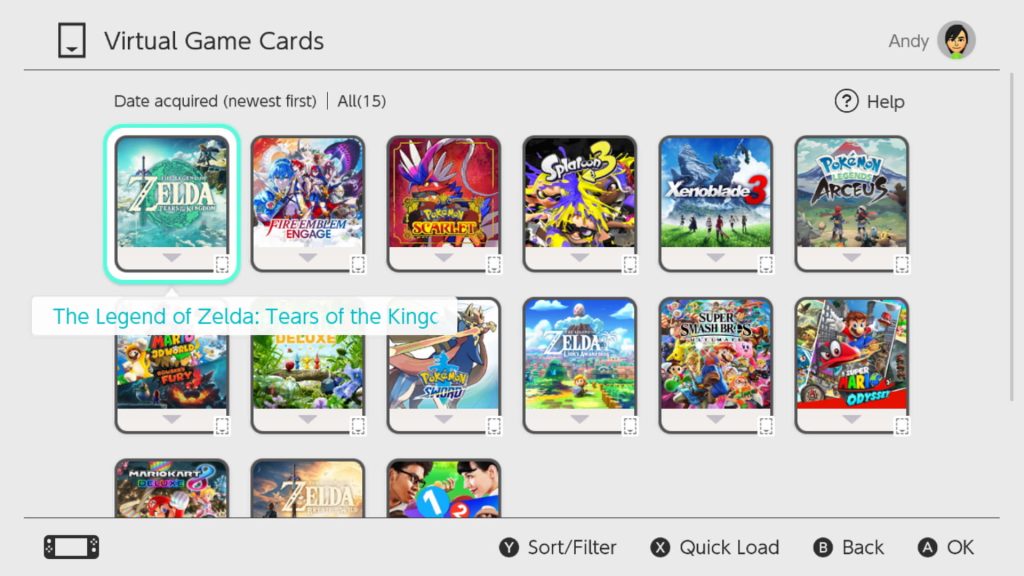
Virtual Game Cards are the sharing-friendly route around a Nintendo Online License Error. When a virtual game card is loaded on one of the purchaser’s two eligible consoles, other users on that console can play the game. The console can also play the loaded game offline after the required setup checks.
Online licenses work differently. They are useful when the purchaser wants to play owned digital software on more than two consoles, but the console must be online and the entitlement follows the purchasing user rather than becoming a shared household license.
Where to turn online licenses on or off
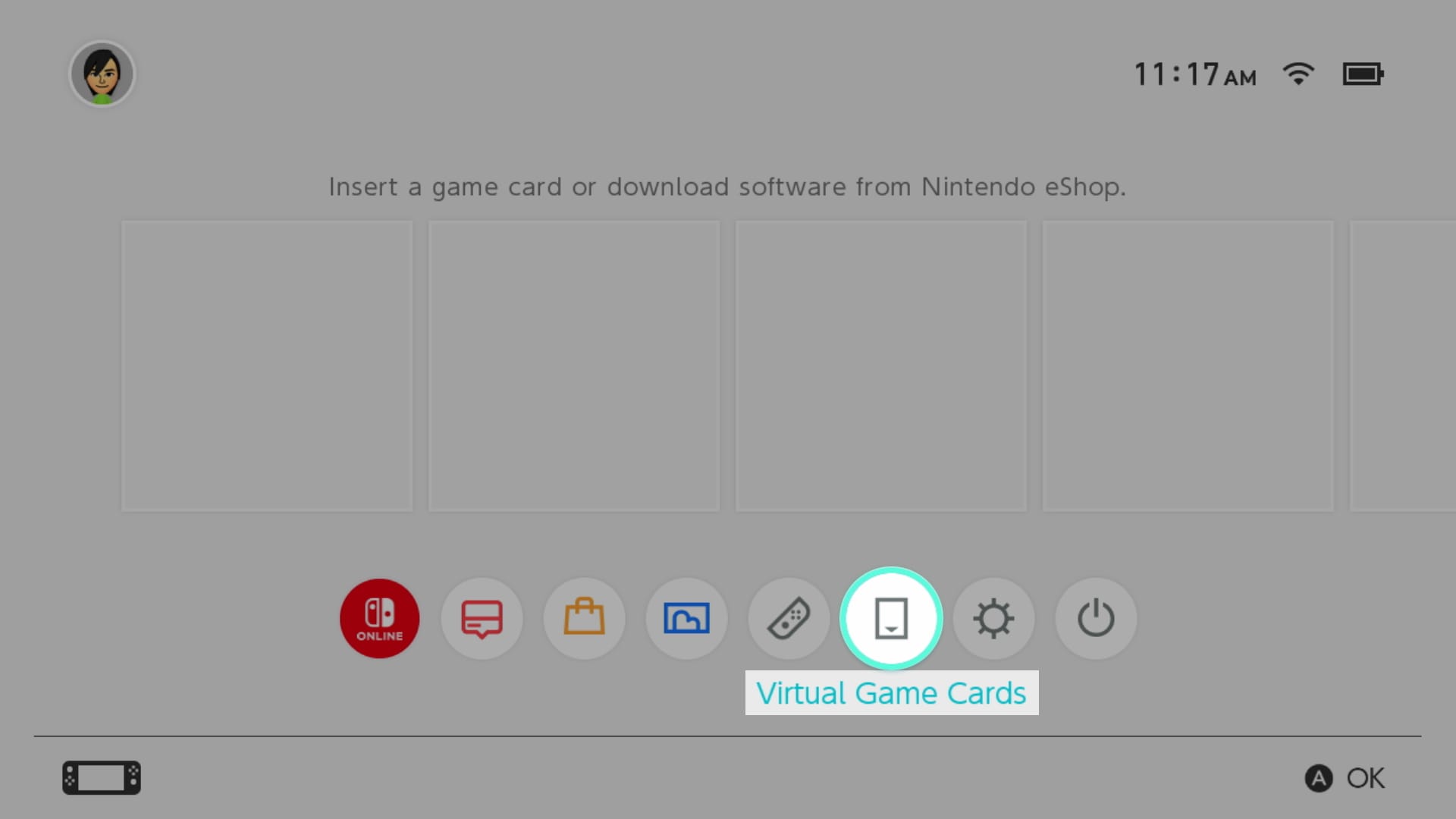
If you are troubleshooting a Nintendo Online License Error, online licenses can be managed from your user settings or from the Virtual Game Cards menu. Open your user icon on the HOME Menu, choose Online License Settings and change Use Online Licenses. Nintendo says enabling the setting applies to that Nintendo Account across its consoles.
You can also open Virtual Game Cards, select Settings and find Online Licenses there. Turning the feature off is useful if you prefer to rely only on loaded Virtual Game Cards and want to avoid internet checks on consoles where the card is already loaded.
Why buying the game again is not always the answer
Do not buy another copy just because a Nintendo Online License Error appears once. First confirm whether the game is already owned by your Nintendo Account and whether its Virtual Game Card is loaded to the console. An ownership or console-linking mismatch can look like a purchase problem even when the software is already in the household.
If Nintendo eShop shows the game as Purchased but will not let you redownload it, use our Nintendo eShop Purchased troubleshooting guide instead. That is a different problem from the Nintendo Online License Error.
Nintendo Online License Error: quick household example
If Parent A bought a digital game and Child B is trying to play it, the easiest way to avoid the Nintendo Online License Error is to load Parent A’s Virtual Game Card for that game onto one of Parent A’s two eligible consoles. Child B can then play it on that console. If the game is only being accessed through Parent A’s online license on a third console, Child B does not gain the same shared access.
- Checking Whether Software Can Be Played: What It Means
- Nintendo Error 2819-0022: Play Will Be Suspended Fix
- Nintendo eShop Purchased But Cannot Redownload: Fix
- Pokémon Champions Update Not Working: How to Update on Switch
- How to Play Star Fox Adventures on Nintendo Switch 2
- Destroy All Humans 2 Switch 2: Release, DLC, Size and What Changed
Official Nintendo Online License Error support
Nintendo’s official online license error support page confirms that the message is tied to ownership and which consoles can load the purchaser’s Virtual Game Cards. Use those account rules first when a Nintendo Online License Error appears.





