
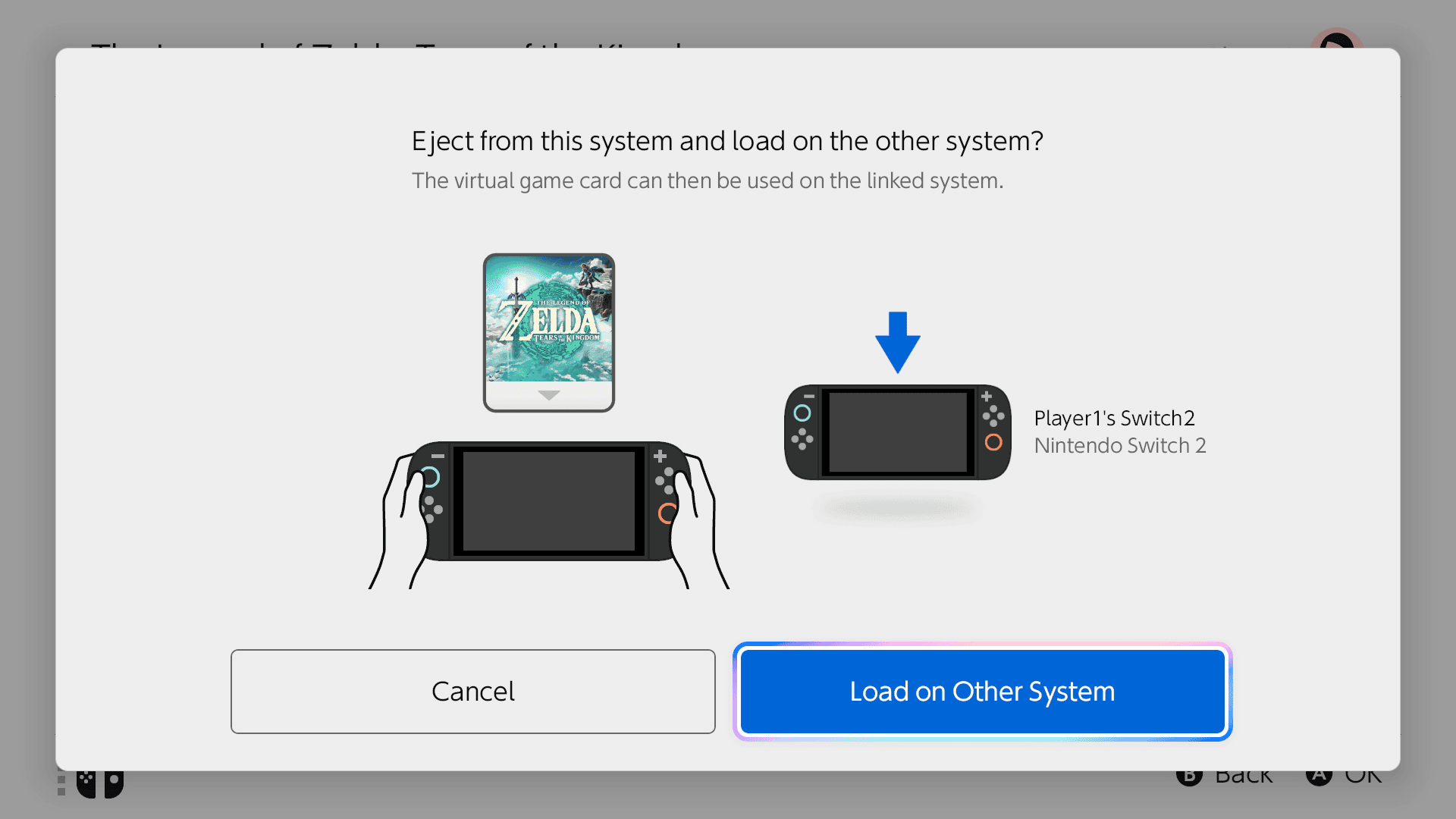
You can move Switch 2 digital games between consoles when both systems are paired with the same Nintendo Account. It is like moving a physical cartridge: only the console holding the virtual card can use that game through the virtual-card system.
First-time pairing needs the consoles close together and connected to the internet. Later swaps use the internet without requiring both devices in the same room. Moving a digital licence does not automatically bring game saves with it.
How to move Switch 2 digital games between consoles
To move Switch 2 digital games between consoles, start with two already-paired systems. The receiving console must be turned on or in sleep mode, online, and signed into the purchasing Nintendo Account.
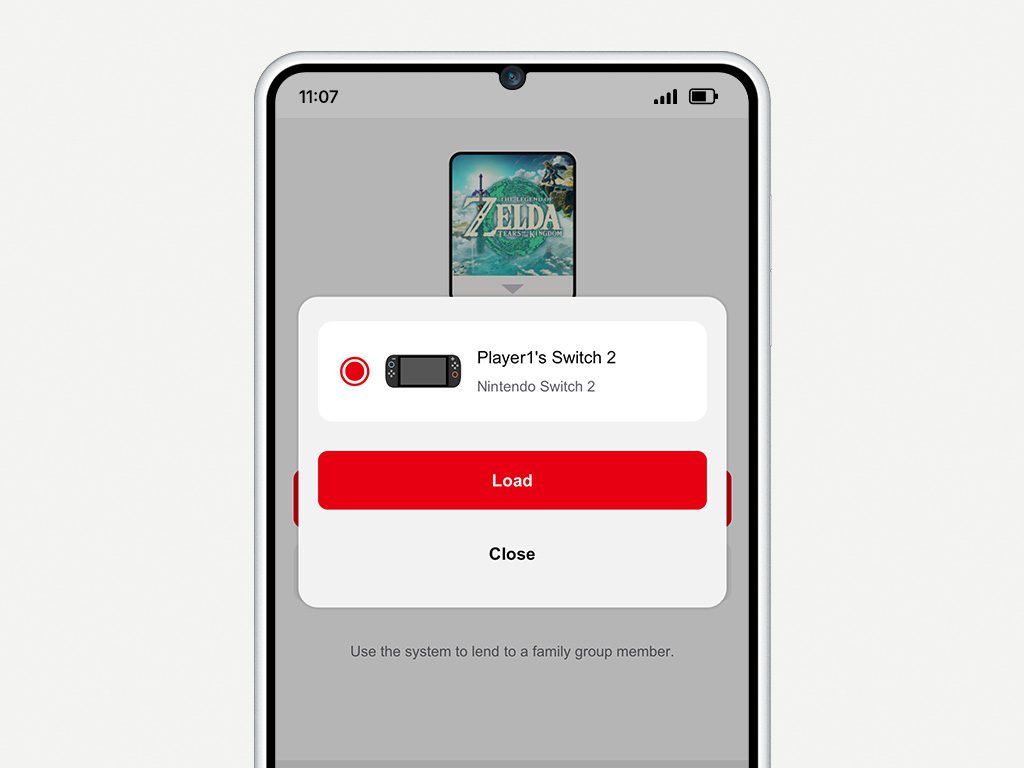
To move Switch 2 digital games, use Load to Another Console.
- Open Virtual Game Cards from the HOME Menu on the starting console.
- Choose the user linked to the Nintendo Account that bought the game.
- Select the game you want to move.
- Choose Load to Another Console and select your paired system.
- Follow the confirmation prompts and let any missing game data download on the receiving console.
Once the game is loaded, all profiles on the destination can play it. Nintendo requires an initial online check for a newly loaded game; supported offline modes then work without a permanent connection.
How do you pair two consoles for the first time?
Before you move Switch 2 digital games between consoles for the first time, the two systems need to be paired. The purchasing Nintendo Account can have two eligible consoles paired at any given time.
- Bring both consoles together and connect them to the internet.
- On the second console, link the purchasing Nintendo Account to a user.
- Select Virtual Game Cards, the account user, a purchased game and Load to This Console.
- Follow the prompt to bring both systems close together.
- On the existing console, open Virtual Game Cards for the same user and select Start Pairing.
- Finish the confirmation prompts and load the game.
Only the first pairing requires local wireless proximity. After the pair is established, you can swap virtual cards remotely if both consoles have internet access.
Can you move several games in one go?
Yes. Nintendo includes a Load Multiple menu. Press X in Virtual Game Cards, select the titles to load and confirm with Load or the + Button. Leave the receiving device online for downloads and ensure it has enough free storage.
When you move Switch 2 digital games, you are moving licences rather than the downloaded game files themselves. If the receiving system has never installed a game, loading its card starts a software download.
Do your save files move with a virtual card?
No. Game saves live separately from digital licences. When you move Switch 2 digital games between consoles, that does not copy your progress, even if the destination has the same Nintendo Account. Use Nintendo’s supported save-data transfer method or, for eligible games, Save Data Cloud through Nintendo Switch Online.
Some games do not support cloud saves. Check the specific title before assuming that a game on your second console will continue from the same point.
Can you move a Switch 2 game to an original Switch?
You can use compatible original Nintendo Switch games across Switch and Switch 2 models. However, Switch 2-exclusive games and Switch 2 Edition content cannot be loaded on an original Switch as Switch 2 software. Compatibility still matters even when the Nintendo Account owns both systems.
The way you move Switch 2 digital games between consoles also differs from family lending. A family group member can borrow an eligible game for 14 days, while a paired-console swap uses the same purchasing account without that lending period.
What if the receiving console is offline?
Remote loading requires the destination to be powered on or sleeping and connected to the internet. A currently running game may also prevent the card from being ejected from the other system. Close the game, restore the internet connection and retry.
If a virtual game card won’t load because an old paired console is unavailable, use Nintendo’s unpairing settings to make room for a replacement. An online licence can let the purchaser play on extra consoles while connected, but it does not provide the same offline access as a loaded virtual card.
Official source: Nintendo Virtual Game Card Guide.





