
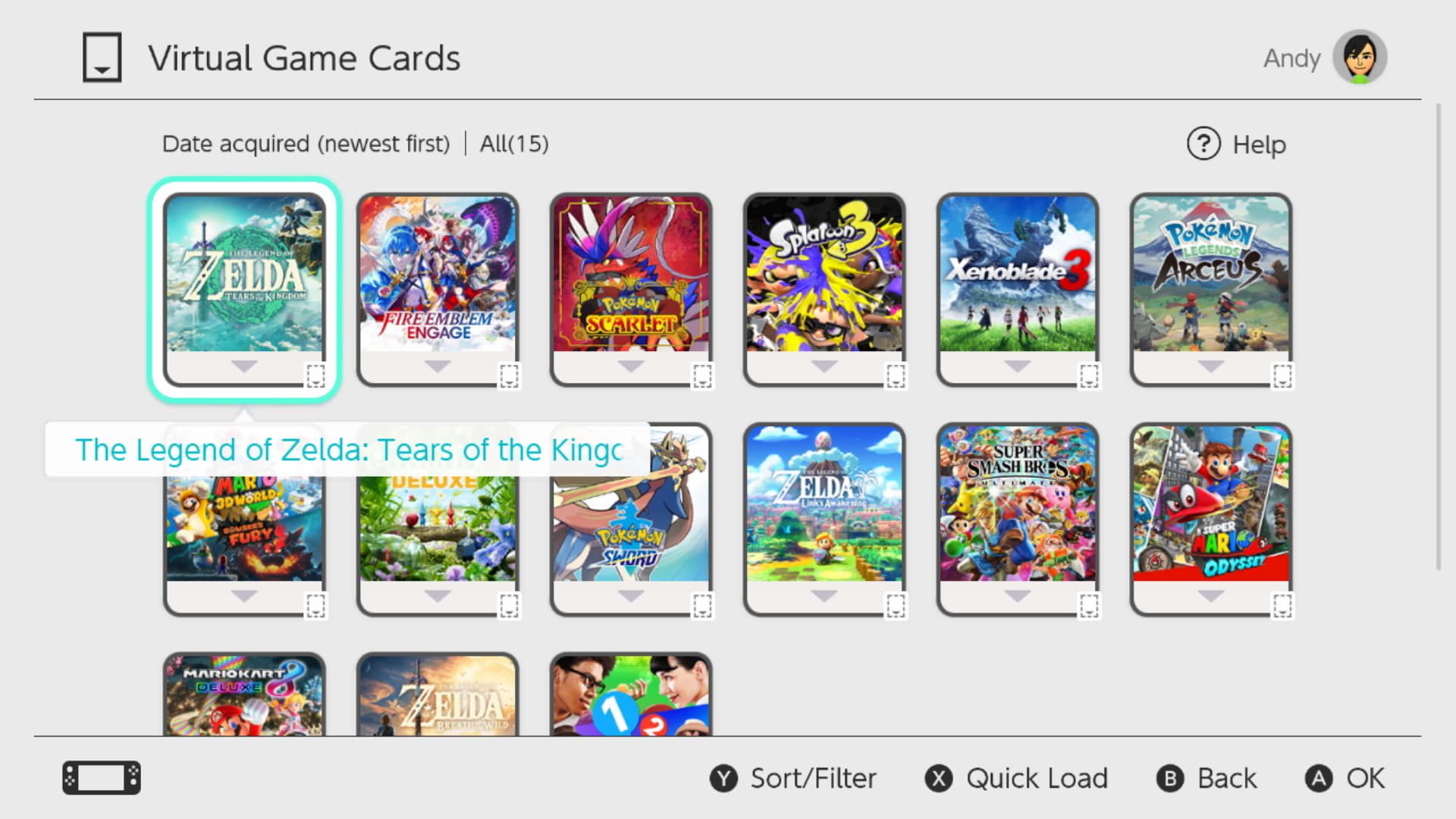
Nintendo Digital Content Missing on Nintendo Switch or Switch 2 is usually an account, Virtual Game Card or redownload problem before it is a lost-save problem. Nintendo’s current support flow starts by checking the eShop details page, confirming ownership and loading the correct Virtual Game Card back onto the console.
Games and DLC are handled slightly differently, so first decide what is actually missing. A full game that has vanished from the HOME Menu is not the same problem as DLC that is installed but unavailable inside one title.
Nintendo Digital Content Missing: restore a full game
For a full game affected by Nintendo Digital Content Missing, open Nintendo eShop with the account you believe purchased it and find the game’s details page. If the page offers Virtual Game Cards and mentions redownloading, the account owns the game and can load its card again.
- Open Nintendo eShop with the purchasing Nintendo Account.
- Find the missing game.
- Confirm the page shows Virtual Game Cards or Purchased rather than a price.
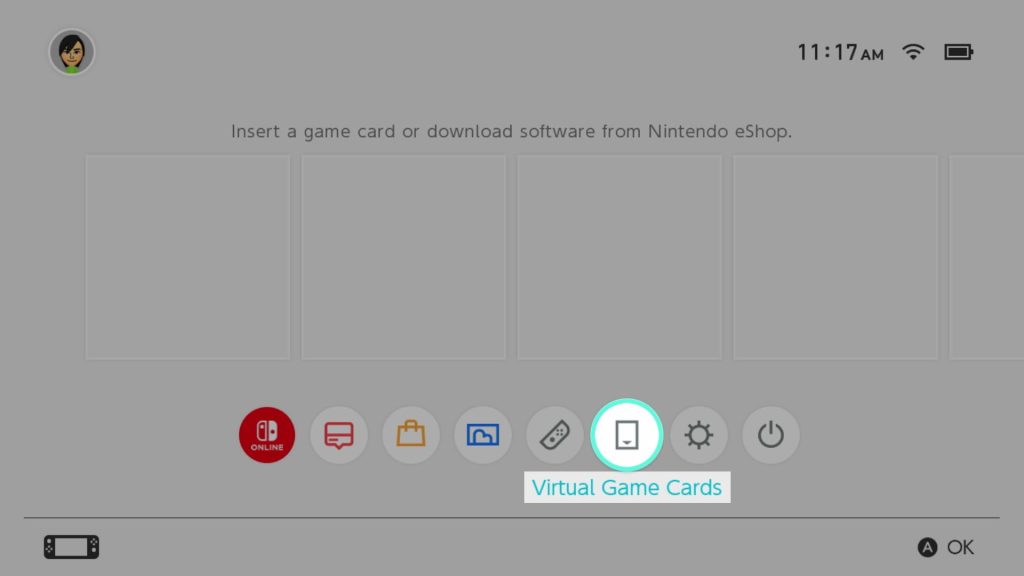
- Return to the HOME Menu and open Virtual Game Cards.
- Select the game and choose Load on This System.
- Wait for the download to complete, then launch the game.
What if Nintendo Digital Content Missing shows Hidden Software?
Nintendo Digital Content Missing can be caused by the redownload setting being disabled. If the eShop page shows Hidden Software, Nintendo says to press the + Button or – Button five times. The page should change back to Virtual Game Cards so the content can be loaded and downloaded again.
If eShop simply says Purchased with no obvious download path, use our Nintendo eShop Purchased guide. It also explains how to view Hidden Virtual Game Cards and unhide the title.
Nintendo Digital Content Missing: restore DLC
For DLC affected by Nintendo Digital Content Missing, open the base game in Nintendo eShop, scroll to Downloadable Content and open the specific add-on. Confirm it belongs to the current account, then load the relevant Virtual Game Card. For a digital base game, purchased DLC may be included when the game’s card is loaded.
If the base game is physical, DLC region compatibility becomes important. Nintendo advises checking the game’s supported region under Software Information and comparing it with the country or region of the Nintendo Account that bought the DLC. DLC bought for an incompatible regional version may not appear in the game.
Does deleting software fix Nintendo Digital Content Missing?
Deleting and redownloading software can help with certain DLC issues, but it should not be the first response to Nintendo Digital Content Missing. Confirm ownership and Virtual Game Card status first. Nintendo notes that deleting the software application does not delete the related save data, but you should still understand exactly what you are removing before changing anything.
Never delete save data just because a game icon or DLC entitlement is missing. Save data is a separate asset and may not be recoverable for every title if it is removed without a cloud backup.
What if Nintendo Digital Content Missing is caused by another account?
Digital purchases remain tied to the Nintendo Account that bought them. If Nintendo Digital Content Missing only affects one user, try the other accounts on the console and check which one can see the title in Virtual Game Cards. A game bought by another household member may need its Virtual Game Card loaded on the console before other users can launch it.
If the game instead displays an entitlement message, our Nintendo Online License Error guide explains the difference between the purchasing user’s online license and shared access through a loaded Virtual Game Card.
Nintendo Digital Content Missing: restart after the download starts
If Nintendo Digital Content Missing seems resolved but the HOME Menu still does not show the game after you started the download, restart the console. Hold the Power Button for at least three seconds, choose Power Options and select Restart. Then check the HOME Menu and download status again.
When to contact Nintendo about Nintendo Digital Content Missing
Contact Nintendo if Nintendo Digital Content Missing remains after the correct purchasing account shows ownership, the Virtual Game Card cannot be loaded, the content is not hidden and a restart does not restore it. Keep the purchase account and any eShop receipt details available so support can trace the entitlement.
- Nintendo eShop Purchased But Cannot Redownload: Fix
- Nintendo Online License Error: This Software Cannot Be Played Fix
- Nintendo Error 2819-0022: Play Will Be Suspended Fix
- Pokémon Champions Update Not Working: How to Update on Switch
- How to Play Star Fox Adventures on Nintendo Switch 2
- Destroy All Humans 2 Switch 2: Release, DLC, Size and What Changed
Official Nintendo Digital Content Missing support
Nintendo’s official missing digital content guide covers full games, DLC, Hidden Software, Virtual Game Cards and region checks. Those first-party steps are the safest starting point when purchased games or DLC disappear.





