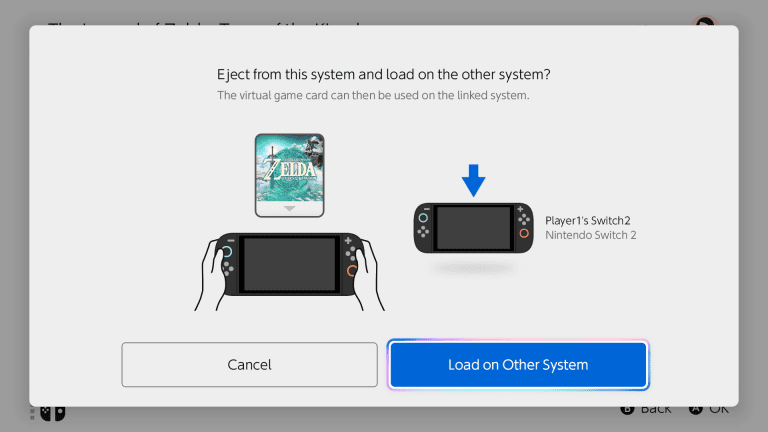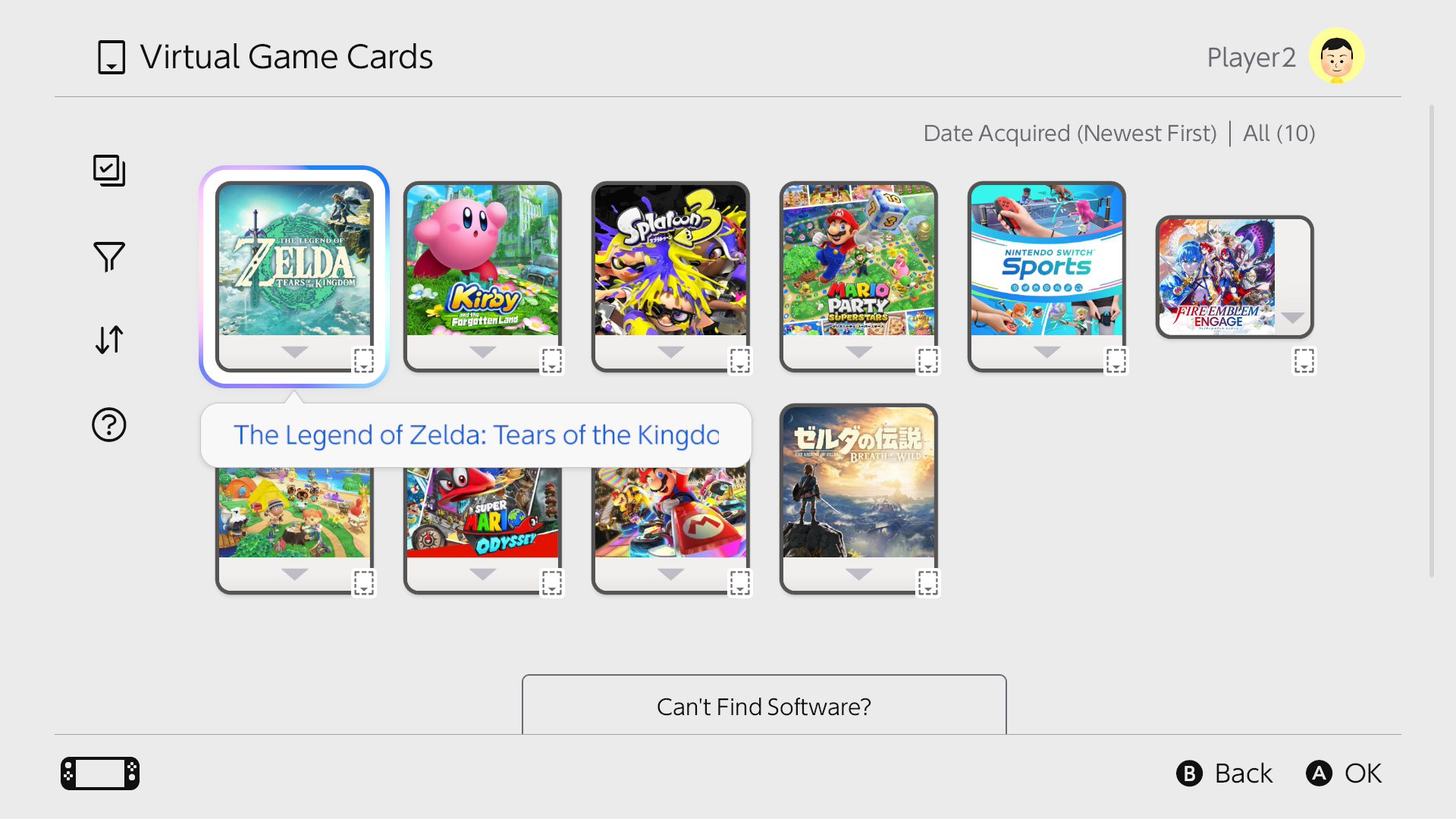
You can play Nintendo Switch 2 digital games offline if you have loaded their virtual game cards onto the console and completed Nintendo’s first online check. That makes purchased downloads usable without Wi-Fi in supported offline modes, including when travelling.
There is a catch: a downloaded game using an online licence is not the same as one using a loaded virtual game card. That difference explains why some games suddenly stop working when the internet connection disappears.
How to play Nintendo Switch 2 digital games offline
To play Nintendo Switch 2 digital games offline, prepare the console while you still have internet access. Loading the card and starting it once online are the two main checks.
Before travelling, load the virtual card and start the game once while online.
- Connect Nintendo Switch 2 to the internet.
- Open Virtual Game Cards from the HOME Menu.
- Select the user linked to the Nintendo Account that purchased the title.
- Choose the game and select Load to This Console.
- Download the software if it is not installed, and finish any updates you need.
- Launch the game while online for its first verification.
- Once that is complete, disconnect and use the game’s supported offline modes.
An internet connection is also required to eject a loaded virtual game card. A game downloaded on another Switch does not automatically become playable offline if its card is loaded elsewhere.
Why can’t you play Nintendo Switch 2 digital games offline?
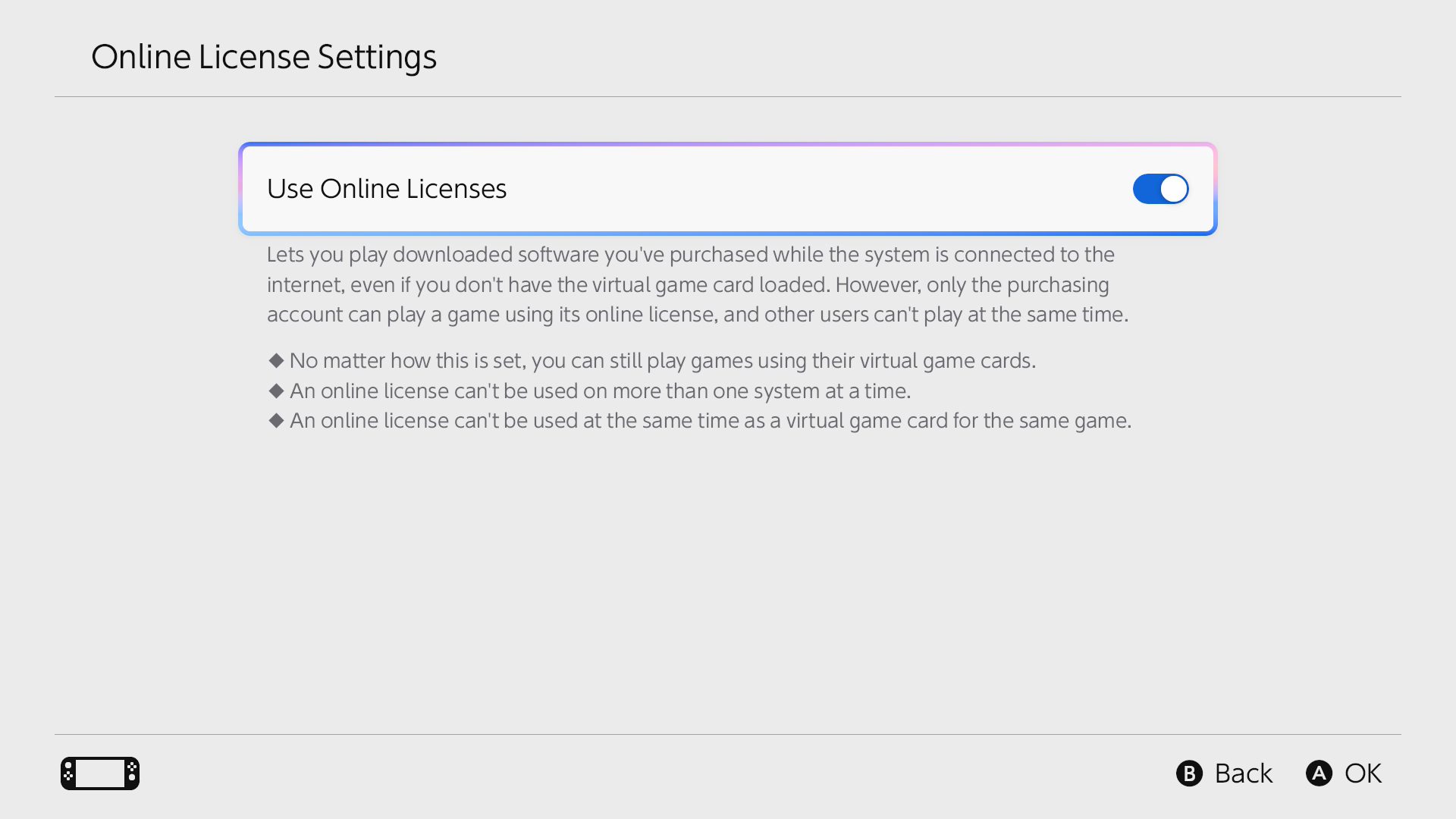
If a digital game stops working as soon as you lose Wi-Fi, it may be running through an online licence rather than a loaded virtual card. Nintendo lets the purchasing user access downloaded software without loading its virtual card, including on additional consoles, but this licence needs internet access.
With an online licence, a game can be suspended when the connection is lost. Nintendo lists error 2819-0001 for that situation. Reconnect to the internet to resume, then consider loading the virtual card on your paired console for offline play.
Virtual game card or online licence: which works offline?
| Virtual card | Online licence | |
|---|---|---|
| Internet needed to play | No, after initial check | Yes |
| Who can play | All users on the console | Purchasing user |
| Consoles per account | Two paired consoles | Can also work on additional consoles |
Enabling the online licence feature does not prevent you from using loaded virtual cards. To play Nintendo Switch 2 digital games offline, though, the card must actually be loaded on the console you want to use.
Do you need Nintendo Switch Online for offline purchases?
No. You can play Nintendo Switch 2 digital games offline without a Nintendo Switch Online subscription when you own an eligible digital game and have properly loaded its card. Membership-exclusive software is different and can have its own requirements.
Also, offline access to a purchased title does not mean every game mode works offline. Online multiplayer, downloadable updates and network-based services still require a connection. Games designed to run online cannot be made fully offline by changing licence settings.
Can you share the same virtual card between two Switch consoles?
A purchasing Nintendo Account can have up to two consoles paired to load virtual cards. For first-time pairing, both need internet and must be close enough for local wireless communication. Once paired, later card swaps can happen over the internet without bringing the systems together.
Only one paired console can have the same virtual card loaded at once. Moving a card does not transfer save data; use Nintendo’s supported save transfer or Save Data Cloud for eligible games. Remember that Switch 2-exclusive software cannot be loaded onto an original Nintendo Switch.
What should you check before a journey?
To play Nintendo Switch 2 digital games offline on a train or flight, load your chosen cards, download necessary content, start each game online once and verify that the software supports the mode you want. Bring the console holding the licence rather than one that merely has the game files installed.
Doing this before leaving makes it easier to play Nintendo Switch 2 digital games offline without unexpected online licence checks. For households using two systems, see moving virtual cards between consoles. If a card refuses to load, these pairing and internet fixes explain Nintendo’s error messages. For error 2819-0001, reconnect to resume play.
Official source: Nintendo: Virtual Game Cards.