
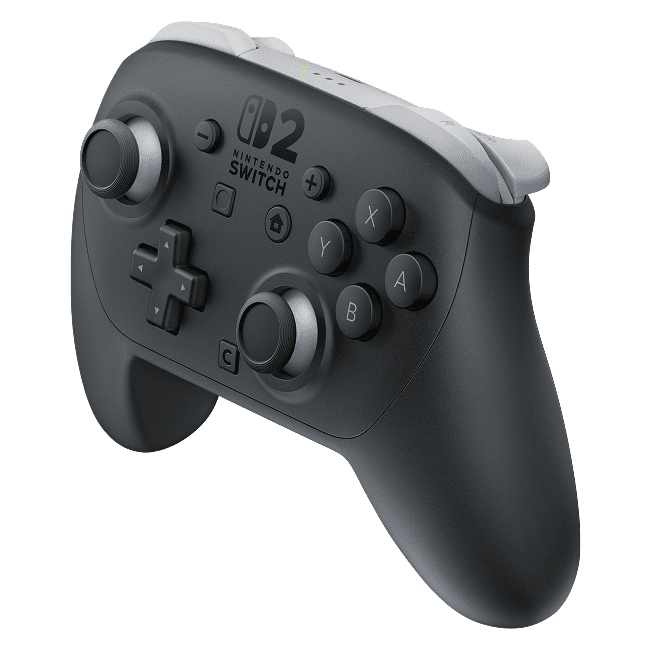
Nintendo Switch 2 Pro Controller not charging is usually worth troubleshooting before assuming the battery has died. Start by unplugging your charger at both ends for at least 30 seconds, checking the USB-C cable for damage and connecting the controller directly to a suitable power adapter and wall socket.
Nintendo says the recharge LED stays lit while the controller charges, then switches off at full charge. A dark recharge light, a brief blink or a controller that powers on but won’t pair can point to different problems. Follow the checks below in order so you don’t replace something that still works.
Nintendo Switch 2 Pro Controller not charging: check the charger and cable first
For a Nintendo Switch 2 Pro Controller not charging problem, Nintendo specifies the Switch 2 AC adapter, model NGN-01, or another approved compatible supply meeting the controller’s power requirements. Don’t guess the required voltage from another accessory. Inspect the cable for cuts, kinks or fraying, then reconnect the adapter directly to the controller and wall socket.
Watch the recharge LED. If it comes on, power can reach the controller. Press a button with your Switch 2 turned on. If the player light briefly flashes and disappears, pairing may be the real issue. If the recharge LED stays lit but no player light appears, leave the controller charging for at least 15 to 30 minutes, then try to pair it.
Nintendo Switch 2 Pro Controller not charging: what the lights mean
A dark recharge light doesn’t necessarily mean anything is broken. The recharge indicator going off when the battery is full is normal. The player LEDs serve another purpose: they indicate which player is connected. A controller that shows a player light for a moment before switching off may simply need reconnecting to the console.
The Pro Controller takes roughly three hours to fully charge, according to Nintendo. The 15-to-30-minute test is an initial power check, not the full charging time. If no player LED turns on after that test, Nintendo recommends a repair. If battery life is still unusually short after charging for at least six hours, it also recommends repair.
What to do if the recharge LED stays dark
A Nintendo Switch 2 Pro Controller not charging issue with no recharge light means the next step is to test the adapter. Connect it directly to the Switch 2 console to see whether the console charges. If the console also fails to charge, try a different wall socket and another compatible adapter if one is available.
If the adapter charges the console, connect it to the Switch 2 dock instead and use the supplied USB charging cable between the dock and the controller. Nintendo says the console does not need to be inserted in its dock for the controller to receive a charge. Give the light a few seconds after making the connection.
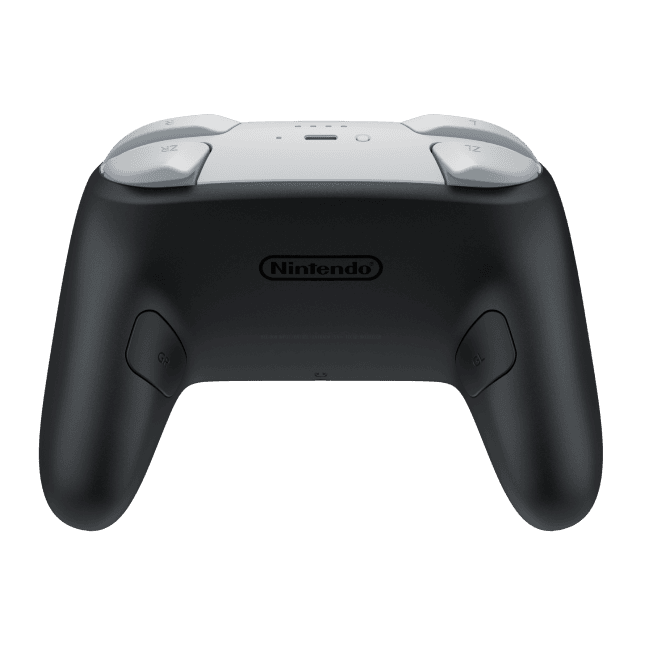
Try another Switch 2 dock USB port
A controller that charges directly but not through the dock may have a USB port or cable issue. With a known-working power adapter, move the cable to another dock USB port. Then try a different USB charging cable and, if you can, another dock. This is Nintendo’s official order for isolating a problem when direct charging doesn’t work.
If changing the USB port or cable restores the recharge light, you’ve narrowed down the problem. If nothing works, Nintendo’s support guidance says the controller needs a repair. Nintendo doesn’t recommend opening the original model or trying unofficial battery-calibration tricks.
What if it works but the battery drains too fast?
For a Nintendo Switch 2 Pro Controller not charging complaint that really means short battery life, keep the charging durations straight. Nintendo quotes around three hours for a normal full charge. The six-hour test is for a battery that still runs down unusually quickly. Neither figure guarantees a specific number of gameplay hours for every owner.
If the pad won’t respond even after it has had some charge, try pairing it once more. A charging fault and a connection fault can look very similar when you’re staring at a controller with no player light. A genuine Switch 2 Pro Controller should be paired with a Switch 2, not the original Switch console.
Should you replace the Pro Controller battery yourself?
Nintendo has announced a revised Pro Controller with a replaceable battery for winter 2026, but the original model isn’t designed to become user-serviceable through a firmware update. For a Nintendo Switch 2 Pro Controller not charging case on the existing controller, use Nintendo’s repair route rather than a future replacement kit intended for the new design.
Our battery revision guide explains the different versions and what UK buyers should check. If the adapter, dock and cable checks have all failed, Nintendo’s next step is a repair.
Nintendo Switch 2 Pro Controller not charging: when to request a repair
If your Nintendo Switch 2 Pro Controller not charging fault is still there, make sure you’ve reset the charger for 30 seconds, tested direct power, watched the recharge LED, checked the player light after 15 to 30 minutes and tried the dock with another USB port or cable. Persistent failure after those tests is a repair case, not a reason to force open the controller.
Related Guides
- Switch 2 Pro Controller Battery Revision
- Switch 2 Pro Controller Review
- Nintendo Switch 2 Battery Replacement
- Switch 2 Replaceable Battery UK
- Joy-Con 2 Replaceable Battery Guide
- Switch 2 Battery Model Identification
- Joy-Con 2 Connection Fixes
- Switch 2 Pro Controller Pairing Fixes
- Old vs New Switch Pro Controller Compatibility
Official source: Nintendo UK, Switch 2 Pro Controller Power Issues.





