
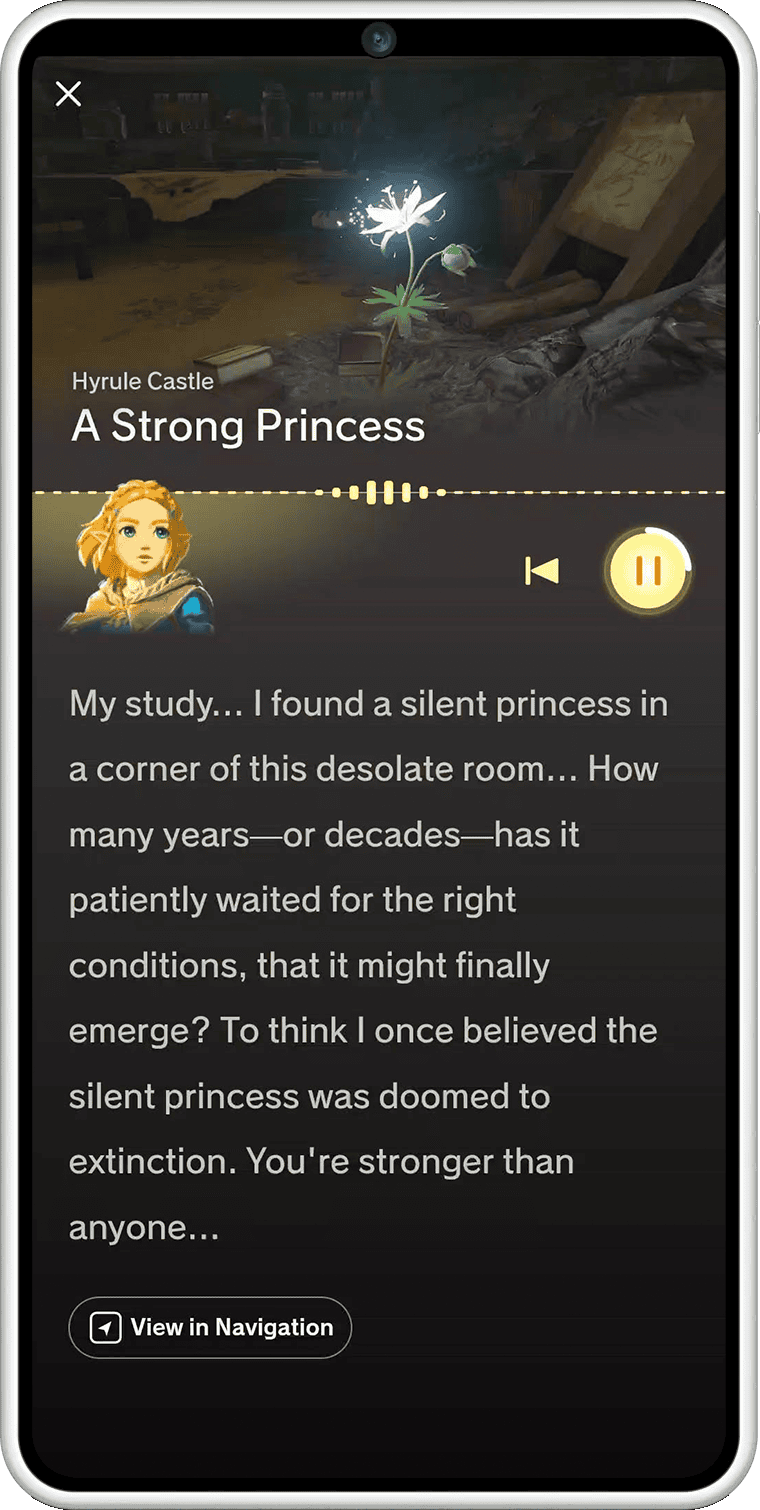
ZELDA NOTES Voice Memories adds spoken commentary from Princess Zelda and other characters while you explore Hyrule in Breath of the Wild or Tears of the Kingdom. It works through the Nintendo Switch App with either game’s Nintendo Switch 2 Edition.
These recordings are linked to particular locations, including places you may already have visited. They’re different from the games’ story Memory cutscenes, and the app’s Navigation map can help you find where the extra dialogue plays.
How ZELDA NOTES Voice Memories works
Nintendo describes Voice Memories as comments about your surroundings. Zelda and other characters share observations when Link reaches certain places, giving you a reason to look around familiar areas again.
The commentary comes through the phone companion. Keep your phone’s sound turned up enough to hear it over the game, or use headphones if you’re playing on a television.
How to find ZELDA NOTES Voice Memories locations
Open ZELDA NOTES for your supported game in the Nintendo Switch App, then use Navigation to find Voice Memory markers. Nintendo confirms that Navigation can guide you to those locations, as well as to shrines and Koroks.
Choose a Voice Memory marker and travel towards it in the game. The phone map updates Link’s position every few seconds while Navigation is running. When you reach the location, the companion provides its extra character commentary. See our Navigation guide for the map and voice guidance.
Navigation helps you reach a place; it doesn’t move Link or solve the challenges along the way. You’ll still need to cross Hyrule yourself.
Do Voice Memories work in both Zelda games?
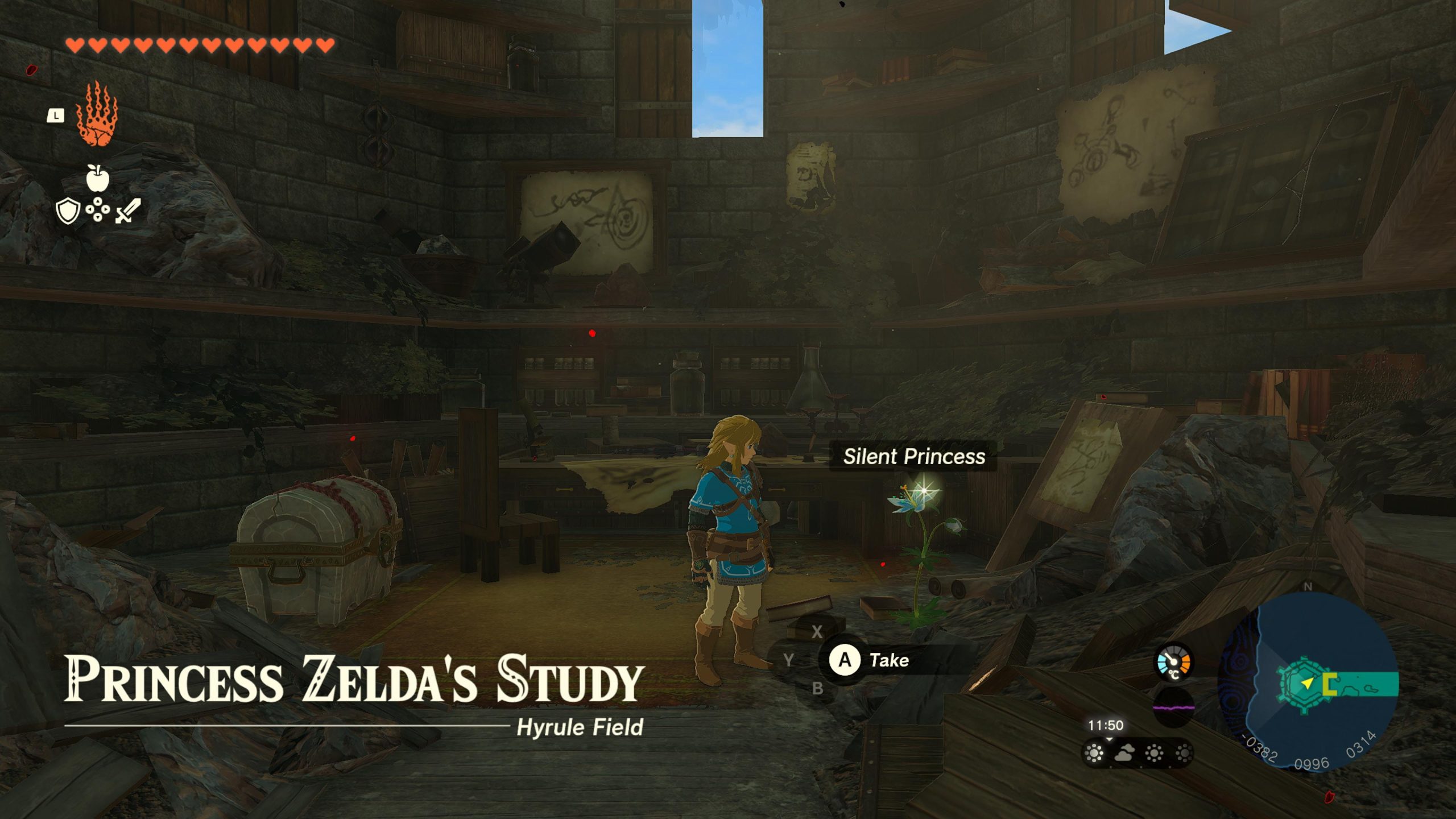
Yes. ZELDA NOTES Voice Memories works in Breath of the Wild (Nintendo Switch 2 Edition) and Tears of the Kingdom (Nintendo Switch 2 Edition). Nintendo identifies both games as compatible with this feature. The original Switch editions do not provide it just because you run those games through backwards compatibility on Switch 2.
It’s worth revisiting areas you’ve already explored: Nintendo explicitly encourages returning to familiar places to hear the new remarks. A completed story quest doesn’t mean that the companion app has nothing left for you at that location.
Are ZELDA NOTES Voice Memories the same as normal memories?
No. Breath of the Wild has story memories associated with Link’s past, while Tears of the Kingdom tells parts of its story through other memory scenes. ZELDA NOTES Voice Memories is a separate Nintendo Switch App service that plays spoken observations from Zelda and other characters when you visit specific places.
You don’t have to confuse the app’s map markers with a new quest-log category in the original Switch games. The phone Navigation tool points you towards the locations, and the audio experience belongs to the supported Switch 2 Editions.
How to fix ZELDA NOTES Voice Memories not playing
If you can’t access Voice Memories, confirm that the game is running in its Nintendo Switch 2 Edition and that the phone app uses the Nintendo Account linked to your save data.
Check your phone’s volume, the internet connection and the Nintendo Switch App version. Nintendo also recommends checking the phone operating system and service status. If the feature opens but you can’t find a location, use the Voice Memory markers in Navigation.
The app tracks Link’s in-game position, not your real-world GPS location. You need to visit the designated place inside Hyrule to hear a Voice Memory.
Do you need Nintendo Switch Online for ZELDA NOTES Voice Memories?
No Nintendo Switch Online membership is required for ZELDA NOTES itself. You need a supported Zelda Switch 2 Edition, a compatible iOS or Android device, the Nintendo Switch App, a Nintendo Account and an internet connection. If you access the upgraded game through an Expansion Pack membership, that upgrade entitlement has separate subscription rules.
Our ZELDA NOTES setup guide explains the game and account requirements. Once connected, ZELDA NOTES Voice Memories adds new character commentary to parts of Hyrule you already know.
Related Guides
Nintendo documents the locations and audio feature in its official ZELDA NOTES support instructions.





