
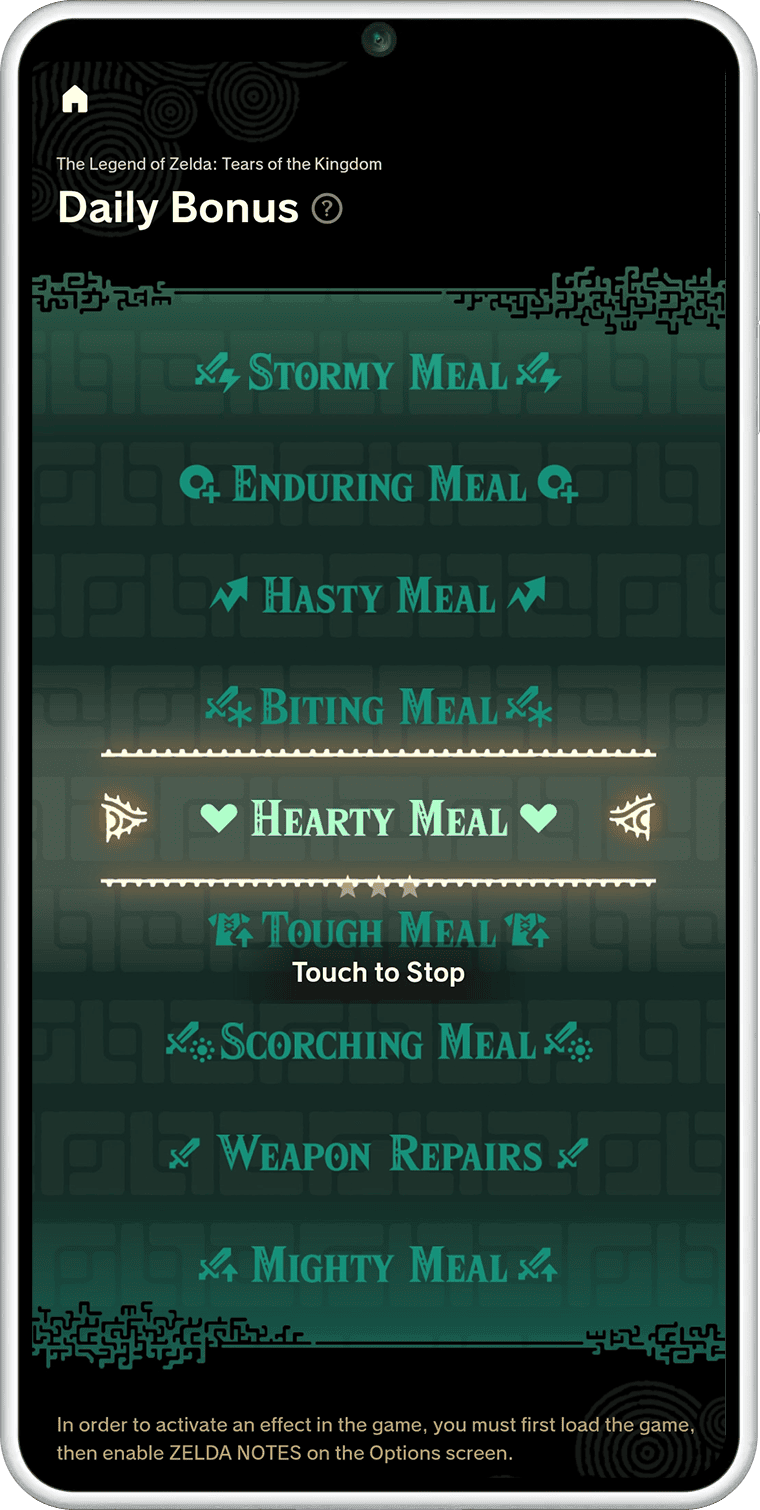
ZELDA NOTES Daily Bonus gives Breath of the Wild and Tears of the Kingdom players one chance each day at an in-game reward. In the Nintendo Switch App, choose Daily Bonus for your Switch 2 Edition and try your luck. Nintendo lists hearts, weapons and other helpful effects among the possible outcomes.
The app also offers a separate amiibo bonus. Use the same compatible Zelda-series amiibo five times and ZELDA NOTES awards one extra use of that figure on the qualifying day. That means a second scan, not unlimited repeats or a guarantee of a particular rare item.
ZELDA NOTES Daily Bonus: how the once-daily draw works
Open the Nintendo Switch App, choose ZELDA NOTES for the game you’re currently playing and open Daily Bonus. You can take the daily chance once. The result determines which in-game reward or effect you receive.
Nintendo names hearts, weapons and other effects as potential outcomes. That doesn’t mean every draw produces equipment; a health or other effect is also a valid result. You don’t get to reroll the Daily Bonus several times on the same day.
This feature is part of the free ZELDA NOTES service for the supported Switch 2 Editions. You don’t need to buy a separate reward pass, and a paid Nintendo Switch Online subscription isn’t required for the phone companion.
When does ZELDA NOTES Daily Bonus reset?
ZELDA NOTES Daily Bonus is available once per day. The app is the place to check whether the next chance is ready. Nintendo’s feature description gives the daily limit but doesn’t state a universal UK reset hour, so don’t use a guessed time to plan a reward claim.
Claim the available draw, see what it gives you and return when the next daily chance is shown. The result can help during your adventure, but the game doesn’t promise a particular weapon or meal each time.
How do Zelda amiibo bonus scans work?
Compatible Legend of Zelda amiibo figures can normally be scanned once per day in Breath of the Wild and Tears of the Kingdom for in-game items. They’re physical figures sold separately and have their own in-game rewards.
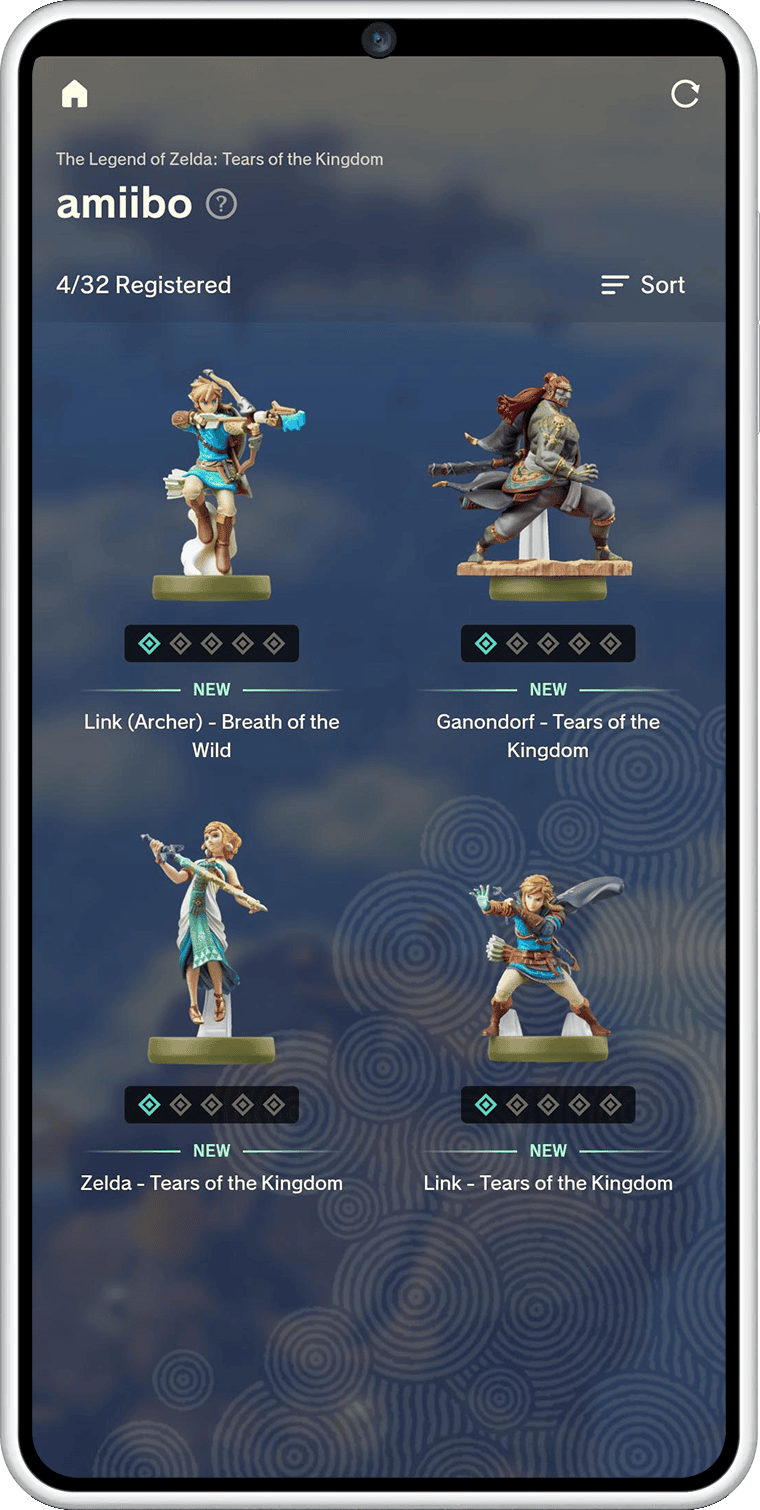
ZELDA NOTES keeps track of scans. Once the same compatible amiibo has been scanned five times, the app awards a bonus use for that figure on the qualifying day. You can scan it again that day instead of waiting for its next normal daily use.
The milestone counts uses of the same figure, not one scan each of five different figures. The bonus is one extra use, so it doesn’t turn your amiibo into a repeatable item dispenser. Keep using a compatible figure over time to reach the five-scan milestone.
Does the amiibo bonus replace the normal daily scan?
No. The normal daily scan still applies. The ZELDA NOTES bonus adds an extra use of that same amiibo after the fifth qualifying scan, letting you use it twice on the reward day.
The bonus scan follows that figure’s usual in-game item rules. Nintendo doesn’t promise that the extra try will give you a special outfit, rare weapon or other specific reward.
Which Zelda games support ZELDA NOTES Daily Bonus?
Both Breath of the Wild (Nintendo Switch 2 Edition) and Tears of the Kingdom (Nintendo Switch 2 Edition) support ZELDA NOTES Daily Bonus and the amiibo perk. The original Switch versions still support their normal amiibo features, but not this phone companion.
Item Sharing and Navigation are separate ZELDA NOTES functions. The first transfers eligible items through QR codes, while the second guides you to locations on the map. Neither replaces the Daily Bonus or counts as an extra amiibo scan.
Can you use Daily Bonus without Nintendo Switch Online?
Yes. Nintendo confirms that ZELDA NOTES and the Nintendo Switch App don’t require Nintendo Switch Online membership. You need a compatible phone and one of the supported Zelda Switch 2 Editions.
If you want the day’s reward, open ZELDA NOTES Daily Bonus while playing your supported game. If you have a Zelda amiibo, use it normally and let the app track its progress towards that second scan. Both features add benefits without changing the game’s main quests.
Official source: Nintendo’s ZELDA NOTES Daily Bonus and amiibo support information.





