
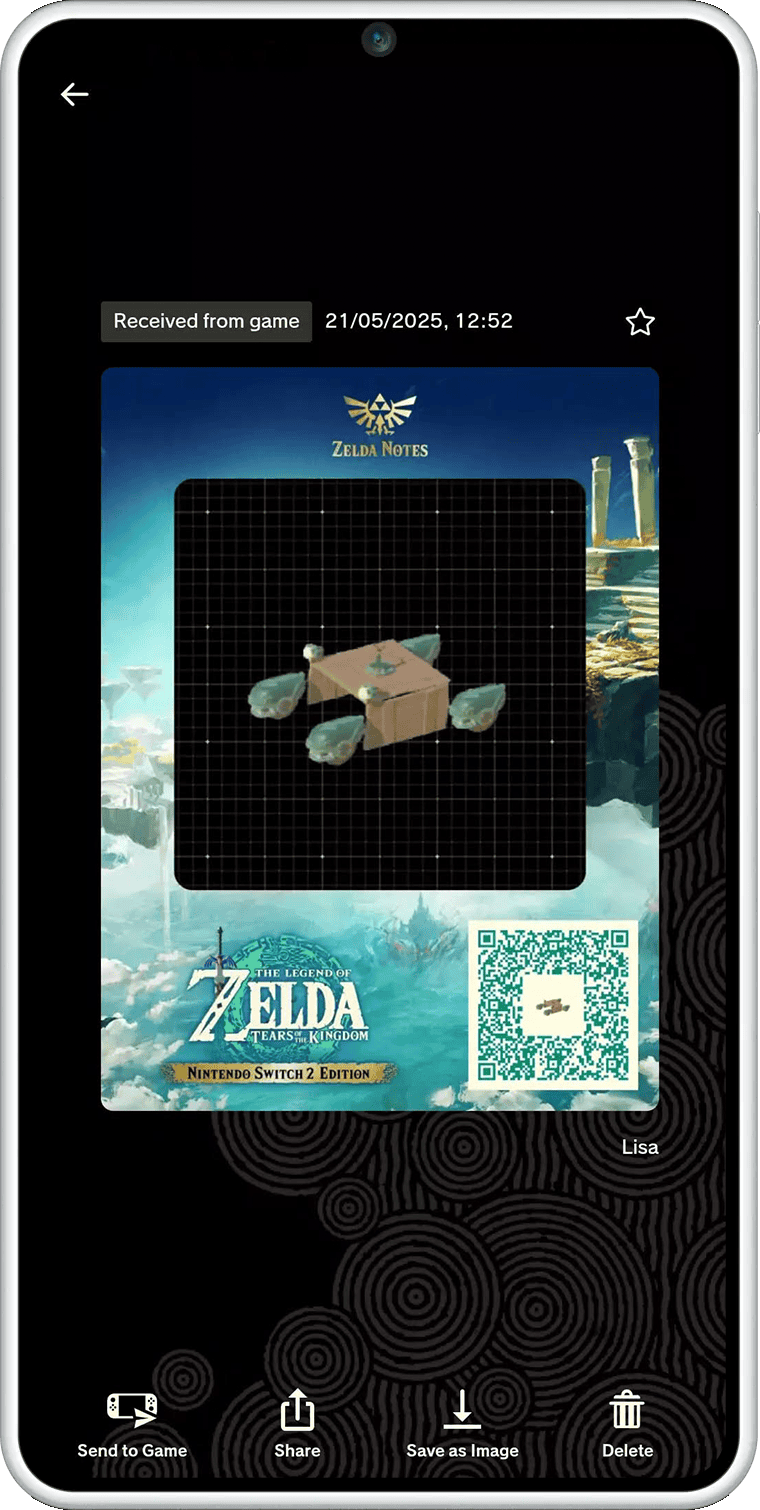
Tears of the Kingdom Autobuild Sharing lets you send an Ultrahand blueprint to another player using a QR code in ZELDA NOTES. The recipient scans the code with the Nintendo Switch App and imports the schematic into Tears of the Kingdom (Nintendo Switch 2 Edition), where they can recreate the design with Autobuild.
It’s a way to share a vehicle or contraption without making a friend copy every part by eye. Both players need the supported Switch 2 Edition and the Nintendo Switch App. A Nintendo Switch Online subscription isn’t required for the companion service.
Tears of the Kingdom Autobuild Sharing: how QR blueprints work
Make an Ultrahand construction in Tears of the Kingdom and save it as an Autobuild schematic. From the game’s supported ZELDA NOTES sharing option, send the blueprint to the phone app. The app turns that schematic into a QR code you can share with somebody else.
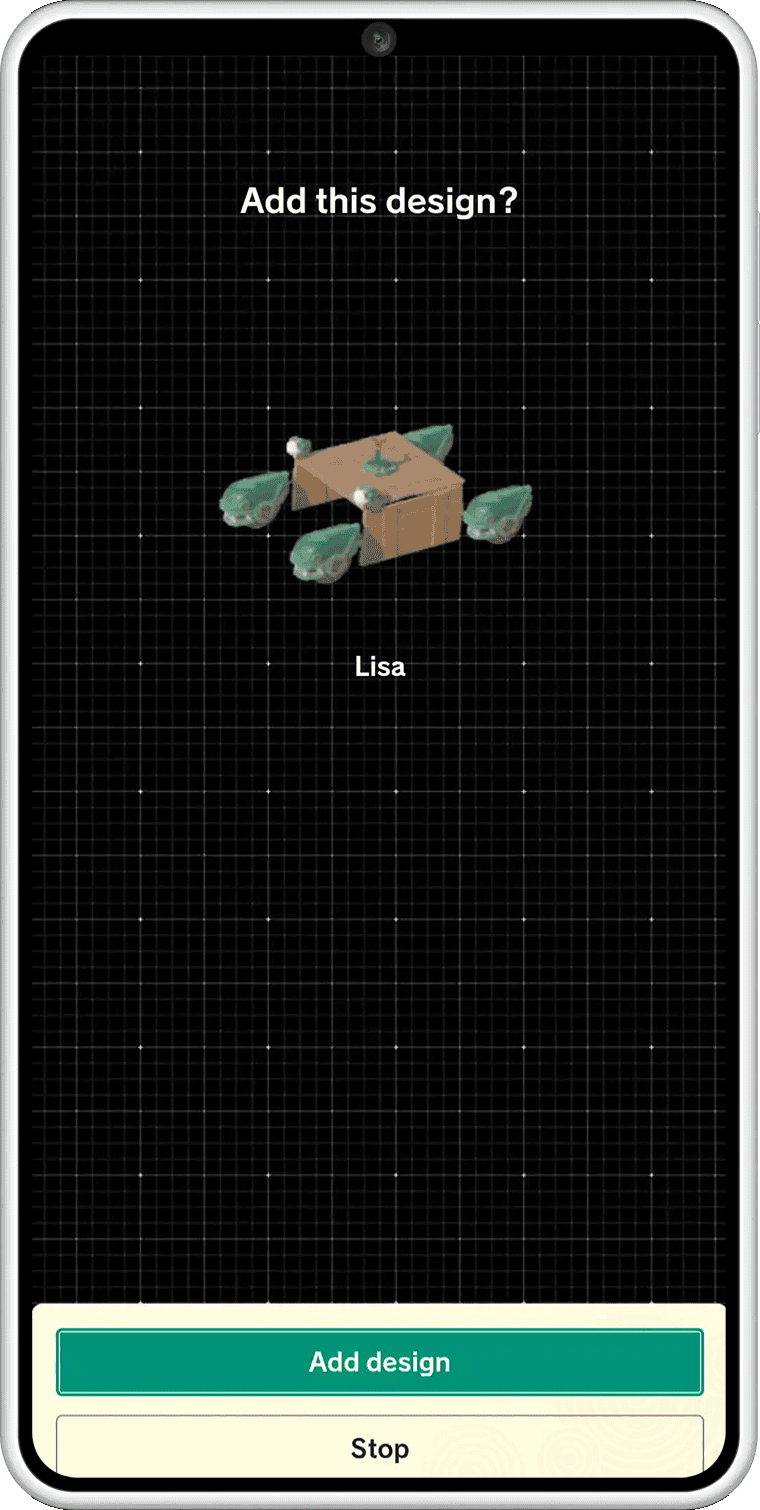
The recipient scans the QR code in ZELDA NOTES and imports the blueprint to their own Tears of the Kingdom game. What they receive is the design, not a completed vehicle appearing in their world or a copy of your save file.
Nintendo’s official screenshots show both the sending and receiving views. The important distinction is which screen you’re using: the sender creates the code, while the recipient scans it and receives the schematic.
How to send an Autobuild schematic
Start with a creation already saved for Autobuild. Send that schematic from Tears of the Kingdom (Nintendo Switch 2 Edition) to ZELDA NOTES, then share the generated QR code. A photograph of the machine by itself won’t give anybody its working blueprint.
Want to show what the machine looks like? Photo Studio can decorate a picture saved in the game’s in-game Album, then attach it to your shared blueprint QR code. The image helps explain your creation; the QR code carries the usable schematic.
Tears of the Kingdom Autobuild Sharing: how to receive a QR schematic
On the receiving phone, scan the shared QR code using ZELDA NOTES. Nintendo’s receive interface shows the incoming schematic, which you can import to your supported Tears of the Kingdom game. Open Autobuild there when you’re ready to use the design.
Tears of the Kingdom Autobuild Sharing transfers the blueprint, not the physical objects it was built from. Recreating it still takes place through the game’s normal Autobuild system. Don’t mistake the QR code for a way to transfer materials, currency or another player’s inventory.
Does it work in Breath of the Wild or original Switch?
No. Breath of the Wild doesn’t have Autobuild, and the original Switch edition of Tears of the Kingdom doesn’t have this ZELDA NOTES blueprint feature. It is exclusive to Tears of the Kingdom (Nintendo Switch 2 Edition).
Both Switch 2 Zelda games do offer Item Sharing and other companion tools. Being able to share an item between games is different from sending an Autobuild blueprint, which only Tears of the Kingdom can use.
Do you need Nintendo Switch Online?
No. ZELDA NOTES is available through the free Nintendo Switch App without a Nintendo Switch Online membership. You still need a compatible smartphone and Tears of the Kingdom’s Switch 2 Edition to use Autobuild Sharing.
There is no separate app to buy for Autobuild QR codes. The Nintendo Switch App provides ZELDA NOTES, and the supported Switch 2 Edition provides the in-game blueprint system.
Tears of the Kingdom Autobuild Sharing versus ZELDA NOTES Item Sharing
Autobuild Sharing is for construction blueprints. Item Sharing sends eligible in-game objects through a separate ZELDA NOTES item box. Item Sharing works in both Zelda Switch 2 Editions; Autobuild Sharing works only in Tears of the Kingdom.
Choose Tears of the Kingdom Autobuild Sharing when you want to pass on a machine or construction. For supplies and other eligible objects, use ZELDA NOTES Item Sharing instead; that feature works in both supported Zelda games.
Official source: Nintendo’s official ZELDA NOTES Autobuild Sharing instructions.





