The Ocarina of Time Switch 2 Echo Gem is awarded for collecting 20 Gold Skulltula tokens. Head to the House of Skulltula in Kakariko Village, speak to the freed family member and equip the gem. It will help you detect nearby Gold Skulltulas as you explore Hyrule.
It replaces the Stone of Agony from the original game and the Shard of Agony from earlier remakes. When equipped, the Echo Gem lights up and vibrates near a Gold Skulltula, and its item description mentions sound. It doesn’t mark exact locations on your map.
How to unlock the Ocarina of Time Switch 2 Echo Gem

- Find and defeat Gold Skulltulas while exploring Hyrule.
- Pick up the Gold Skulltula token left behind by each defeated spider.
- Keep collecting until your total reaches 20 tokens.
- Visit the House of Skulltula in Kakariko Village.
- Talk to the family member freed by your collection progress and claim the Echo Gem.
There’s no shop purchase or dungeon chest involved. You earn the Ocarina of Time Switch 2 Echo Gem by collecting 20 tokens, then claiming it from the cursed family. If you defeat a spider but leave its token behind, that spider doesn’t count towards the total.
Where to claim the Ocarina of Time Switch 2 Echo Gem
Look for the House of Skulltula in southern Kakariko Village. Inside are the family members cursed by the spiders. As you bring back more tokens, you free members of the family and receive new rewards.
Visit at 20 tokens for the gem. You can also claim rewards at 10, 30, 40, 50 and 100 tokens. Our Gold Skulltula rewards guide has the full table, including the larger wallets in this remake.
What does the Ocarina of Time Switch 2 Echo Gem do?
With the gem equipped, a light and vibration signal tells you when a Gold Skulltula is nearby. The item’s own description also mentions sound. Slow down and inspect the area when it reacts, rather than racing ahead.
The gem is a proximity detector, not a full collectible tracker. It won’t name the room, point to an exact square on the map or pick up the token for you. You’ll still need to find the spider and collect what it drops.
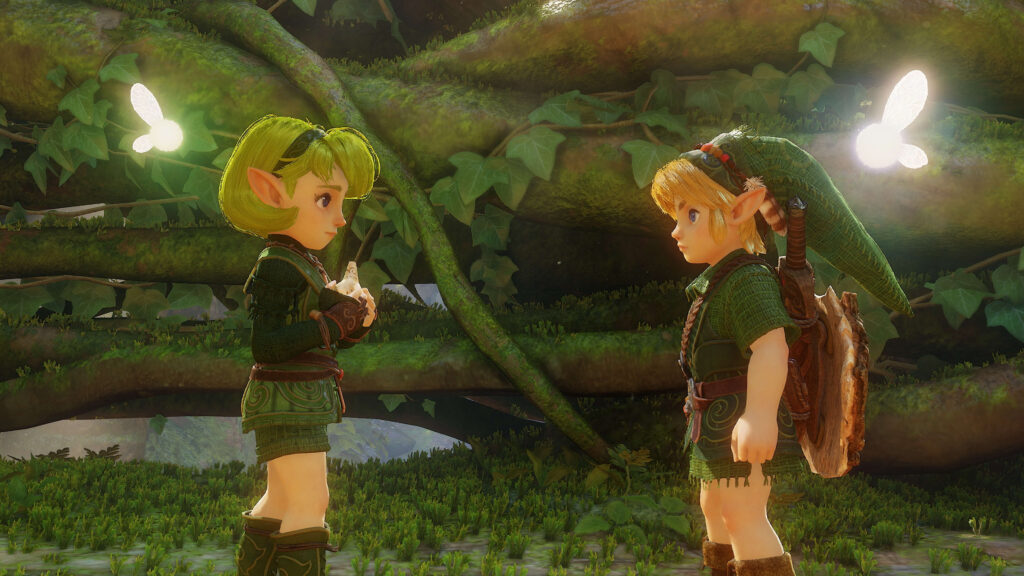
Does the Ocarina of Time Switch 2 Echo Gem replace the Stone of Agony?
Yes. Older walkthroughs tell you to collect the Stone or Shard of Agony at 20 tokens. In the 2026 Switch 2 version, that milestone gives you the Echo Gem instead.
That makes the Ocarina of Time Switch 2 Echo Gem worth getting early. You can take it into later dungeons and revisit areas you explored before you had a detector.
Why is the Ocarina of Time Switch 2 Echo Gem glowing or vibrating?
If the equipped gem starts glowing or vibrating, search the immediate area. Look up at walls and ceilings, around trees and in places you may have hurried past. Some spiders need a ranged weapon to reach their tokens.
If you can’t see a spider, check the time of day and which version of Link you’re playing. Some Skulltulas appear only at night or in one era; other spots require items such as a Hookshot or a Magic Bean planted in the past.
Does the Echo Gem show every missing Skulltula on the map?
No. You won’t get a map covered in pins for all 100 Gold Skulltulas. Keep track of where you’ve already explored, then use the gem’s signal to help identify overlooked spots.
If the gem seems to be leading nowhere, first check that it’s equipped. Then look above and below you and consider returning at night or in the other era. The signal narrows your search; it doesn’t guarantee that a spider is immediately visible.
Do you need to equip the Echo Gem?
Yes. Current remake guides describe the Echo Gem as an equippable detector, so claim it from the family and equip it before relying on its signal. They don’t establish a particular universal face-button shortcut for equipping it.
Open your equipment menu to find the Ocarina of Time Switch 2 Echo Gem and follow the prompts shown by your control layout. You don’t need to assume an old N64 Stone of Agony button assignment applies.
What rewards come after the Echo Gem?
Your next reward comes at 30 tokens: the Giant’s Wallet, which holds 1,000 Rupees. At 40 tokens you get 20 Bombchus, at 50 a Piece of Heart and at 100 a repeatable 200-Rupee Gold Rupee.
The Ocarina of Time Switch 2 Echo Gem is most useful after the first 20 tokens, when the hunt spreads into new dungeons and both time periods. Keep it equipped while exploring and watch for its signal.
Related Guides
Official game source: Nintendo: The Legend of Zelda: Ocarina of Time for Nintendo Switch 2.