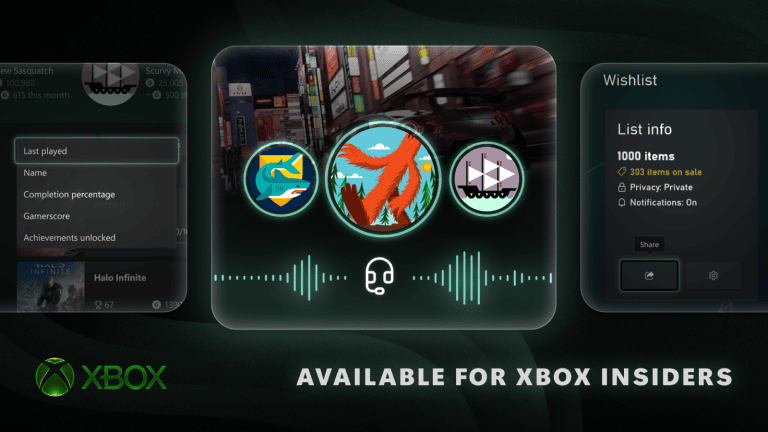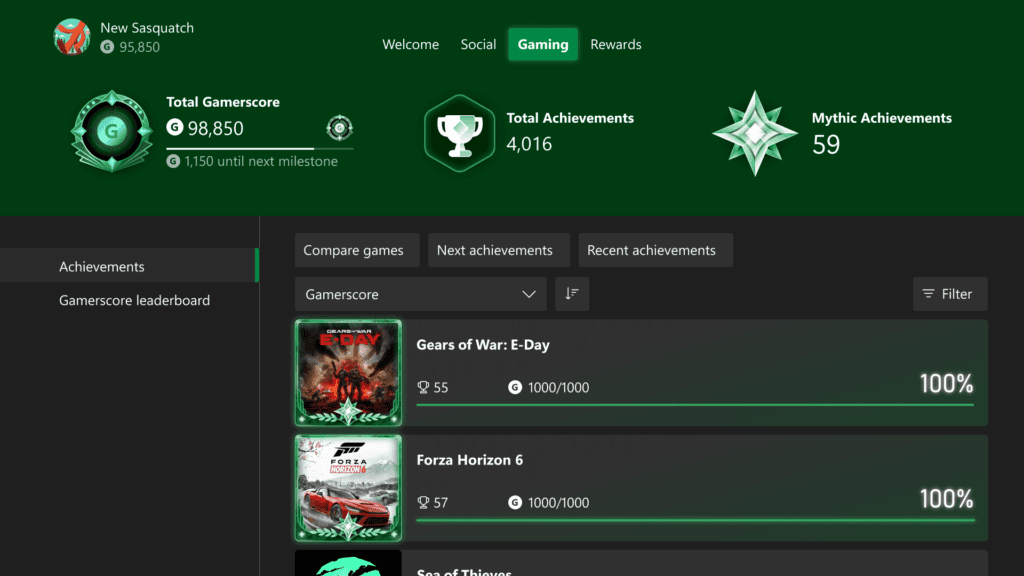
Xbox Completed Games now appear in the Gaming tab of your Xbox profile, alongside achievement history and Mythic totals. The October 2026 console update also makes it easier to find older games, sort your achievement list and distinguish completed original achievements from later DLC additions.
You can use the new tab to revisit games you’ve fully completed, track titles that are one achievement short of Mythic and see what friends have finished. Eligible Xbox 360 completions count towards Mythic too, so the new view isn’t limited to recent Series X|S games.
How to find Xbox Completed Games on your profile
- Press the Xbox button to open the Guide.
- Open Profile & system and select your Xbox profile.
- Switch to the Gaming tab.
- Choose Achievements to view your game history.
- Use the list sorting and filters to focus on completed titles or games near full completion.
- Look for the Mythic frame on games whose original achievements are all unlocked.
The new Gaming tab displays lifetime Gamerscore, the next milestone, total achievements and the number of Mythic Achievements. When checking Xbox Completed Games, look for the Mythic frame: it marks a finished original achievement list, even when DLC still has locked achievements.
Sort Xbox Completed Games by completion or Gamerscore
Xbox achievement history can be sorted by game name, completion percentage, Gamerscore earned or the number of achievements unlocked, alongside the default last-played order. Each sorting choice can be ascending or descending, making it useful for finding an older 100% completion or returning to the games that are nearly finished.
If you have years of Xbox Completed Games in your history, sort by completion percentage or search for the title you want. Local search is available in profile achievement history as well as My games & apps and official club achievement lists. You don’t have to scroll through years of titles to find one game.
How to find unfinished games near Mythic
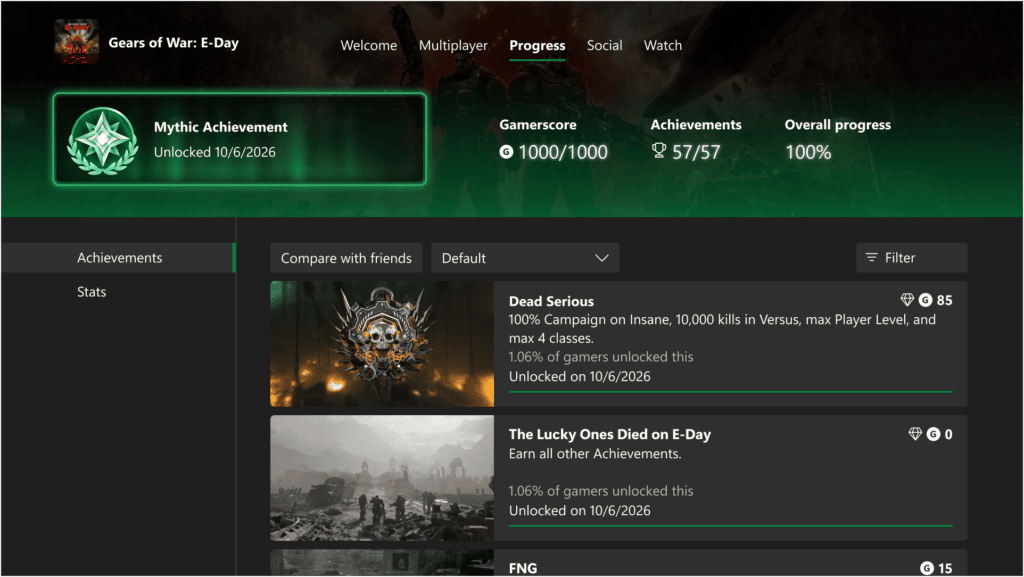
Select a game from your achievement history and open its detailed achievement list. A Mythic progress bar above the list shows how close you are to finishing its original achievements. Use the option to focus on missing original achievements rather than add-ons, which are labelled separately.
A game with several DLC achievements remaining can still count as Mythic if every original achievement is unlocked. For Xbox Completed Games, the original-only progress bar tells you which games qualify for Mythic, even when the full achievement total includes later DLC.
Do Xbox 360 completions appear?
Microsoft says eligible games completed on Xbox 360 can receive Mythic status retrospectively. You don’t have to replay the game to earn that recognition. Look under the Xbox profile used for the original completion, because one gamertag’s achievement history is not automatically shared with another account.
Check the original achievement list for older titles, especially if the combined percentage includes later add-ons. Our Mythic not showing guide covers what to do when a completed eligible game has no frame.
Can you view friends’ Xbox Completed Games?
Yes. Open a friend’s Xbox profile and switch to their Gaming tab. Microsoft says the new tab lets you see friends’ achievement history, completed games and which titles they’ve taken to Mythic status. The badge and completion information makes it easier to compare progress without using a separate achievements website.
Your own Xbox Completed Games list still belongs to the signed-in profile. If you’re sharing a console with family, switch to the correct Xbox account before looking for a game’s history or your own Mythic total.
What if the new Gaming tab is missing?
The Gaming tab and Mythic tracking joined the public Xbox update on 28 October 2026. Check Settings, System, Console info for OS 10.0.26100.9647, and look for an update under Settings, System, Updates if your version is older.
If you already have the October build, use the profile’s Gaming section rather than the old Rewards tab. The Xbox October update guide explains the new profile layout and other changes introduced at the same time.
Related Guides
Official source: Microsoft Xbox Wire: completed games, Mythic and Gaming tab.