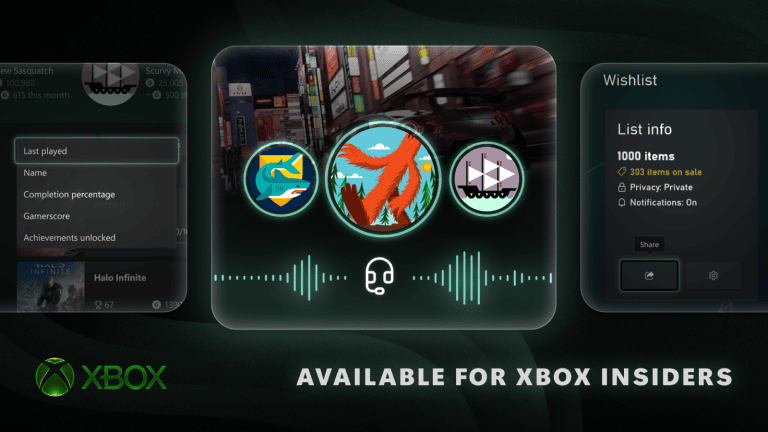
Xbox Gamerscore Milestone Badges recognise your lifetime Gamerscore total. Xbox awards tiered badges as you reach higher totals, and the profile’s Gaming tab shows how far you are from your next milestone. With the October 2026 update, you can also feature up to five badges on your profile card.
These badges are different from Mythic Achievements. A Mythic marks completion of the original achievements in one game, while a Gamerscore badge reflects the points earned across all games. You don’t have to finish a specific title to earn another Gamerscore tier.
How to earn Xbox Gamerscore Milestone Badges
Earn Gamerscore by unlocking achievements in Xbox games. Microsoft introduced a tiered lifetime badge that changes as your total passes new milestones. The badge is linked to your Xbox profile, so progress from older games contributes to the total already shown on your account.
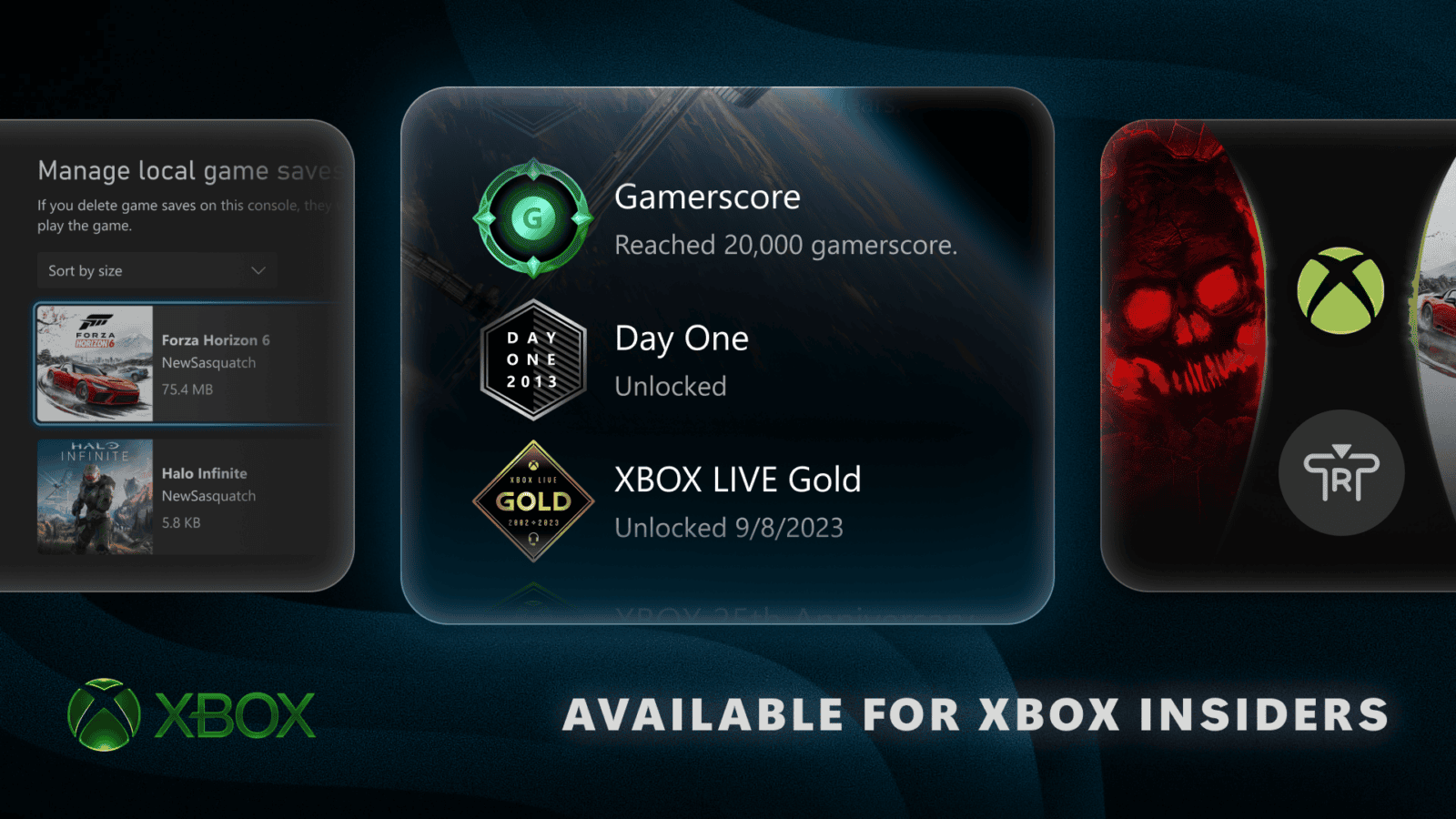
Microsoft’s official badge viewer includes an example for 20,000 Gamerscore. To see your own next target, open the Gaming tab and look at the progress beside your lifetime Gamerscore. Xbox Gamerscore Milestone Badges recognise that total. Featuring one on your profile doesn’t award extra points.
Where to find Xbox Gamerscore Milestone Badges on Xbox
- Press the Xbox button and open your own Xbox profile.
- Choose the new Gaming tab.
- Find your lifetime Gamerscore and the next milestone progress indicator.
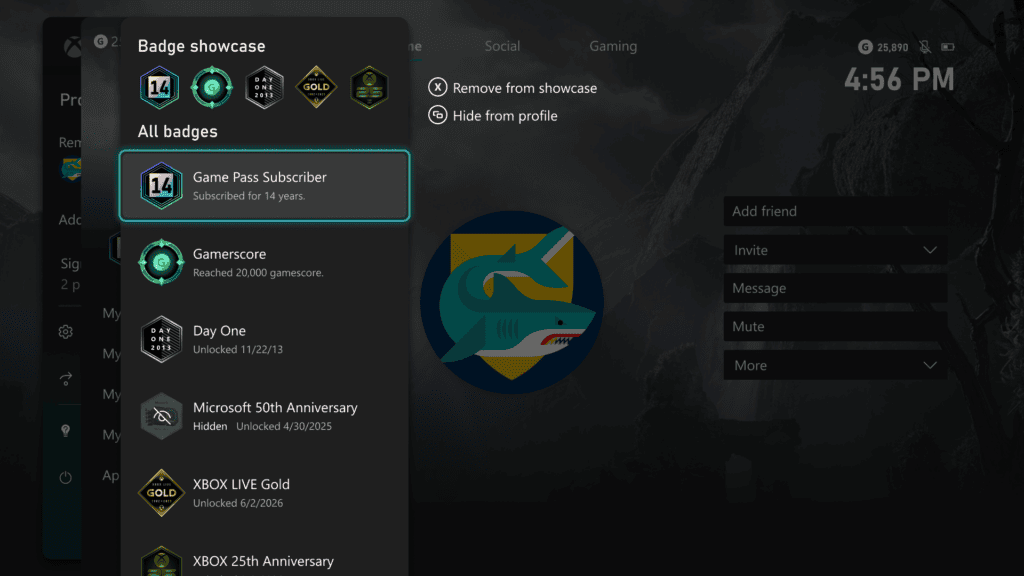
- Open your profile badge collection or badge showcase to inspect earned awards.
- Select a badge to view its details, including unlock information.
- Use the showcase control to feature the badges you want other players to see.
The October update also places Mythic completion totals and achievement history on the Gaming tab. To track Xbox Gamerscore Milestone Badges, use the lifetime Gamerscore progress display; the original-achievement bar belongs to Mythic completions. Both features appear in your profile, but they recognise different accomplishments.
How to display five profile badges
Xbox profiles now support a showcase of up to five badges. Open the badge collection, choose an earned badge and add it to the showcase. Microsoft’s September preview also shows Remove from showcase and Hide from profile options, so you can choose what appears publicly.
You can change which five badges are featured without losing the awards you’ve earned. Your Xbox Gamerscore Milestone Badges continue to reflect your lifetime total even if you leave them off the public showcase.
Other Xbox badges worth displaying
Microsoft’s official examples include the Day One badge, Game Pass subscriber history, Xbox Live Gold and Xbox anniversary awards. Those awards recognise account history rather than lifetime achievement points. The Day One badge, for example, celebrates players who earned the original Xbox One Day One achievement in November 2013.
The expanded badge viewer explains the significance of an award, shows artwork and can display when it was unlocked. The public update also lets you hide individual badges from your public profile. These options make the collection useful beyond the five badges you select for the showcase.
Why Xbox Gamerscore Milestone Badges may not appear yet
Make sure the console runs the October public update, OS 10.0.26100.9647 or later. Find the version under Settings, System, Console info and check Settings, System, Updates for anything pending. The public rollout began on 28 October, following earlier Insider previews.
Also confirm you’re using the Xbox account that earned the score. Each gamertag has its own achievement history and milestone progress. If Xbox Gamerscore Milestone Badges are missing on a fully updated console, check the displayed lifetime Gamerscore and the badge collection before reporting a profile-display issue to Xbox Support.
Our Mythic Achievements guide explains how game completions differ from a lifetime badge, while the October update guide covers the other changes to Xbox profiles and Home.
Related Guides
Official source: Microsoft Xbox Wire: new profile badge showcase controls.