
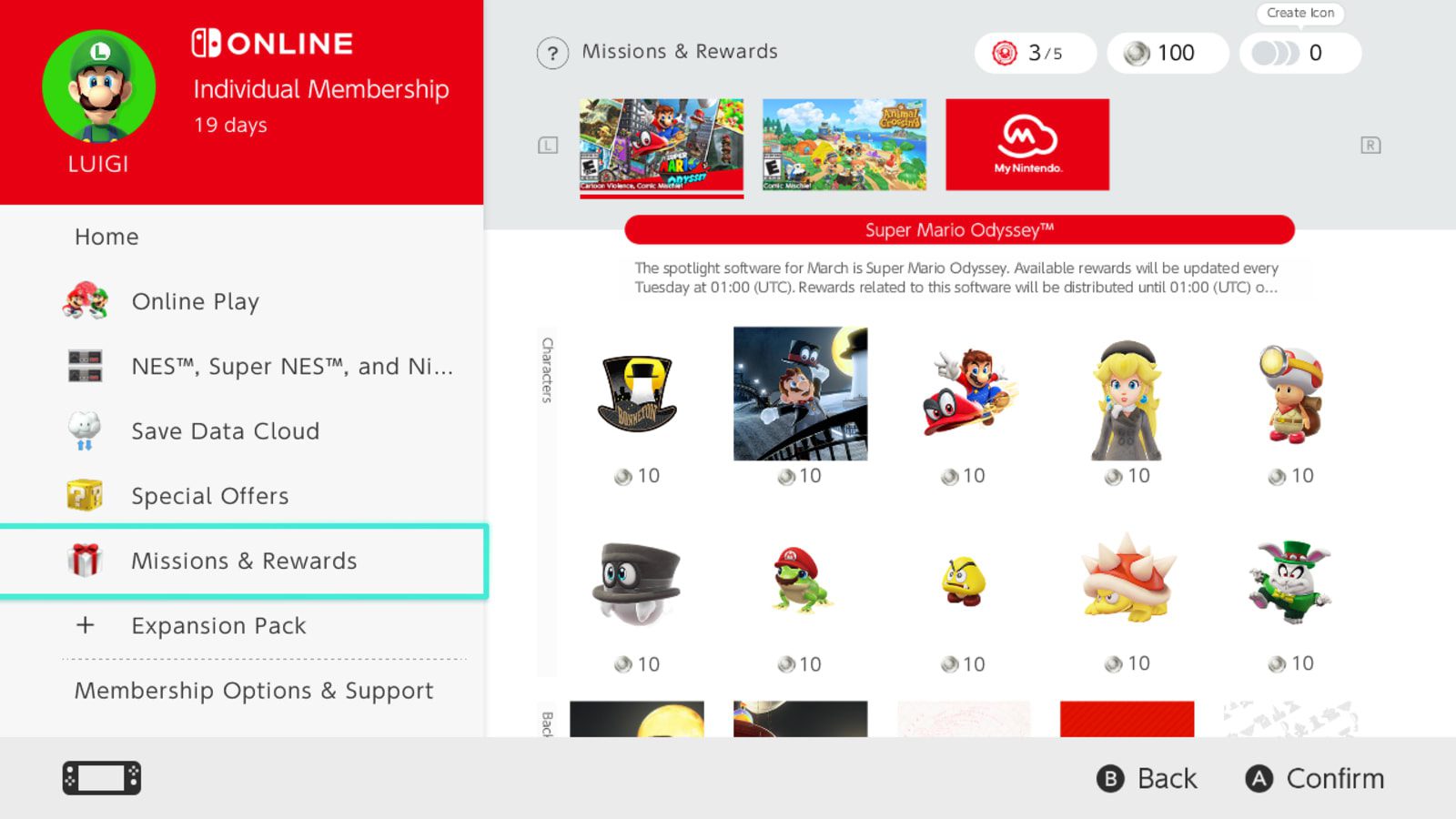
Nintendo Switch Online Halloween icons 2026 are still available to claim through Missions & Rewards. If you fancy giving your Switch profile a Halloween makeover, you can spend My Nintendo Platinum Points on seasonal characters, frames and backgrounds. The offer is almost over, with its regional deadlines falling around the start of Monday, 2 November.
You’ll need an active Nintendo Switch Online membership to redeem the pieces, but they’ll stay in your collection afterwards. Nintendo’s overseas announcements give slightly different end times, so your console’s countdown is the one to follow. Here’s how to get the designs you want before they disappear.
Nintendo Switch Online Halloween icons 2026: When do they expire?
Nintendo’s US offer finishes on Sunday, 1 November at 5:59pm Pacific, which converts to Monday, 2 November at 1:59am GMT. Australia’s announcement ends at 11:59am AEDT on 2 November, or 12:59am GMT. They’re different regional schedules, not one universal cutoff.
For Nintendo Switch Online Halloween icons 2026, check the expiry displayed on your own UK account. The overseas announcements do not establish a confirmed UK closing hour. If you’ve got your eye on a character or frame, redeem it during Sunday rather than leaving it until the final minutes.
How to redeem the Halloween icon rewards
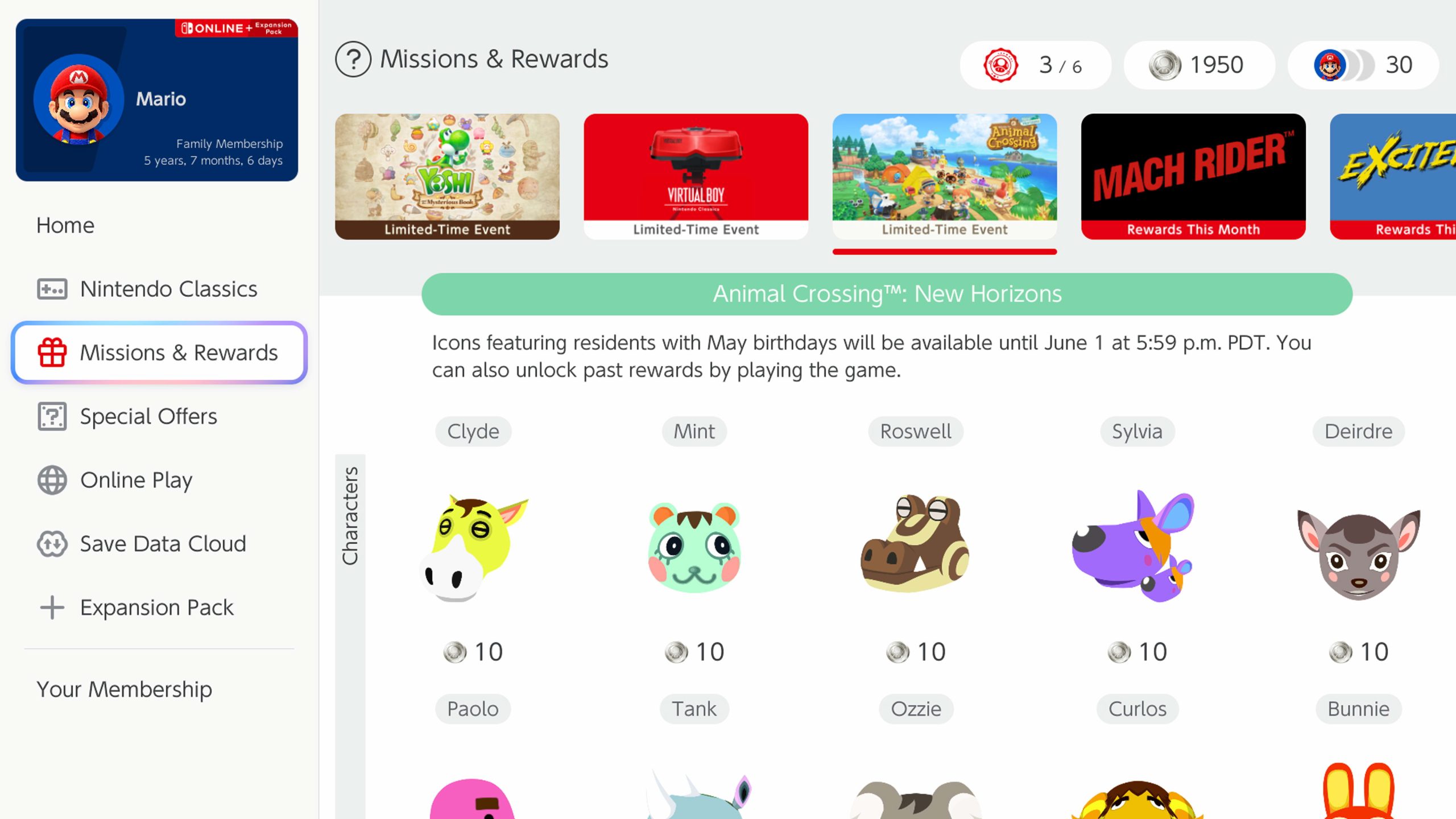
Open Nintendo Switch Online from your Switch, Switch Lite or Switch 2 HOME Menu. Choose the profile with the paid membership, go to Missions & Rewards, then use the L and R buttons to browse the collections until you see the Halloween banner.
Select a character, background or frame, check its Platinum Point price and choose Redeem Points. Repeat for the other pieces you like. Nintendo hasn’t published an item-by-item price list for this year’s Halloween collection, so check the cost beside each design before spending.
Subscription and Platinum Point requirements
Yes, a paid membership is required. Platinum Points alone aren’t enough. Members can earn additional points from eligible My Nintendo missions, and Nintendo’s icon maker works on the original Switch family as well as Switch 2. These are profile pictures, not outfits or DLC for a Halloween game.
If your points balance is low, look at the missions currently shown in Nintendo Switch Online or My Nintendo. Tasks rotate and some have their own claim deadlines. You don’t need to complete a specific Halloween quest to unlock the general icon editor.
Making a Halloween user icon
After redeeming your favourites, open Icon Collection in the top-right corner. Select the plus symbol under Icons or choose Use to Create Icon on an owned part. Pick a compatible character, frame and background, then save your new profile picture.
Redeemed Nintendo Switch Online Halloween icons 2026 parts stay in your collection when the promotion ends, and Nintendo says they remain there even after your membership expires. You can’t always mix artwork from unrelated game collections, although generic frames and backgrounds can be used with more designs. Special icons are applied from Nintendo Switch Online, not the normal System Settings icon picker.
Why the promotion is not showing
If Nintendo Switch Online Halloween icons 2026 aren’t showing, double-check which user you picked in Nintendo Switch Online. Make sure the paid membership belongs to that account, the console is online and its software is up to date. Then cycle through the collections with L and R.
Once the regional deadline has passed, new Nintendo Switch Online Halloween icons 2026 parts can disappear from the shop. Anything you’ve already bought will still be in Icon Collection. If a reward is visible but won’t redeem, check that you have enough Platinum Points.
Remember that Redeem Points saves the individual part to your Nintendo Account. You don’t have to create the finished icon immediately. Claim the pieces you want now, then try different combinations later.
Questions about Nintendo Switch Online Halloween icons 2026
Can Switch Lite users claim them? Yes. Do claimed parts expire? No. Are the icons free? You use Platinum Points, but the membership itself is paid. Will the offer return? Nintendo can bring rewards back in future rotations, but the current Halloween parts have a limited claim window.
If Nintendo Switch Online Halloween icons 2026 are on your wishlist, Sunday is the day to sort them. The actual redemption only takes a moment once you’re in Missions & Rewards.
Related Guides
- Nintendo Switch Online October 2026 Games
- Mario Kart World Slipstream Rewards and Platinum Points
- Sports Resort Nintendo Switch Online Requirements
- Nintendo Switch Sports Resort Item Center Cosmetics
- Nintendo Switch Sports Resort Icons and All Four Reward Waves
- Plants vs Zombies Replanted Game Trial: UK Dates and Download
- Discord Halloween Ringtone: Another Seasonal Customisation
Official source: Nintendo Halloween icon announcement (US timetable; check your UK console).





