
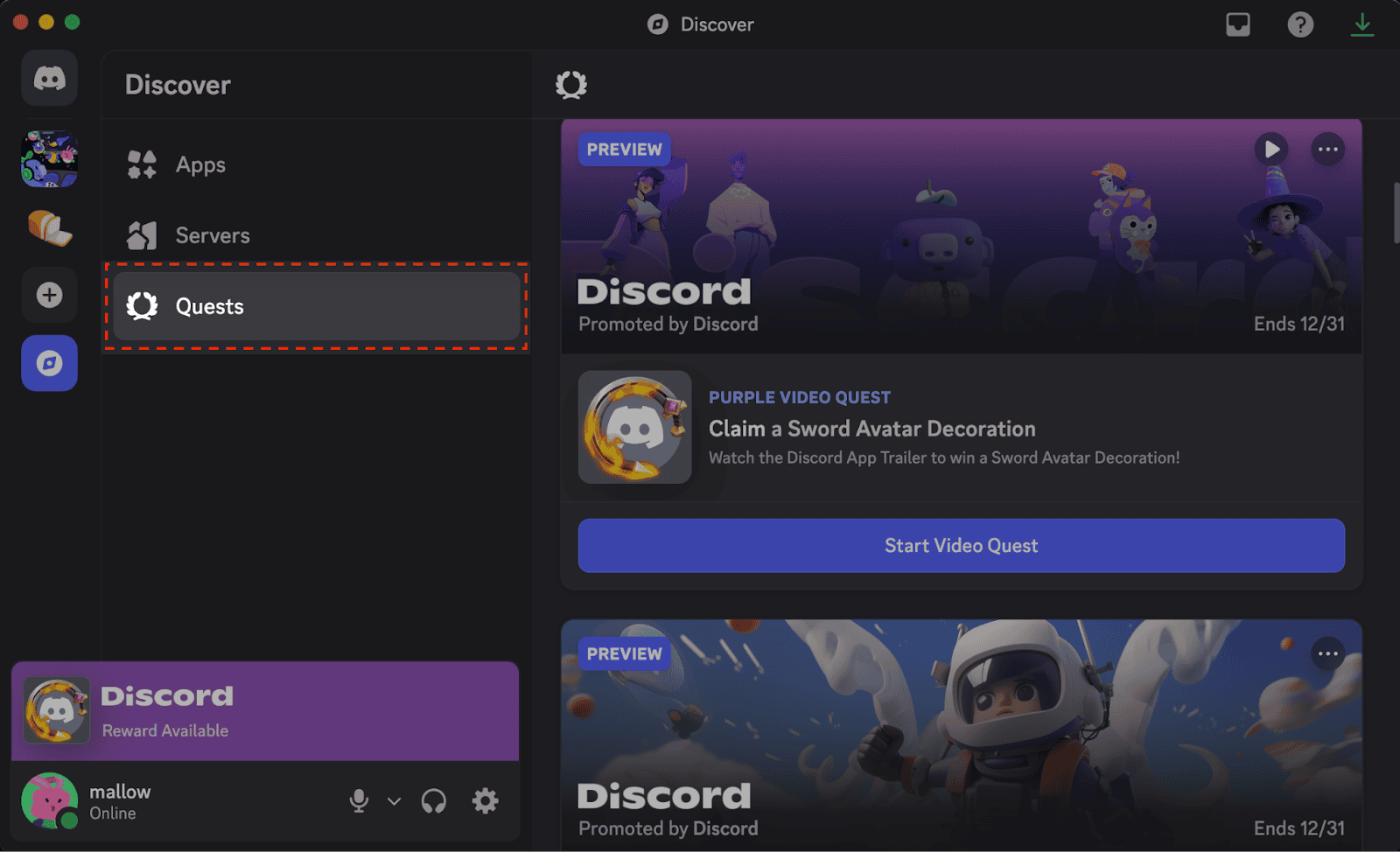
Discord Quests not showing? Start with Discover → Quests on desktop or in your browser. You don’t need to wait for a Quest pop-up. If you’re looking for a particular promotion, check its deadline, region and device requirements, because not every account gets every Quest.
If the Quest is there but progress won’t move, check what it’s asking you to do. Play Quests use the desktop app, streaming tasks need at least one friend in a voice channel, and Video Quests pause when you switch windows. Once you’ve finished, press Claim Reward to collect the prize.
Discord Quests Not Showing: Find Quest Home
Click Discover near the bottom of your server list, then select Quests. You’ll find the available promotions and your accepted Quests there. The Quest Bar that occasionally appears at the bottom-left is just another route to a Quest.
Open the Quest card to see the reward, deadline and task. Click Accept Quest for a Play Quest or Start Video Quest for a video. Just launching a game doesn’t sign you up.
Why Are Discord Quests Not Showing for Everyone?
Some Quests are restricted by region, device or account eligibility. Seeing a friend complete an offer doesn’t mean it’s available to you. Discord also supports only selected Quests on mobile, so check the desktop Quest Home before assuming an offer has gone missing.
If you hid a Quest notification, you can still look for that Quest in Discover. The same applies if you’ve turned off personalised Quest promotions. Once the Quest’s deadline has passed, though, you can’t restart it to earn a missed reward.
Play, Stream, In-Game Action and Video Quests
| Quest type | How it tracks |
|---|---|
| Play | Play the specified game for the required time while signed into the Discord desktop app. |
| Stream | Stream the specified game to at least one friend in a Discord voice channel using desktop Go Live. |
| Game action | Complete the required task with a linked game account; developer reporting can take up to 36 hours. |
| Video | Watch the in-client trailer; it pauses when you change windows, but saved progress can resume. |
A stream Quest won’t complete just because you played the game alone. If the task involves an in-game action, the developer may take up to 36 hours to report completion to Discord. Check the actual task type before resetting anything.
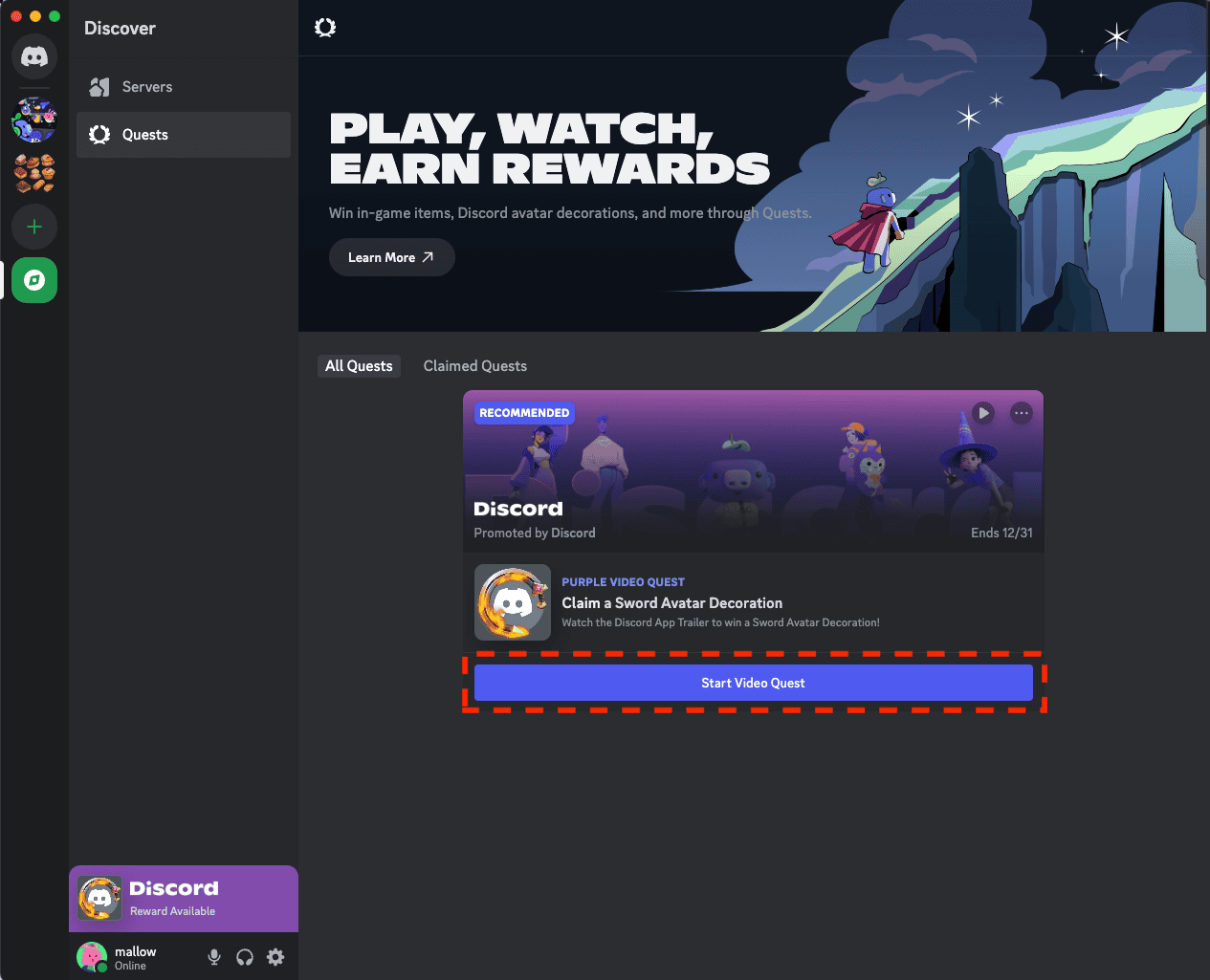
Discord Quests Not Showing Progress: Steps to Try
If the progress bar is stuck, restart Discord, install any available update and open Quest Home again. Check that you accepted the Quest and that the game or activity matches the one on its card. There’s no point leaving a different game running for longer.
For a Play Quest, keep the Discord desktop app open while playing. For a Stream Quest, make sure you’re sharing the correct game in a voice channel with a friend. If the Quest depends on a linked game account, check that connection and give the developer time to report your progress.
Where to Claim Discord Quest Rewards
Finished the task? Select Claim Reward from the Quest Bar or its card in Discover. Discord Orbs and profile decorations are delivered to your Discord account. Partnered game rewards can instead give you a unique code with instructions for claiming the item from the game publisher.
Our Discord Orbs guide explains how to spend those virtual rewards on eligible cosmetics and temporary Nitro credits. Codes for external games need their own redemption steps; they are not Orbs Shop purchases.
Discord Quests Not Showing on Mobile, Linux or Teen Accounts
Mobile Quest acceptance and tracking are limited to supported beta offers. On phones, visit Settings → Quests or use the mobile Quest Bar when available. Discord currently cannot award Quest rewards on Linux, and Meta VR headsets are unsupported.
Accounts for 13- to 17-year-olds can complete up to three Quests a day. After the third, there’s a 24-hour wait before accepting another. Rewards from Quests you’ve already completed can still be claimed.
Can an Expired Quest Be Recovered?
If Discord Quests not showing is down to the offer having expired, restarting the app won’t bring it back. If the Quest is still active, open its card, follow the exact instructions and claim the reward before the deadline.
If the whole app is failing to load, check whether Discord is down. If the rest of Discord works, concentrate on the Quest’s eligibility, device requirements and progress tracking instead.
Related Guides
More help with Discord Quests not showing, Discord Orbs and game promotions:
Official source: Discord Quests FAQ.





