
Checking Whether Software Can Be Played is a Nintendo Switch and Switch 2 message tied to digital ownership checks. Nintendo says it can appear when online licenses are enabled and you start downloaded software on a console that does not currently have that game loaded as a Virtual Game Card.
In other words, the console is asking Nintendo’s servers whether the purchasing account has permission to start the software through its online license. The message is not automatically an outage, a ban or a sign that the game is being removed from your account.
Why Checking Whether Software Can Be Played appears
Checking Whether Software Can Be Played appears because online license play needs a successful internet check. If the Virtual Game Card is loaded to the console, the game can normally be played without that repeated online-license route. If the game is not loaded and the user is relying on the online license instead, an active connection is required.
Nintendo says this check may appear from time to time, so seeing it briefly does not necessarily mean anything is wrong. The problem begins when the check cannot finish, appears every time because the console is offline, or exposes a separate account-ownership issue.
How to stop Checking Whether Software Can Be Played when you want offline play
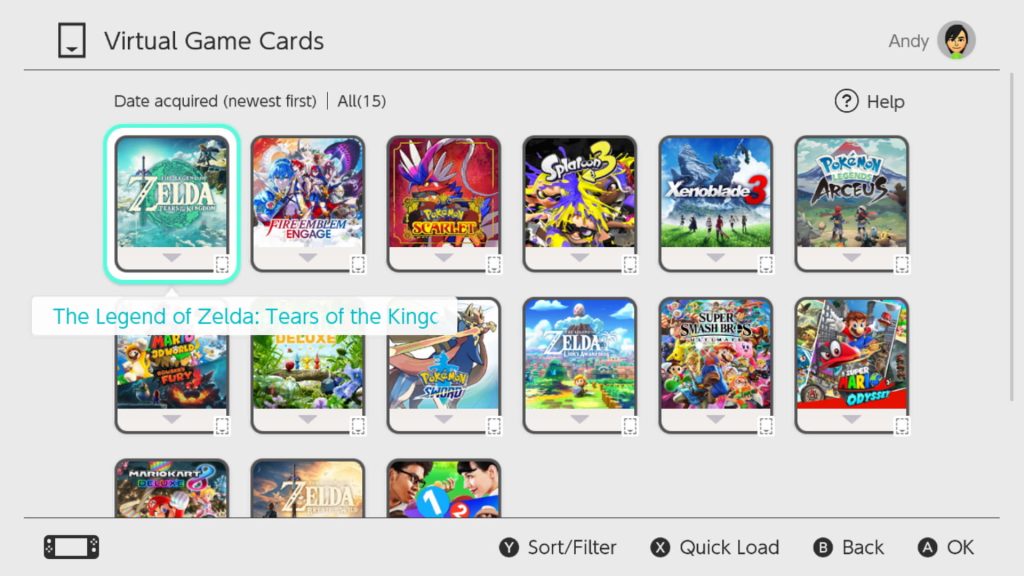
The most reliable way to avoid Checking Whether Software Can Be Played for an owned digital game is to load its Virtual Game Card onto the console before going offline. A loaded Virtual Game Card allows that console to run the game without an active internet connection after the necessary setup.
- Connect the console to the internet.
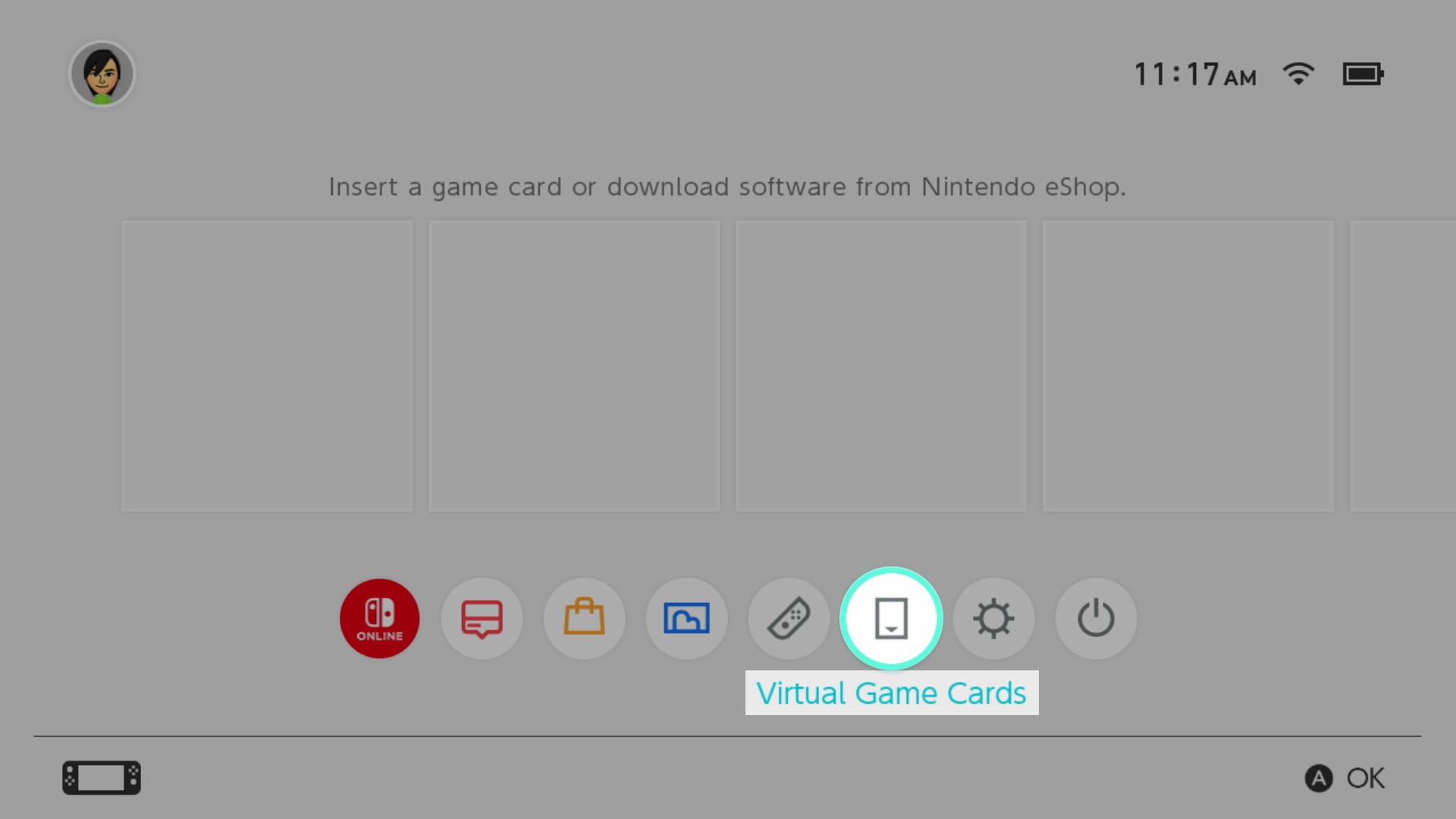
- Open Virtual Game Cards from the HOME Menu.
- Select the Nintendo Account that owns the game.
- Choose the game and select Load on This System.
- Let the required game data finish downloading.
- Start the game once while connected if prompted, then test offline play.
What if Checking Whether Software Can Be Played ends with an internet error?
If Checking Whether Software Can Be Played cannot complete because the console is offline, reconnect and try again. Nintendo also documents a separate “Could not connect to the internet” message for software that requires an online entitlement check, Nintendo Switch Online membership validation or an always-online connection.
If you know you will be travelling without reliable internet, load the Virtual Game Card before leaving. That is more dependable than relying on an online license in a place where the console may not be able to reach Nintendo’s servers.
What if Checking Whether Software Can Be Played says the software cannot be played?
If Checking Whether Software Can Be Played is followed by “This software cannot be played using the online license,” the issue has moved from a normal entitlement check into an ownership or console-sharing problem. Our Nintendo Online License Error guide explains why another user may be blocked even when somebody else in the household bought the game.
The short version is that online licenses follow the purchasing Nintendo Account. Other users can share a game when its Virtual Game Card is loaded on an eligible console, but they do not automatically share that purchaser’s online license on every linked system.
Can you disable the Checking Whether Software Can Be Played behavior?
You can disable online licenses for your Nintendo Account, which removes the need to use this online-license path for games you instead load as Virtual Game Cards. Open your user icon, choose Online License Settings and turn Use Online Licenses off, or change the same setting from Virtual Game Cards, Settings.
Disabling online licenses is not required just because Checking Whether Software Can Be Played appears normally. The feature is useful if you play your own digital library across more than two consoles. The tradeoff is that software started through the online license needs internet access.
Checking Whether Software Can Be Played: quick answers
| Question | Answer |
|---|---|
| Is the game being deleted? | No, the message is an entitlement check |
| Do online licenses need internet? | Yes |
| Can loaded Virtual Game Cards work offline? | Yes, after required setup checks |
| Can another user share my online license? | Not in the same way as a loaded Virtual Game Card |
| Should I reinstall the game first? | No, confirm license and card status before reinstalling |
- Nintendo Online License Error: This Software Cannot Be Played Fix
- Nintendo Error 2819-0022: Play Will Be Suspended Fix
- Nintendo Digital Content Missing: Restore Games and DLC
- Pokémon Champions Update Not Working: How to Update on Switch
- How to Play Star Fox Adventures on Nintendo Switch 2
- Destroy All Humans 2 Switch 2: Release, DLC, Size and What Changed
Official explanation of Checking Whether Software Can Be Played
Nintendo’s official support article for the message confirms that Checking Whether Software Can Be Played is associated with online license play on a console where the Virtual Game Card is not loaded. That is why internet and ownership checks should come before reinstalling the software.





