
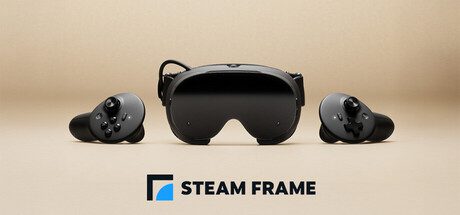
Steam Frame battery life can improve by up to 12 percent with SteamOS 0.4.3 according to Valve, but the update is currently on the Beta channel and the actual gain depends on frame rate and the content being played. The change applies to both PC streaming and local gameplay, which makes it more useful than a battery tweak aimed at only one Steam Frame mode. If you use the headset away from a charger, this is the first SteamOS release worth checking specifically for power efficiency rather than only stability or compatibility fixes.
The important detail is that Valve describes the 12 percent figure as an upper result, not a fixed extension every owner will receive. A demanding local game, a lighter streamed title, display settings, wireless activity and the frame rate target can all change how quickly the headset uses its 21.6 Wh battery. Steam Frame battery life therefore needs to be measured against the same game and settings before and after the update if you want to know what the new software actually changed on your unit.
What changed for Steam Frame battery life
SteamOS 0.4.3 includes a direct power efficiency change for the headset. Valve says it improves battery lifetime during both streaming and local gameplay, with gains of up to 12 percent. That wording matters because Steam Frame can operate in two very different ways. It can stream a game from a PC through Valve’s dedicated wireless link, or it can run supported games directly on its Snapdragon based SteamOS hardware. The update targets both workloads rather than asking owners to choose one mode to receive the benefit.
Valve does not claim that SteamOS 0.4.3 increases the physical battery capacity. The headset still uses the same rechargeable 21.6 Wh lithium ion battery listed on the official hardware page. The Steam Frame battery life improvement comes from using that available energy more efficiently. In practice, that can mean the headset spends less power doing the same work, which is why the gain can vary instead of adding a fixed number of minutes to every session.
How to install SteamOS 0.4.3
SteamOS 0.4.3 is a Beta channel release at the time of writing. Valve says owners can opt into it from Settings, System, System Update Channel. Select the Beta channel, allow Steam Frame to check for updates, then install the available 0.4.3 build. Keep the headset charged while updating and restart it when the installation process asks you to do so.
- Open Settings on Steam Frame.
- Open System.
- Find System Update Channel.
- Select the Beta channel.
- Check for the SteamOS 0.4.3 update.
- Install it and restart the headset if prompted.
If you normally stay on stable software, remember that switching channels is a deliberate trade. Beta builds contain features that Valve is still testing, so a battery improvement can arrive alongside behaviour that has received less public testing than the stable branch. Steam Frame battery life is a valid reason to try the Beta if longer sessions matter to you, but there is no requirement to leave the stable channel if your headset is already working well.
How much longer could the battery last?
Valve has not published one universal before and after runtime figure because the improvement depends on frame rate and content. That is the safest way to interpret Steam Frame battery life on 0.4.3. If a particular workload previously used the battery in two hours, a perfect 12 percent extension would not automatically mean every other game gains the same amount. A locally rendered VR game can stress the processor and graphics hardware much more heavily than a streamed game whose main workload is decoding video, tracking input and maintaining the wireless connection.
For a useful Steam Frame battery life test, choose one game, begin at roughly the same charge level, keep brightness and frame rate settings unchanged, and play for a similar period before checking the remaining percentage. Repeat after installing 0.4.3. That comparison is more meaningful than measuring one demanding local game against a lighter streamed session. It also avoids treating Valve’s up to figure as a guaranteed result.
Does the battery update help streaming and standalone games?
Yes. Valve specifically says the efficiency work applies during streaming and local gameplay. That is useful because Steam Frame can play supported games without a PC while also being designed as a streaming first headset. Owners who mostly stream from a desktop are not excluded from the power changes, and people using the headset as a standalone SteamOS system are not required to switch to streaming to see the benefit.
Steam Frame battery life also differs because the two modes have different power profiles. For the actual Performance and Playtime settings, see our headset guide; the standalone versus PC VR comparison explains where the rendering workload sits. Local play makes the headset processor do more rendering work, while streaming depends more heavily on wireless networking and video processing. Because Valve ties the maximum improvement to frame rate and content, Steam Frame battery life can still be shorter in a demanding standalone game even after the update than it is in a streamed title.
Other changes in SteamOS 0.4.3
The Steam Frame battery life release is not only a battery patch. Valve also added an accessibility option that can limit eye tracking to one eye, fixed controller bindings failing to load in some games, improved focus behaviour around interface grab and resize handles, and continued work on VR streaming reliability including more fixes for Error 17. Those changes can matter if you were already considering the Beta channel for a separate issue.
The wider Steam Frame software picture is moving quickly. The earlier 0.4.2 Beta focused on audio and connection reliability while streaming, and 0.4.1 included dashboard, controller and spectator view changes. Separate stable SteamOS work is also arriving across Valve hardware, which is why our SteamOS 3.8.28 update guide should not be confused with this Steam Frame specific 0.4.3 Beta branch.
Ways to protect Steam Frame battery life without changing channels
If you prefer stable software, you can still protect Steam Frame battery life by choosing a sensible frame rate for the game, reducing unnecessary display brightness and ending sessions or background activity you are not using. Those are general power management steps rather than a substitute for Valve’s efficiency work. Do not assume the lowest possible frame rate is always the right choice for VR comfort, because smooth motion and latency remain part of the headset experience.
Storage choice does not change the core battery hardware. Our Steam Frame 256GB vs 1TB comparison explains that both models use the same main platform. The larger model mainly increases internal storage, so buying 1TB is not a hidden battery upgrade. The same applies to the main Steam Frame price guide and UK Steam Frame price breakdown, which cover the two configurations and optional extras.
Should you install the update now?
If Steam Frame battery life is one of your main complaints and you are comfortable using Beta software, SteamOS 0.4.3 is a reasonable update to test because Valve directly identifies power efficiency as one of its changes. If your headset is stable and battery duration is not causing a problem, waiting for the improvement to reach a stable channel avoids taking on Beta software only for a possible gain that varies by workload.
New owners researching Steam Frame battery life should also separate battery concerns from buying and setup questions. The Steam Frame preorder guide explains the current invitation process, our reservation resale warning covers account linked purchase access, and the Half-Life Alyx guide explains what software is included with the headset.
Valve’s SteamOS 0.4.3 announcement is the official source for the Beta release and its up to 12 percent battery claim. Check that page again if Valve revises the notes or moves the change to a later channel.
Steam Frame battery life should improve for at least some workloads on 0.4.3, but the useful expectation is better efficiency rather than a guaranteed 12 percent extension every time. Keep your test conditions consistent, remember that streaming and local rendering use the headset differently, and decide whether the Beta channel is worth using for your own sessions. That gives you a clearer answer than relying on one headline percentage without looking at how you actually use Steam Frame.




