AMD Adrenalin Recommended vs Optional drivers are two update choices for Radeon graphics users. Recommended is AMD’s default, validated driver channel. Recommended + Optional can also offer newer fixes and optimisations for specific games. Optional updates are not compulsory, and the newest release is not always the right one for every PC.
Picking between AMD Adrenalin Recommended vs Optional drivers comes down to which games you play and what AMD has fixed. You can change the setting in AMD Install Manager without committing to a download. We’ll show you exactly where it is.
AMD Adrenalin Recommended vs Optional drivers explained
Recommended: AMD describes the latest Recommended package as delivering validated features, performance and stability to supported products. It is the default option in AMD Software and suits most people whose games are working normally.
Recommended + Optional: Adds the possibility of newer Optional packages, including fixes and optimisations for new or recently updated games. This can be useful when an AMD release addresses an issue in something you are playing.
AMD Adrenalin Recommended vs Optional drivers are not a good-versus-bad ranking. Optional isn’t a blanket beta label, and Recommended isn’t a promise that every game will run perfectly. Check the supported hardware, Windows versions and known issues in each package’s notes.
Which AMD driver update should you install?
If you’re comparing AMD Adrenalin Recommended vs Optional drivers because your games already run well, Recommended is a good starting point. Enable Recommended + Optional when AMD lists a specific fix for a game and GPU you actually use.
Before picking AMD Adrenalin Recommended vs Optional drivers, read the known issues as well as the fixes. Our Valor Mortis AMD Radeon crashes guide is an example of a specific gaming problem addressed in an Adrenalin release.
The opposite can also happen. With Adrenalin 26.10.2, AMD’s advice for affected War Thunder players using Radeon RX 5000 hardware was to stay on 26.9.1. Our War Thunder AMD driver timeout guide explains the workaround. Installing a higher driver number without checking that warning would be a poor move for those players.
How to change Recommended and Optional in AMD Software
- Open the Windows Start menu and launch AMD Software: Adrenalin Edition.
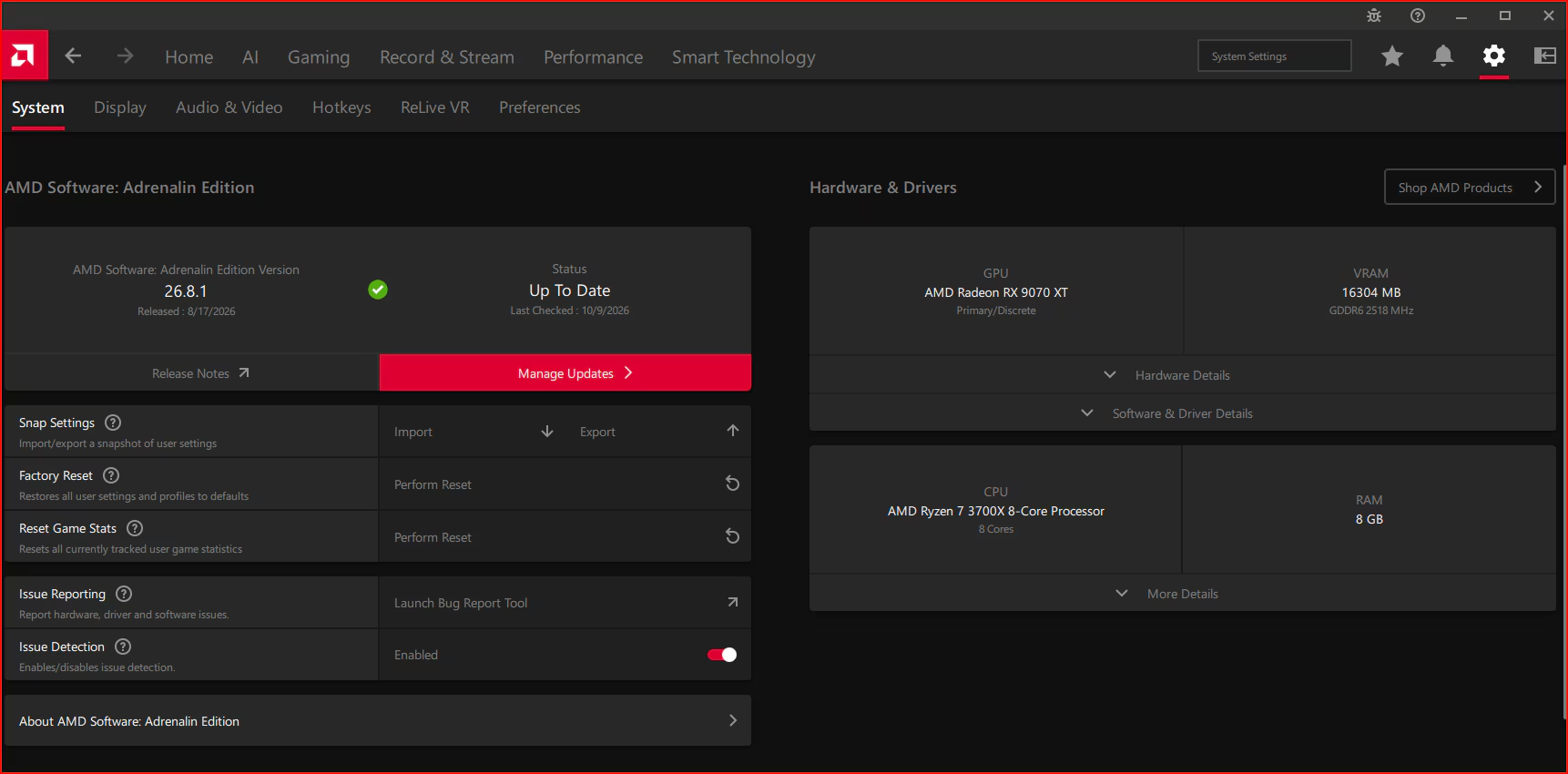
- Enter System in the app’s search box and choose System Settings.
- Click Manage Updates to open AMD Install Manager.
- Select the three vertical dots menu and then Preferences.
- Choose Recommended or Recommended + Optional.
- Read the available package details and release notes before downloading or installing.
The AMD Adrenalin Recommended vs Optional drivers setting changes what Install Manager can offer. It doesn’t download or install a package the moment you change it. For the full update walkthrough, see how to update AMD Adrenalin drivers on Windows 11.

Check your installed driver and graphics card first
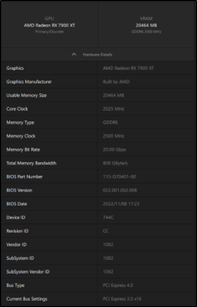
On the AMD Software System page, expand Hardware & Drivers → Hardware Details to identify your GPU. Then open Software & Driver Details for installed AMD Software, driver and Windows information. Release Notes opens AMD’s hosted notes for your installed package in a browser.
AMD Adrenalin Recommended vs Optional drivers concern Radeon graphics packages, not AMD chipset drivers or Windows Update. For laptops, AMD advises checking the manufacturer-supplied drivers. Its generic 26.10.2 package does not support gaming handhelds, so use the handheld maker’s downloads instead.
Do you need an Optional update for every game?
No. A new game does not automatically require an Optional driver. If the current Recommended package runs the game correctly, check what an Optional release changes before switching. Our Adrenalin 26.10.2 overview shows why the fixes and known-issue lists should be read together.
Why can’t you see Recommended + Optional?
If you can’t see the preference, check how AMD Software was installed. The Driver Only option doesn’t include the Adrenalin app, and menus vary between other installation types. In the app, search for System Settings, open Manage Updates and look under Preferences. AMD’s 26.10.2 notes also describe a fix for Optional updates failing to appear when Recommended + Optional was selected. An empty list isn’t automatically a fault: the package must still support your graphics hardware.
Can you go back to an older AMD driver?
A previous driver can be the right choice when AMD documents a workaround, as it does for the War Thunder issue above. AMD recommends its Cleanup Utility when downgrading, but check the instructions for your exact device first. Don’t roll back a stable driver just because you’ve read about someone else’s problem.
For most gaming PCs comparing AMD Adrenalin Recommended vs Optional drivers, start with Recommended. An Optional package is worth considering when its release notes give you a specific, compatible fix.
Official source: AMD’s guide to graphics information and software updates.