
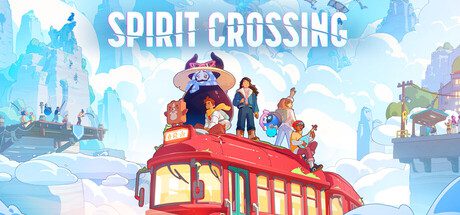
Spirit Crossing Switch 2 save transfer is not available between the original Switch game and the dedicated Switch 2 release. Nintendo’s publisher warning says save data and additional content cannot be shared across these two products. Buying both doesn’t combine your progress.
There is an important alternative for existing Switch owners: the original Switch edition runs on Switch 2 through backward compatibility. You can keep using that original product rather than purchasing the separate Switch 2 release and expecting your save to follow.
Spirit Crossing Switch 2 save transfer: what Nintendo confirms
Nintendo labels the two releases as separate products, each with its own store page. The publisher notice specifically states that save data and additional content aren’t compatible between them. That’s the rule to check before spending money on a second copy.
Playing an original Switch game on newer hardware is different from opening its save in a new game edition. Backward compatibility preserves access to the original product; it doesn’t turn that product into the separate Switch 2 release.
Spirit Crossing Switch 2 save transfer and upgrade comparison
| Question | Nintendo’s answer |
|---|---|
| Original Switch game on original Switch | Supported |
| Original Switch game on Switch 2 | Supported through backward compatibility |
| Dedicated Switch 2 game on original Switch | Not supported |
| Save transfer between separate game versions | Not compatible |
| Additional content between versions | Not compatible |
| Switch 2 Edition upgrade pack | Not offered |
| Buy once, receive both editions | Not stated; separate products |
If you’ve already put time into Spirit Crossing on the original Switch edition, stick with that edition on Switch 2 to avoid a change of game product. The new Switch 2 listing is a fresh purchase without an official cross-edition save conversion.
Can you upgrade Spirit Crossing from Switch to Switch 2?
No. Nintendo says the original Switch game has no Nintendo Switch 2 Edition and no Upgrade Pack. The dedicated Switch 2 title isn’t an add-on you can apply to your existing purchase.
Other games follow different rules. Our Minecraft Switch 2 upgrade and Pikmin 4 upgrade guides cover those games’ arrangements; neither provides a workaround for Spirit Crossing.
Does Spirit Crossing DLC transfer between editions?
No. Nintendo’s warning also covers Additional Contents. If you buy extras tied to the Switch product, don’t expect them to appear in the dedicated Switch 2 game. Check the edition attached to any purchase, especially when buying for someone else.
The safer choice is to settle on the edition you want to play before purchasing extra content. An original Switch copy can still be played on Switch 2, but its add-ons remain associated with that original game.
Are the Switch and Switch 2 downloads different sizes?
Nintendo estimates 1.3 GB for the original Switch game and 1.4 GB for the dedicated Switch 2 edition. That helps identify the listings, but a slightly larger download doesn’t establish a specific frame rate, resolution or visual upgrade.
The Spirit Crossing Switch 2 save transfer restriction isn’t something extra storage or a cloud backup can bypass. Both editions can appear under the same Nintendo Account without their save files becoming compatible.
Which version is best if you already own a Switch 2?
If you already have the original Switch product and want to keep your existing progress, play that original release on Switch 2. If you prefer to buy the separate Switch 2 product, do so knowing it’s a fresh game edition with no official transfer of saves or extra content.
Check the console name in the eShop before checkout. The Spirit Crossing Switch 2 save transfer warning is there to prevent duplicate purchases made in the expectation of a shared save. Our release-date overview covers the 16 November launch and gameplay.
Official source: Nintendo’s Spirit Crossing product warning.





