

Sims 4 Family Recipes gained more than 375 eligible dishes in the October 27, 2026 update. EA says these are foods already in the game, including cultural meals from the base game and other packs. They are not 375 entirely new cooking recipes, and players still need the Businesses & Hobbies expansion to use the Family Recipes feature.
The new dishes are available after updating, although you’ll still need the cooking skill and any pack required for a particular meal. This page focuses on what was added in October, what remains excluded and why two households may see different choices. For the original creation system, see our dedicated family-recipe tutorial.
What’s changing for Sims 4 Family Recipes?
EA says more than 375 pre-existing dishes are now eligible bases for Family Recipes across the base game and packs. The recipe-making feature has existed since Businesses & Hobbies launched in March 2025. The October 27 patch increases the dishes you can start with; it does not replace the existing process of selecting a base, adding a secret ingredient and choosing a Special Touch.
Some foods remain excluded for technical reasons or because EA didn’t consider them suitable family dishes, with graham crackers given as an example. EA has not published a complete list of the 375-plus additions, so check the recipe picker in the updated game for a specific dish.
How to create Sims 4 Family Recipes
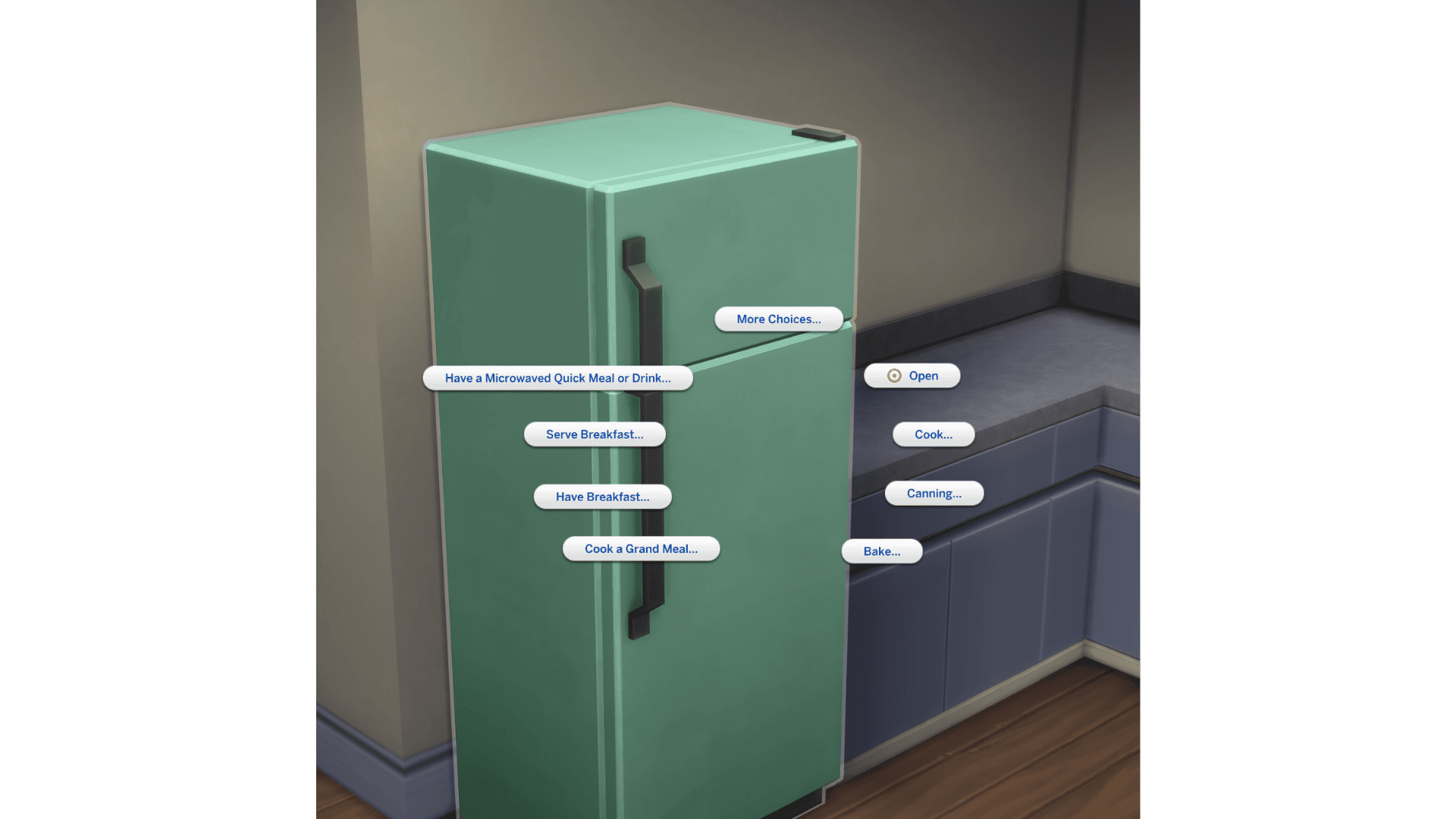
With Businesses & Hobbies installed, click a fridge or stove, then open Family Recipes → Create a Family Recipe. The Grammy’s Family Recipes item in Build/Buy offers the same starting point. Choose your base dish, add a secret ingredient, select a Special Touch and give the finished recipe a name. You can then prepare it from the Family Recipes menu. The initial dish choices depend on what your Sim can make and which packs are installed.
The base is the food itself. A secret ingredient might be a fruit, vegetable or herb such as apple, avocado or basil. The Special Touch is the effect a Sim receives after eating. You choose all three at creation, so it is worth checking your available touches before committing to a recipe.
Do 375-plus Sims 4 Family Recipes unlock automatically?
The new Sims 4 Family Recipes expansion applies to the pool of eligible base dishes, not to a Sim’s entire cooking repertoire. Some recipes require a skill level, a pack or a gameplay unlock. A base dish becoming eligible does not bypass those requirements. A new household with little Cooking experience can therefore have fewer options than an established one.
You won’t see a dish from a pack you don’t own, even if it appears in another player’s family-recipe menu. If you have several packs, the expanded selection may be much larger, but the official announcement does not break down the 375-plus additions by pack or by Cooking skill.
How to prepare and teach Sims 4 Family Recipes
Once the recipe is saved, use Family Recipes → Prepare a Family Recipe from a fridge, stove or the Grammy’s recipe object to make it. To pass it on, choose Teach Family Recipe and select an eligible recipient. The receiving Sim needs to be old enough to cook; this is not a method for teaching a toddler. If the teaching option is greyed out, check that the first Sim actually knows a recipe and that the recipient is eligible.
Use View Family Recipes to review saved dishes. You can also open the Sim’s Notebook → Recipes to see the ingredients and original creator. That is useful when a recipe has passed through several generations and you want to check who created it.
Sims 4 Family Recipes: Secret ingredients and Special Touches
Sims 4 Family Recipes include more than a name and a base dish. A secret ingredient helps make the recipe distinctive, while a Special Touch provides a gameplay effect when someone eats the resulting meal. Different touches are unlocked through experiences and milestones, so one Sim’s available effects may not match another’s.
The Special Touch you pick also determines how many distinct family recipes you can preserve. You can only have one saved recipe for each Special Touch. If you create another dish using a touch you have already assigned, the new recipe replaces the old one. Check the Notebook before experimenting with a combination you want to keep; there is no ordinary delete button for individual family recipes.
Sims 4 Family Recipes: Special Touch examples and unlocks
Special Touches add a perk to the meal and are earned through things your Sims actually do. You can see locked options in the recipe creator. These examples come from the existing Businesses & Hobbies system, not from an unannounced October overhaul.
| Special Touch | Effect when eaten | How to unlock |
|---|---|---|
| Moodlet Booster | Extends Happy and Inspired moodlets | Available by default |
| Dream Chaser | Double Satisfaction Points earned from Wants and aspirations | Complete 50 Wants |
| Comfort Food | Shortens Sad and Uncomfortable moodlets | Have a successful Sadness Hotline call while sad |
| Fertility Unleashed | Increases the chance of twins or triplets | Become a parent to a newborn |
| Low Maintenance | Slows needs decay for toddlers and children | Watch your child age up |
Choosing one of these touches twice is not a way to keep two versions of the same family dish. The old recipe tied to that touch gets replaced. For legacy saves, note the name and contents of a treasured recipe before creating another one with the same effect.
Do Sims 4 Family Recipes require Businesses & Hobbies?
Yes. EA identifies expanded Sims 4 Family Recipes as a Businesses & Hobbies feature. Installing the free October 27 base-game update does not grant the expansion. You need Businesses & Hobbies to use family dishes, and other packs may be required for some eligible base recipes.
If the entire Family Recipes menu is missing, check that the expansion is installed and enabled. If the menu exists but a particular base dish is absent, check its cooking skill and pack requirements before assuming that the update is faulty.
Sims 4 Family Recipes missing after the update?
The new Sims 4 Family Recipes selection is live from the October 27 patch. If a dish is still missing, check the installed update, relevant packs and Cooking skill requirements. The list will still have exclusions; EA specifically mentions graham crackers. If the menu opens but a particular Special Touch is locked, that is a separate gameplay requirement from the expanded base-dish list.
If the recipe picker misbehaves with mods enabled, back up the save before troubleshooting. On PC or Mac, test a disposable household without outdated mods and avoid saving over your main modded household while its custom files are absent. Our safe testing guide explains how to do this without throwing away your content.
Other changes in the October 27 food update
The same update changes food autonomy so hungry Sims should prefer leftovers in the fridge or on counters instead of cooking something new. The fridge’s Open command has moved forward in the menu. EA also retuned the pricing and calories of food and drinks across the base game and packs.
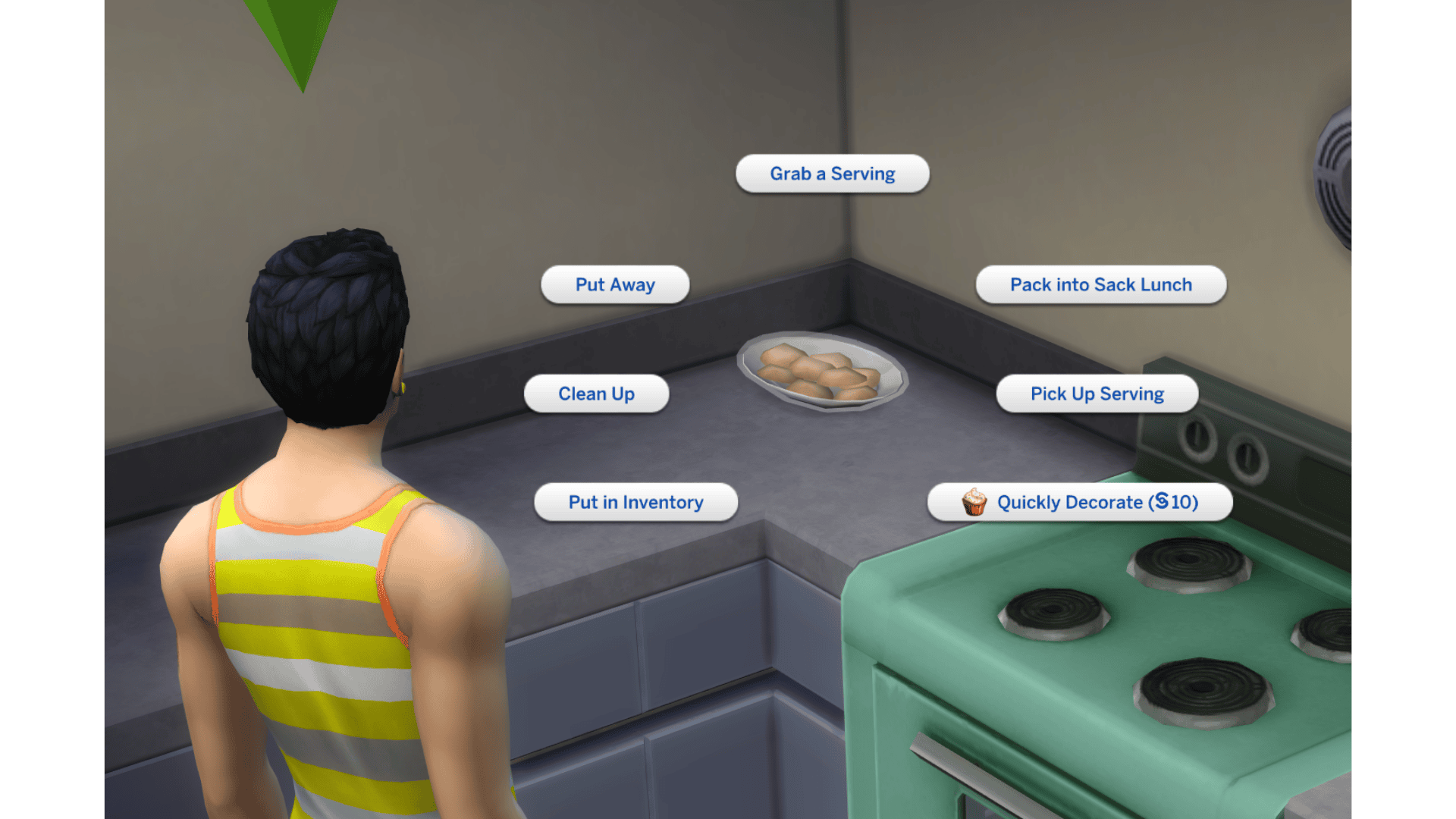
Get to Work players also receive a Quickly Decorate interaction for eligible baked goods, addressing a routing failure that could occur when food was not in the centre of a counter. These are separate food improvements; they are not additional steps in the Sims 4 Family Recipes creation process, and EA has not yet released a numerical list of price and calorie changes.
Are the expanded Sims 4 Family Recipes available now?
The expansion went live with the October 27, 2026 patch. If you don’t see a dish, check the usual cooking unlocks, your installed packs and the updated family-recipe menu. Don’t mistake every absent recipe for a new bug.
For all the other food changes, see our October 27 update overview. You can also use our Sims 4 backup guide to protect an important household before patching, particularly if you use mods.
Related Guides
Official source: EA’s October 27 final patch notes.





