
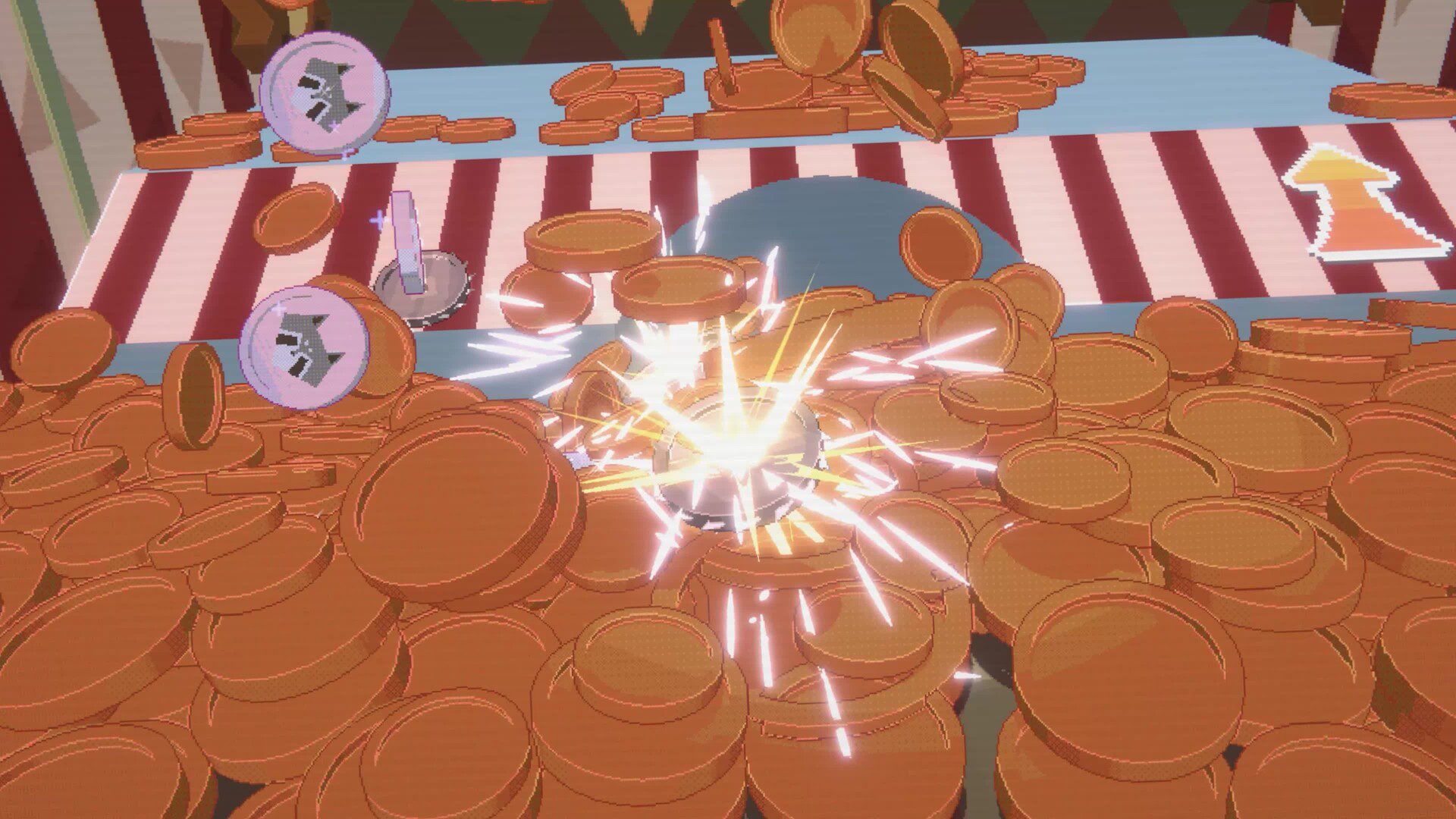
RACCOIN coin combos turn a familiar arcade coin pusher into a roguelike. Special coins can grow a money tree, chase other coins for tickets, multiply scores or blast coins across the cabinet.
Nintendo’s Chaos Max Edition listing shows several ways to make coins work together. The new Switch 2 version launches on 10 November 2026, but a free demo is already available to download.
RACCOIN coin combos and confirmed effects
| Seed + Water | Grow a money tree inside the coin machine |
|---|---|
| Cat + Rat | Cat Coins pursue Rat Coins and earn extra tickets |
| Multiply | Increase score across the board |
| Nuclear | Trigger an explosion that pushes coins forward |
| Items and plating | Enhance coin effects and change how the machine behaves |
The table covers the effects described for Chaos Max Edition. The original RACCOIN PC description uses different names for two similar effects, so this guide uses Nintendo’s Switch 2 wording.
How do Seed and Water Coins work?
Combine a Seed Coin with a Water Coin to grow a money tree inside the coin pusher. It’s a clear example of why setting up a pairing matters more than dropping whichever coin happens to be next.
For RACCOIN coin combos, pay attention to how different types interact. Seed and Water create something new, making the order in which you build your collection part of the strategy.
What happens when Cat Coins meet Rat Coins?
Cat Coins chase Rat Coins and generate extra tickets. That’s another effect based on pairing related coin types rather than simply increasing a score multiplier.
Nintendo describes a biologist character with animal-themed coins. That makes the Cat and Rat pairing a good example of how a character’s theme can influence the way you approach a run.
Multiply Coins versus Nuclear Coins

A Multiply Coin boosts score across the board. It’s the example to remember when you want to increase the value of scoring rather than alter the position of everything inside the cabinet.
A Nuclear Coin triggers an explosion that pushes coins forward. The original PC game page from Playstack describes similar movement and scoring effects as TNT Coin and MultiCoin, while the Switch 2 listing uses Nuclear and Multiply.
When experimenting with RACCOIN coin combos, decide whether you need more scoring power or a way to move the coins. Multiply and Nuclear do different jobs, and your other items can support those effects.
How do items and coin plating change a run?
Other items can stack multipliers, spawn bonus-point coins or shake the machine. Special plating enhances selected coins, so there’s more to a run than the coin type you drop next.
Eight playable characters have been announced, each with themed coins and a playstyle. Nintendo specifically describes a maths-focused raccoon manager and an animal-focused biologist. Those examples support choosing a strategy around the character, not assuming there’s one best build for everybody.
Can you test RACCOIN coin combos before launch?
The free Chaos Max Edition demo is available on Switch 2. Follow our RACCOIN demo guide to download it and try the coin-pushing basics ahead of launch.
The full Switch 2 edition launches 10 November in the UK, with Joy-Con 2 mouse support and a console-exclusive arcade cabinet design. It remains a single-player arcade roguelike.
Start exploring RACCOIN coin combos with the effects you recognise: Seed and Water grow a tree, Cat and Rat earn tickets, Multiply raises scoring and Nuclear pushes coins forward. Items and character choices give you more ways to build on those ideas.
Related Guides
Official publisher: Playstack’s RACCOIN game information.





