
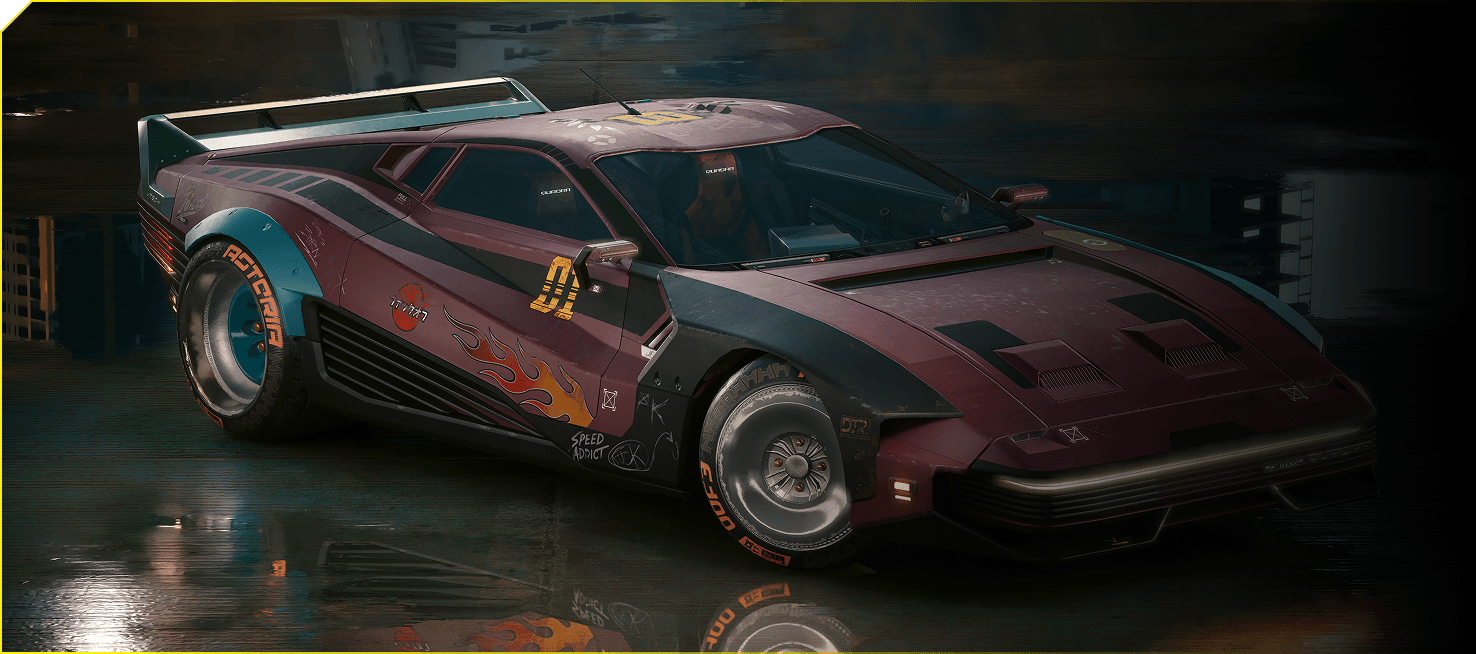
Cyberpunk 2077 Twitch Drops are live from 22 October to 19 November 2026. Watch an eligible Cyberpunk 2077 stream on Twitch for 120 minutes (two hours) to unlock four free TWINTONE paintjobs for the Quadra Turbo-R V-Tech: Road Scar, Dazzling Encore, Tactical Warning and Short-Fuse Neon.
CD Projekt RED has now confirmed the full reward list and claim method, which weren’t in the original Update 2.5 patch notes. You don’t need to subscribe to a streamer or buy four new cars. Here’s what to watch, how to connect your account and where the paints appear in Night City.
Cyberpunk 2077 Twitch Drops: All four Quadra paintjobs
There are four Cyberpunk 2077 Twitch Drops rewards for one vehicle. CDPR lists 120 minutes alongside each paintjob on its official campaign page and advertises the whole collection for two hours of eligible viewing. You do not need to watch eight hours or visit four different channels.
| Paintjob | Look | Watch time |
|---|---|---|
| Road Scar | Weathered, patched-up Badlands colours | 120 minutes |
| Dazzling Encore | White with gold accents | 120 minutes |
| Tactical Warning | Militech-inspired tactical colours | 120 minutes |
| Short-Fuse Neon | Bright pink and turquoise | 120 minutes |
Road Scar is a rough, scuffed finish, while Dazzling Encore looks polished and expensive. Tactical Warning borrows from Militech’s colour palette. Short-Fuse Neon is the loud pink-and-turquoise design. All four are appearances for the same Quadra, not separate vehicles.
How to claim Cyberpunk 2077 Twitch Drops from Twitch
First, sign into your CD PROJEKT RED account and connect it to Twitch through CDPR’s account-linking page. You can earn the Twitch reward before linking, but you must link the accounts to receive the paintjobs in-game. It’s easier to sort this before watching.
Open Twitch, find the Cyberpunk 2077 category and choose a live stream marked Drops Enabled. Watch while signed into the Twitch account you’re using for the campaign. The stream should show a Drops notice near chat. Don’t rely on a creator’s title alone: open your Twitch Drops Inventory to make sure your progress is actually increasing.
Once you’ve watched 120 minutes, open Twitch Drops & Rewards → Inventory and claim the reward. You can switch between participating streams without losing your earned time. Keeping several eligible streams open simultaneously won’t make progress faster, so one stream at a time is enough.
The Cyberpunk 2077 Twitch Drops paintjobs are free. CDPR also advertised a separate The Mox Twitch chat badge for subscribing to a streamer. That badge is optional and unrelated to unlocking the car colours.
When do Cyberpunk 2077 Twitch Drops end in the UK?
The campaign ends on Thursday 19 November 2026. CDPR’s public page gives the date but not an exact UK closing hour, so check the countdown inside Twitch Inventory if you’re watching near the deadline. You must finish the viewing requirement while the campaign is still active.
CDPR also warns that claimed rewards can expire after seven days if the required account hasn’t been linked. Connect your CDPR and Twitch accounts as soon as you’ve earned the reward rather than leaving it until the final week. Twitch viewing on desktop and mobile is supported; the console and smart TV Twitch apps are not eligible to earn these Drops.
Where to find Cyberpunk 2077 Twitch Drops after claiming
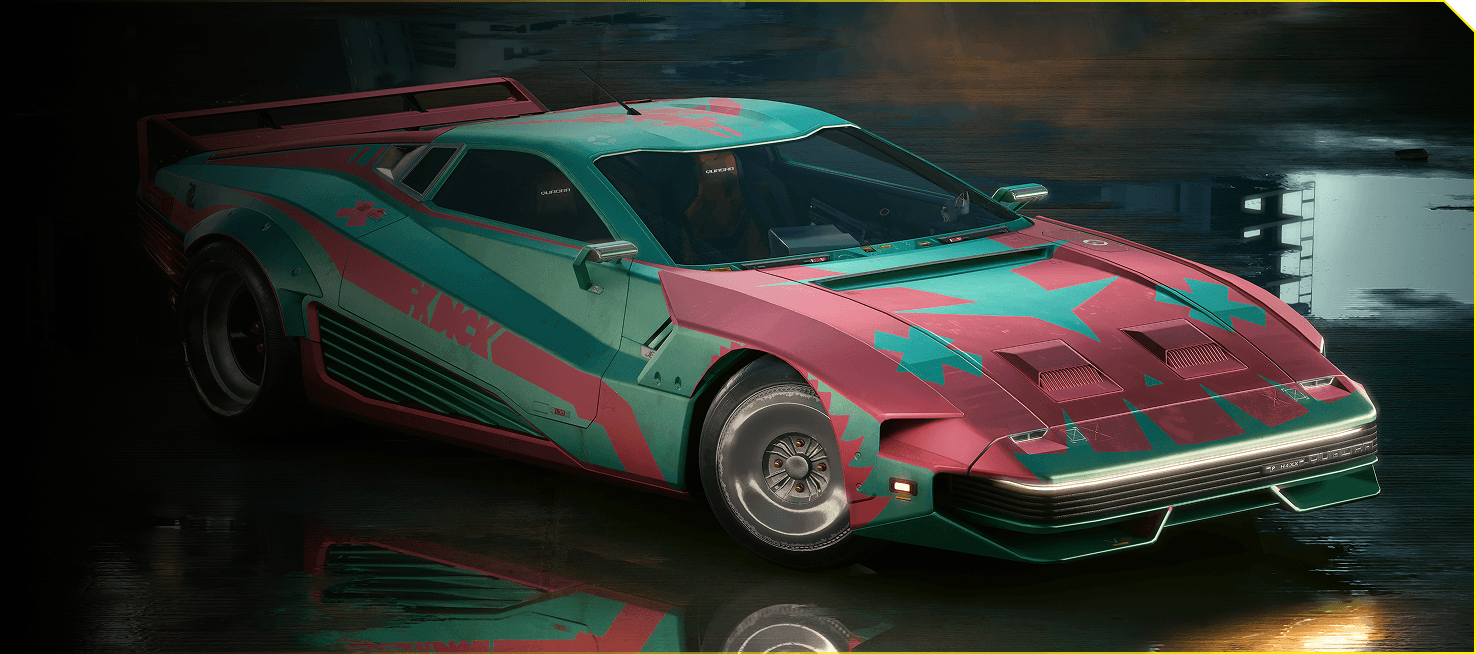
CD Projekt RED says the claimed rewards appear in V’s apartment stash. Restart Cyberpunk 2077 after claiming them, then check the stash and the Quadra Turbo-R V-Tech vehicle appearance options. These paintjobs won’t recolour every car you own.
For vehicle customisation, use CrystalCoat and TWINTONE. The TWINTONE system was introduced in Update 2.2 and keeps paint options in the CrystalCoat menu. You don’t need to scan a car on the street, find a hidden mission or buy an outfit to earn these promotional paints.
If you’ve only just returned for Edgerunners 2, make sure Update 2.5 is installed. The new TWINTONE paints are separate from the update’s new clothes, Glamdocs and quest rewards. Our Update 2.5 guide covers those additions.
Cyberpunk 2077 Twitch Drops not progressing or missing?
Watch timer not moving: Check that the broadcast is live, has Drops enabled and appears under the Cyberpunk 2077 campaign. Being in the correct game category alone is not enough. Your Twitch Inventory should show the active reward and progress.
Completed two hours but no reward: Return to Twitch Inventory and check for a Claim button. Make sure your account links are correct, then restart the game. Watching multiple channels at once cannot make up missing minutes.
Claimed but paintjobs haven’t appeared: Check V’s apartment stash and the Quadra’s paint options. If Twitch confirms the claim and CDPR confirms the account connection, contact the publisher’s support with the reward and account details.
The Cyberpunk 2077 Twitch Drops campaign is the free way to unlock the Quadra skins. It doesn’t change how to start the Clampdown quest or purchase the new Update 2.5 clothing. Those rewards are obtained separately.
Related Guides
Official source: CD Projekt RED’s Cyberpunk 2077 Twitch Drops page.





