How to Get the Deforestation Axe in Diablo 4 is simple: watch two hours of an eligible livestream in the Diablo IV Twitch category during the Season of Hell’s Legacy Drop campaign. The campaign starts September 15, 2026 at 11:00 a.m. PT and ends September 29 at 10:59 a.m. PT.
The reward for How to Get the Deforestation Axe in Diablo 4 is the Deforestation Two-Handed Axe cosmetic. This is an appearance, not a new legendary weapon with combat stats, so you are unlocking a cosmetic for compatible two-handed axe use rather than a piece of Season 15 progression gear.
How to Get the Deforestation Axe in Diablo 4 step by step
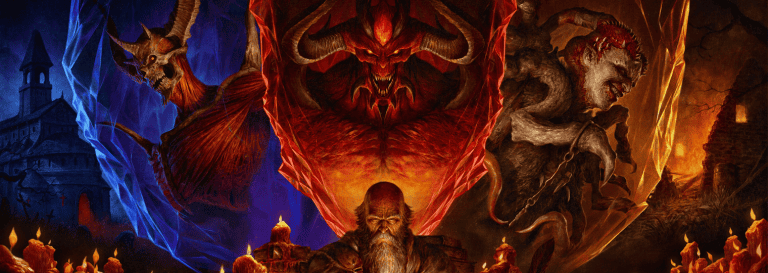
How to Get the Deforestation Axe in Diablo 4 Image Blizzard Entertainment
First, make sure your Twitch account is connected to the Battle.net account you use for Diablo IV. Once the campaign is active, open an eligible stream in the Diablo IV category and accumulate two hours of watch time. Blizzard does not restrict the promotion to one named streamer, which makes How to Get the Deforestation Axe in Diablo 4 much easier to fit around what you actually watch.
After two hours, open Twitch’s Drops inventory and claim the reward. Do not stop at the progress bar reaching 100%: claiming is a separate step in most Twitch campaigns. Once the accounts are linked and the Drop is claimed, How to Get the Deforestation Axe in Diablo 4 should finish with the cosmetic attached to the Battle.net account rather than a code you need to type into Diablo IV.
When the Deforestation Axe campaign starts and ends
Timing matters for How to Get the Deforestation Axe in Diablo 4. Eligible watch time begins at 11:00 a.m. PT on September 15, which is 2:00 p.m. ET and 7:00 p.m. BST. The campaign ends at 10:59 a.m. PT on September 29, giving you nearly two weeks to complete the two-hour requirement.
Season 15 itself begins rolling out earlier in the day at 9:30 a.m. PT. Watching a Diablo IV stream between the seasonal launch and the Twitch campaign start will not count toward How to Get the Deforestation Axe in Diablo 4, so wait until the actual Drop window is active before using the progress tracker as your guide.
Why you may see other Diablo Drops mentioned
A separate BlizzCon campaign ran immediately before this promotion, which is why How to Get the Deforestation Axe in Diablo 4 can look confusing if your Twitch inventory still shows older Diablo IV rewards. The BlizzCon set included different weapon cosmetics and closed at 9:59 a.m. PT on September 15.
The Deforestation campaign is the Season 15 promotion. If you earned the previous rewards, they do not reduce the two-hour requirement for How to Get the Deforestation Axe in Diablo 4. Start a fresh eligible watch period after 11:00 a.m. PT and make sure the Drop name in Twitch matches the Deforestation Two-Handed Axe.
What to do if the reward does not appear
If How to Get the Deforestation Axe in Diablo 4 does not work, check three things before contacting support: your Twitch-Battle.net connection, whether you actually claimed the Drop in Twitch, and whether the correct Battle.net account is logged into Diablo IV. Reconnecting the wrong account after the campaign can create more confusion than it solves.
See our Season 15 Twitch Drops guide for the full campaign context. Blizzard’s official Season of Hell’s Legacy post confirms the two-hour watch requirement and September 15-29 window behind How to Get the Deforestation Axe in Diablo 4. If Twitch shows the reward as claimed and the correct accounts are linked, a game restart is the sensible final check before escalating it.
More Diablo IV guides from The Click
The Blizzard Season 15 overview is the source for the three Diablo 4 boss locations, Splinter rewards and replayable Waking Nightmare structure.