
The UEFN Day Sequence Verse API expanded in Fortnite 43.10. You can now control more of the Day Sequence device from Verse, including enabling or fading it and changing time-of-day, sunlight, fog, sky and cloud settings. Epic added access to roughly 55 options. The changes take effect during play, not as permanent edits to the device.
This is useful for scripted events, like moving an island from afternoon into a stormy evening or fading the sky at the start of a round. You set the look in UEFN and change supported values during play. Those Verse values override the editor defaults until the round ends.
What the UEFN Day Sequence Verse API exposes
The five named functions are Enable, Disable, IsEnabled, FadeIn and FadeOut. The new day_night_cycle_mode enum includes Default, FixedTime, StartAtSpecifiedTime, RandomFixedTime, RandomStartTime and LocalFixedTime. A second enum, day_sequence_blend_mode, provides Global, Volume and Time options for how the effect is applied.
Plan your lighting with the UEFN Day Sequence Verse API
To test the UEFN Day Sequence Verse API, place and configure a Day Sequence device in an ordinary test level. Set a look that is easy to recognise, such as a warm daytime scene, then decide what event should change it. A second look might have lower sunlight, more fog or a nighttime sky.
Make sure the change is clear before adding other environment effects. The device still has ordinary Details settings, and those are useful as the baseline to which your runtime changes are compared.
UEFN Day Sequence Verse API: global and volume-based changes
The new API can affect time of day and sky for players through Fortnite’s playspace Day Sequence device handling. Epic says Verse-set values are delivered to every player by the FortPlayspaceComponent_DaySequenceDevices system. Blend modes describe different ways to apply the changes, including Global and Volume.
If the effect should cover only an area, verify the relevant device volume and blending behaviour instead of assuming that a global script changes only the player who triggered it.
UEFN Day Sequence Verse API: why settings appear to reset after a round
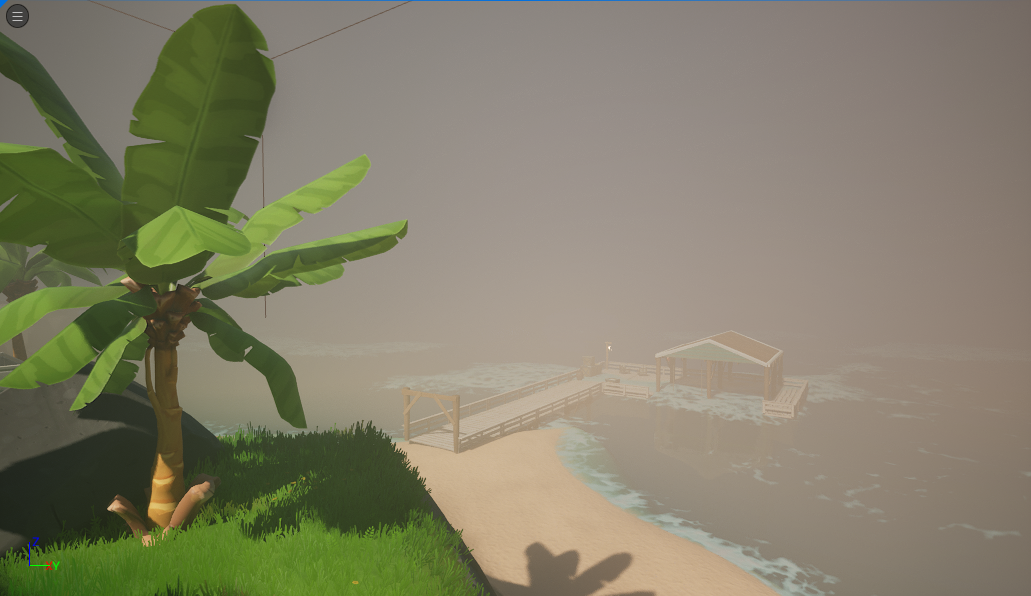
If the lighting resets at the start of a new round, your script may be working correctly. Epic says Verse changes override the Details panel only for the current round. Run the setup again when the next round begins if you want the same effect every time. Check the device’s editor defaults separately.
A safe first test without unverified code
Check the UEFN Day Sequence Verse API signatures in your installed editor, then test one supported operation on one device. Check whether it enables, disables or fades as documented. Add a single time-of-day change and confirm its effect for more than one player, then test what happens at the next round.
Only after that should you move on to multiple devices and priorities. The 43.10 release notes list functions and enum values, not a complete copy-and-paste implementation for every setup.
Choose how the Day Sequence change is applied
The Day Sequence API exposes three blend modes: Global, Volume and Time. Before adding several devices, test one mode at a time in a simple level. Check the result for a player inside the intended area and another outside it. Then restart the round to confirm the lighting returns to the device’s editor defaults.
If your island has several Day Sequence devices, record their priority settings and when your script enables each one. Change just one value at a time, such as fog or sunlight, before combining effects. That makes it easier to tell whether a problem comes from the Verse call, the blend mode or another device already controlling the sky.
UEFN Day Sequence Verse API FAQ
Are Day Sequence Verse values permanent? No. Runtime settings override the editor Details panel until the round ends.
Do runtime changes affect every player? Epic describes delivery through a playspace component to all players.
Can I change clouds and fog through Verse? The v43.10 API exposes those groups, but check your installed SDK for exact setter signatures.
Related Guides
- UEFN Shadows of the Abbey Template: How to Open the Horror Example Island
- UEFN Shadows of the Abbey Memory Optimization: Meshes, Materials and Rain
- UEFN AddModifier Position Removed: Fix Verse Modifier Stack Order
- UEFN Virtual Pointer Rotate Gesture: Detect Two-Finger Touch Rotation
- UEFN Scene Graph Camera Modifiers
- UEFN Procedural Content Generation
- UEFN HUD Controller Interact and Pickup
- UEFN Lore VS Code Diff
Official source: Epic Games documentation.