The UEFN Shadows of the Abbey memory optimization approach relies on shared meshes, smaller textures and effects that only run where needed. Epic’s v43.10 example contains roughly 38.3 million placed triangles, yet the environment remains manageable because many objects reuse the same resources. The practical lesson is how much visual detail a small asset library can create.
Epic provides the numbers behind the scene: 12,747 static mesh placements from 306 unique meshes, about 62,400 foliage instances and 187 local lights. That doesn’t mean the whole level is cheap on every device. It shows which parts of the build share resources and which need careful testing.
How UEFN Shadows of the Abbey memory optimization works
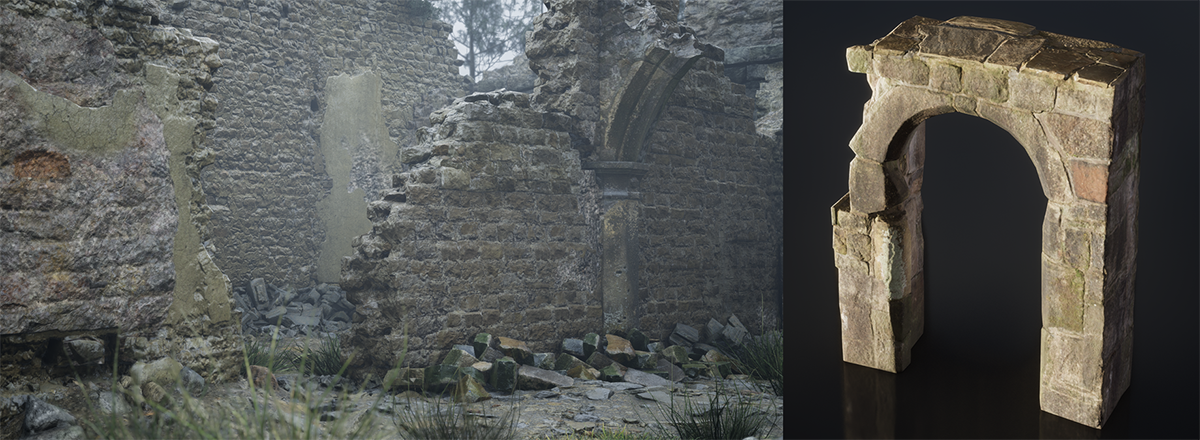
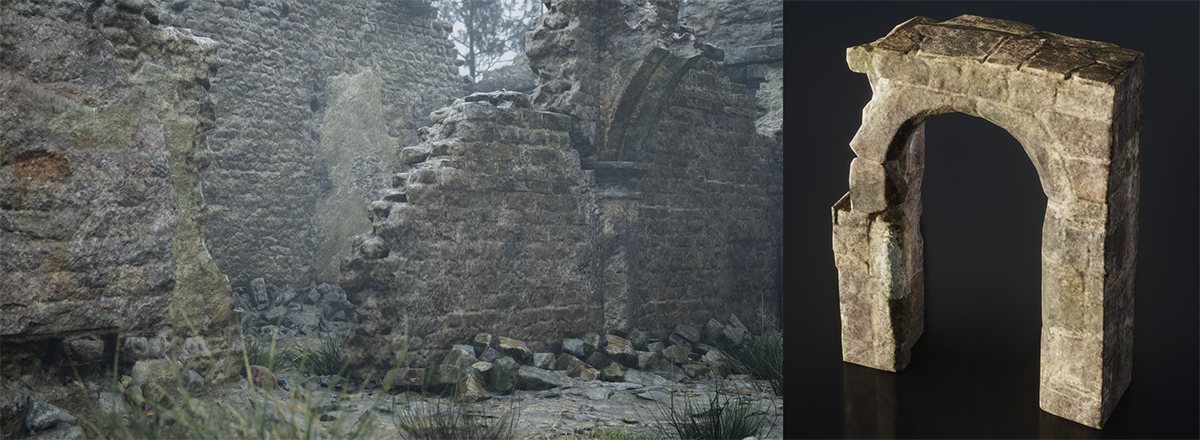
Start with textures. UEFN Shadows of the Abbey memory optimization uses 439 textures, with none above 1024 by 1024 except the sky. Instead of a full set of separate high-resolution scans for every prop, it uses tiny low-frequency colour textures alongside shared overlay detail.
Four assets can pack fine grayscale detail into the channels of one overlay texture. Shared parent materials then combine that information so new looks need material instances rather than brand-new texture sets.
Reuse building kits rather than unique models
The catacombs use a kit of 25 meshes with hundreds of shell placements and additional dressing pieces. Modules snap to a common grid, while arches, ribs and columns cover the joins and give the corridor an uneven, hand-built feel. The wood kit does something similar for coffins, bridges and fences.
Where a scene needs wear or dirt, 351 decals add detail without requiring separate damaged geometry. That is a practical model for a large island: make a small kit flexible rather than building a bespoke prop for every corner.
Nanite does not replace lower-end testing
Epic uses Nanite for its high-density geometry, but the example still includes sensible triangle counts and fallback levels of detail for hardware that cannot use Nanite. Most meshes have hand-made LODs, and the lowest quality tiers skip the most detailed versions.
If an imported rock looks beautiful on your development PC but struggles on a lower-end device, the abbey demonstrates the opposite approach: design the fallback at the same time as the high-end asset, not after the level is finished.
UEFN Shadows of the Abbey memory optimization: rain without paying for rain everywhere
The island has 17 Mutator Zones controlling where rain should appear. When a player enters an indoor zone, the rain spawner is parked about one kilometre underground so existing drops can finish falling. It shuts off after about 1.8 seconds rather than disappearing harshly.
There are also 83 placed Niagara effects for visible drips, roof-edge rain, splashes and sheets of water. Epic limits their range and avoids unnecessary particle collision and sorting. The lesson is to put expensive effects where players notice them instead of covering the entire island.
Lighting and fog for different graphics settings
The UEFN Shadows of the Abbey memory optimization work extends to lighting. Its 187 local lights include 161 point lights and 26 spotlights, but they are not all shadow-casting hero lights. The project uses fake bounce light and separate lighting setups for low and high quality.
Its Lighting Scalability Manager can swap sky, fog and post-process choices by quality tier. Fog cards add atmosphere without making every patch of mist a full volumetric effect. Test a hallway, the forest and the cemetery on each target quality level to catch lighting that vanishes or becomes too bright.
How to apply UEFN Shadows of the Abbey memory optimization to your island
To apply UEFN Shadows of the Abbey memory optimization, start with four props that use similar surfaces. Give each a small base-colour texture and pack fine detail into the channels of a shared overlay. Make one parent material and create instances for each prop.
Compare memory before and after the change, then check lower graphics settings. Use decals for local damage instead of building another version of every mesh.
UEFN Shadows of the Abbey memory optimization FAQ
What saves the most texture memory in Shadows of the Abbey? Small colour textures and shared channel-packed overlay maps are a large part of the approach; Epic also reuses material instances and mesh kits.
Does Nanite remove the need for optimisation? No. Lower-end devices still need appropriate fallback geometry, materials and scalability settings.
How does the example handle indoor rain? It uses Mutator Zones to move the player-following rain effect underground before disabling it.
Related Guides
- UEFN Shadows of the Abbey Template: How to Open the Horror Example Island
- UEFN Fab MCP Toolset: Search and Install Fab Assets With Agent Tools
- UEFN Day Sequence Verse API: Control Time of Day, Sun and Fog
- UEFN AddModifier Position Removed: Fix Verse Modifier Stack Order
- UEFN GLB Import
- UEFN Material Inheritance Error
- UEFN Procedural Content Generation
- UEFN Copied Entity Not Showing
Official source: Epic Games documentation.