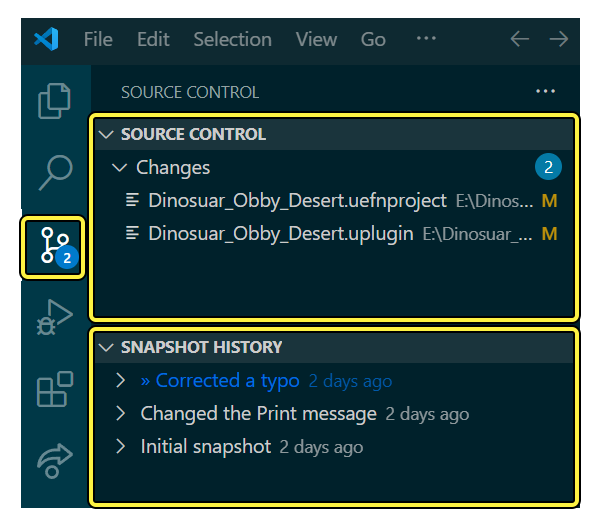
UEFN Lore VS Code diff makes it easier to see exactly what changed in your Verse code or project settings. Fortnite v43.00 added support for comparing .verse, .uefnproject and .uplugin files in Visual Studio Code.
The update also renamed the VS Code extension from URC.vsix to Lore.vsix. It’s the existing version control integration with a new name, so you don’t need to install URC alongside it.
UEFN Lore VS Code diff: What files can you compare?
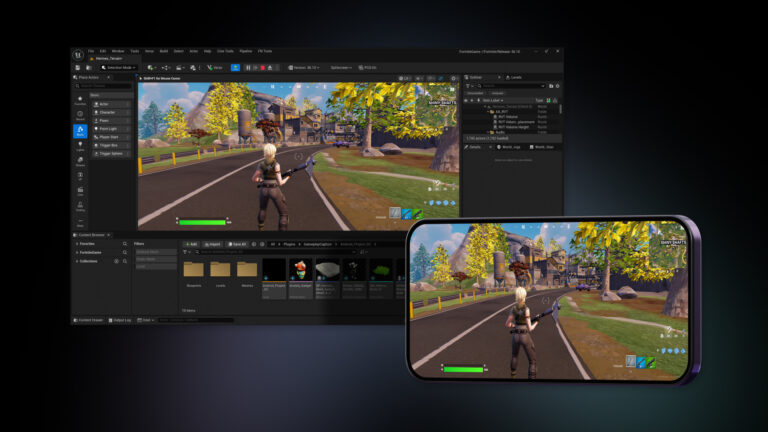
Lore source control in Visual Studio Code. Credit: Epic Games.
| File extension | What it generally contains | Why a diff helps |
|---|---|---|
.verse | Verse source code | See changed methods, values and lines |
.uefnproject | UEFN project configuration | Review project-level setting changes |
.uplugin | Plugin metadata/configuration | Spot changes to plugin definitions |
A UEFN Lore VS Code diff shows which lines were added, removed or changed. That’s handy when a Verse build stops working after a small edit, or you need to check what a teammate changed.
It won’t give you the same useful line-by-line view of a mesh or level asset. Those need UEFN’s visual asset history and conflict tools instead.
UEFN Lore VS Code diff: Check that Lore is enabled in UEFN
Lore is available for new UEFN projects and can be enabled in the project’s version control settings. It saves revisions of the island and its supported assets so a team has a common history to work from. Solo creators benefit from that history too.
At the bottom of UEFN, Sync Latest pulls newer project revisions and Check-in Changes submits your finished work. VS Code can show you the differences, but syncing to the latest project still has to happen in UEFN.
How to compare a Verse revision in VS Code
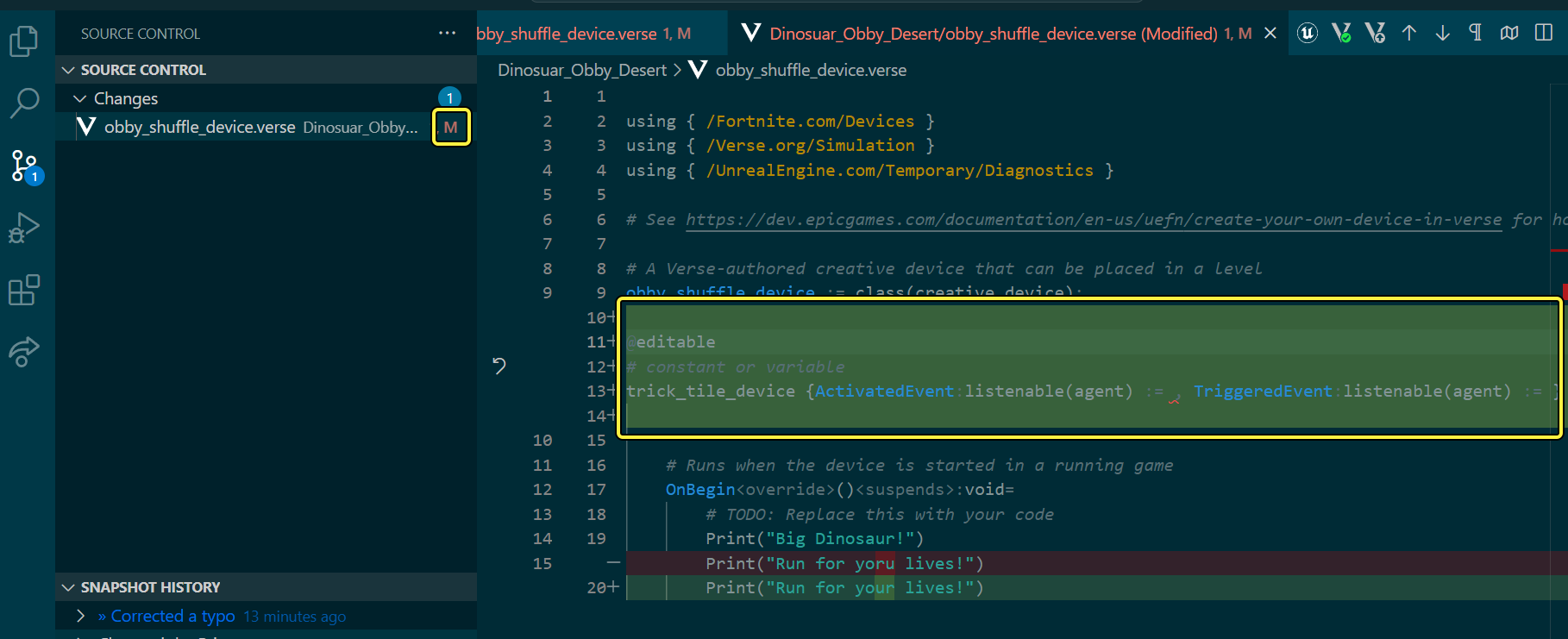
Verse changes displayed in VS Code. Credit: Epic Games.
- Open the UEFN project and its Verse workspace in Visual Studio Code.
- Check that the Lore extension is present in the Extensions view. If you are following an older tutorial, remember the previous extension was called URC.
- In VS Code, open the Source Control panel and select the changed file. Use Branch History or a file’s history to inspect older revisions.
- Read the additions and removals in the diff. Focus first on the lines that changed the behaviour or introduced the compiler error.
- Make any correction in your working copy, then build and test in UEFN. You can submit a revision from VS Code’s Create Revision control, but use UEFN to sync to the latest version.
The UEFN Lore VS Code diff opens with the synced version on the left and your local edits on the right. Read the surrounding code too: one method signature change can break calls elsewhere.
What to do before a check-in
For a shared UEFN Lore VS Code diff workflow, sync carefully and check the status of files already checked out by teammates. Lore supports auto checkout and warnings that help prevent one person from overwriting another person’s work. A local modification should not automatically replace a more recent shared version.
Use Check-in Changes once you’ve tested the edits. Give the revision a useful description, such as ‘Fixed camera angle conversion’, instead of something vague like ‘updates’. You’ll thank yourself when you need to find it again.
Epic removed the old 24-hour check-in reminder in v43.00 because work is automatically backed up. Regular, clearly named revisions are still useful when you’re trying to find which change broke a feature.
How to handle conflicts and binary assets
A UEFN Lore VS Code diff is great for text changes, but binary assets need a different approach. UEFN’s asset history and conflict tools can show previews, dependencies and a Diff action where supported.
If someone else has a file checked out, find out what they’re changing before overwriting it. Resolve conflicts against the right project revision and test the result before checking anything in.
Can Lore restore an older version of a file?
Lore maintains a revision history, and the editor offers version history and conflict resolution tools. That history gives you a way to examine earlier work, but restoring or reverting still needs care: you could lose newer edits if you replace a file without first checking what changed.
For a UEFN Lore VS Code diff after something breaks, compare against a revision you know worked, find the change that affected the behaviour, then test a targeted correction. For upload or validation failures, still read UEFN’s Message Log; a file comparison won’t tell you everything.
UEFN Lore VS Code diff FAQ
Is Lore different from URC? Lore is the renamed version control integration. The old extension name should not be treated as a separate current tool.
Can I inspect plugin and project files? Yes. The v43.00 notes explicitly added .uplugin and .uefnproject diff support alongside Verse files.
Does automatic backup make check-in unnecessary? No. Tested, clearly described check-ins are still useful for team collaboration and understanding revision history.
Related Guides
Official source: Epic Games documentation.