

UEFN Procedural Content Generation is now available in Fortnite v43.00, giving island creators graph-based tools for placing entire groups of assets without arranging every object by hand. Epic highlights forests, cities and custom points of interest as examples of what PCG can help build.
Creators can start with Epic’s PCG Library or save their own reusable graphs and assets. The new system speeds up repeated worldbuilding tasks, but the layout, performance and gameplay still need a creator’s attention.
What UEFN Procedural Content Generation actually does
UEFN Procedural Content Generation: an Epic Games PCG worldbuilding illustration from the Unreal Engine documentation, shown as a concept example.
The framework uses a graph to control where your chosen assets appear. Change its placement rules and generate another arrangement, rather than moving every tree or object again by hand.
A forest might need trees and small plants along a path; a town needs buildings, roads and open spaces. UEFN Procedural Content Generation handles those repeated placements, while you make sure the routes stay clear.
That makes PCG different from placing a prefab. A prefab comes with an existing arrangement, whereas a procedural graph generates content according to adjustable rules. You can still use hand-placed objects alongside generated scenery.
How to use UEFN Procedural Content Generation in v43.00
Open your island in UEFN v43.00 and look through the PCG Library’s ready-to-use content. Epic’s Procedural Content Generation Framework documentation explains how the graph and editor tools fit together.
Begin with a manageable part of the map. Choose a type of environment, select suitable assets and work with a PCG graph to establish where they should appear. Generate the layout, preview it in the editor and change the rules if the result isn’t what you intended.
Walk through the result and look for blocked doors, awkward sightlines or props hiding important destinations. UEFN Procedural Content Generation can place scenery quickly, but the final area still needs to play well.
Save the graph after finding a layout you like. Reusing a woodland or town setup is much easier than rebuilding its placement rules each time you start a new district.
Building forests, cities and custom points of interest
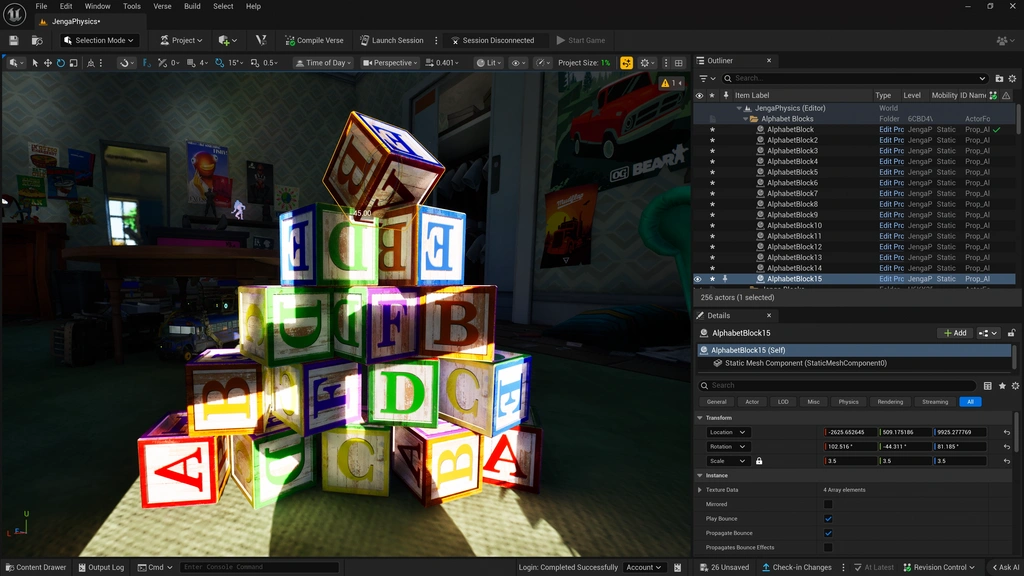
UEFN Procedural Content Generation is developed in UEFN. This screenshot shows the general editor, not the new PCG graph.
Epic specifically mentions those environments in the v43.00 announcement. For forests, plan paths and significant landmarks before generating the surrounding foliage. For towns, think about roads, buildings, open spaces and the places where players will interact.
After generating the scenery, travel through it at player height. Check sightlines, access routes and whether decorative assets interfere with movement. A visually impressive environment may still need pruning before it becomes a good playable area.
UEFN Procedural Content Generation can help populate a large world, but it doesn’t require an entire island to be automated. Keep bespoke encounters and carefully placed interactive content under manual control when precise positions matter.
Can Claude Code or Cursor edit PCG graphs?
Fortnite 43.00 also introduces a PCG toolset for UEFN MCP. A compatible coding agent such as Claude Code or Cursor can use natural-language requests to create and edit PCG graphs through a connected editor.
MCP is optional. You can build graphs in UEFN yourself or have a connected agent help with supported changes. Either way, check the results in the editor and test your island.
UEFN Procedural Content Generation memory and publishing
The new PCG system doesn’t eliminate island memory limits. Epic has changed the displayed memory values to units such as MB, but explicitly says the overall memory budget is unchanged.
UEFN now reports memory after each cook and can flag an over-budget project in Game Performance. Large groups of generated objects still need performance checks, especially when players may be using less powerful hardware.
Before publishing, playtest the island, review performance warnings and meet Creator Portal’s submission requirements. UEFN Procedural Content Generation makes worldbuilding faster, but doesn’t bypass validation or moderation.
Related Guides
Official source: Epic Games’ official UEFN documentation.





