NVIDIA driver 621.14 is NVIDIA’s new GeForce Game Ready WHQL release for Windows, published on 4 November 2026. It fixes incorrect colours in Call of Duty: Modern Warfare 4 and a video playback freezing or black-screen issue affecting some RTX 50 Series and RTX Spark systems after driver 621.01.
NVIDIA driver 621.14 also brings Game Ready support for World of Warcraft: Forever and upcoming graphics updates for three other games. If you’re wondering whether to install it, the important questions are whether your GPU is supported, whether one of the listed fixes applies to you and when those game updates actually arrive.
What is new in NVIDIA driver 621.14?
Driver 621.14 is WHQL-certified. It is a normal Game Ready release, not an interim hotfix. NVIDIA lists Windows 10 64-bit and Windows 11 on its official download page, with separate hardware requirements to check before downloading.
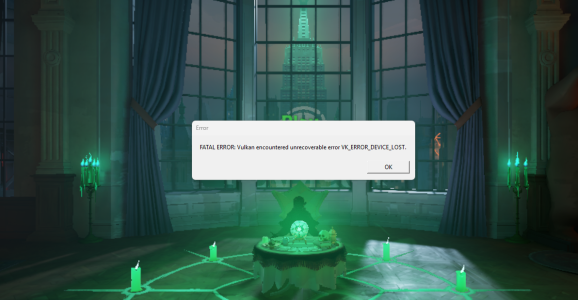
The two explicitly named fixes are specific. NVIDIA does not claim that this driver eliminates every black screen, all video freezes or every colour problem in every game. Read the bug descriptions before assuming it addresses your particular symptom.
Games supported by NVIDIA driver 621.14
World of Warcraft: Forever launched on 4 November. If you’re playing it, the new driver is already relevant. Hogwarts Legacy gets DLSS 5 with 3D-Guided Neural Rendering through its own game update on 5 November, not merely by installing the graphics driver.
War Thunder is scheduled to receive DLSS 5 with its Eagle’s Shadow update later in November, while DOOM: The Dark Ages | Revelations is adding the new Slaughter Mode later in the month. This release prepares compatible PCs for those additions, but the driver cannot unlock an unreleased game patch.
For Hogwarts Legacy, NVIDIA specifies DLSS 5 on supported GeForce RTX 50 Series GPUs and laptops, RTX Spark PCs and GeForce NOW Ultimate. The GeForce NOW service is a separate cloud-gaming option, not a downloadable RTX 50 graphics card. Do not confuse broad 621.14 GPU support with the narrower hardware requirements of a particular DLSS 5 feature.
| Game | What this driver supports | Game content timing |
|---|---|---|
| World of Warcraft: Forever | Game Ready optimisation | 4 November, launched |
| Hogwarts Legacy | DLSS 5 game update | 5 November |
| War Thunder | DLSS 5 in Eagle’s Shadow | Later November |
| DOOM: The Dark Ages | Revelations | New Slaughter Mode | Later November |
NVIDIA driver 621.14 fixes: the two confirmed bugs
NVIDIA fixed a Modern Warfare 4 bug that could make colours display incorrectly. It is identified as issue 6972531. NVIDIA identifies it as bug 6972531. If your PC has been showing unusual colours in that game with an affected GeForce driver, 621.14 is the official update to check before trying disruptive workarounds.
The second fix, bug 6979343, addresses some GeForce RTX 50 Series GPUs and RTX Spark systems on which video playback might freeze or display a black screen after installing Game Ready 621.01. It does not identify every possible black-screen cause, and NVIDIA has not published a universal guarantee for every device.
These fixes are distinct from new game optimisations. They are also not measured benchmark gains. The release notes do not provide a reliable percentage FPS improvement for Modern Warfare 4, World of Warcraft or other games.
| Officially fixed issue | NVIDIA bug ID |
|---|---|
| Modern Warfare 4 may display incorrect colours | 6972531 |
| Video playback freezes or black screens on some RTX 50 / RTX Spark systems after 621.01 | 6979343 |
Which graphics cards support NVIDIA driver 621.14?
NVIDIA lists GeForce RTX 50, RTX 40, RTX 30 and RTX 20 Series products, together with some GeForce GTX 16 Series cards and the TITAN RTX. Examples include the RTX 5090, 5080, 5070, 4060, 3060, 2060 and GTX 1660 SUPER. Those are examples, not a full compatibility list.
Check the precise model, whether you use a desktop or notebook and your operating system on the official download page. A driver for one NVIDIA GPU family should not be assumed to install on an older or unrelated card. Laptop owners can also consult the device manufacturer’s recommended graphics packages, especially when the laptop uses a specialised configuration.
NVIDIA driver 621.14 is not an AMD or Intel graphics driver. The Modern Warfare 4 colour fix described here is specifically listed in NVIDIA’s release notes, so a similar symptom on Radeon hardware needs its own diagnosis.
How to download and install NVIDIA driver 621.14
Open the NVIDIA App and select the Drivers section. Check the listed Game Ready release, download version 621.14 and follow the installation prompts. Save your work and close games before installing, since the display may flicker while the graphics driver changes.
You can also use NVIDIA’s official driver download page. Confirm the GPU family, operating system and installer are compatible before downloading. The driver page lists both Windows 10 64-bit and Windows 11. Avoid random driver mirrors or files labelled with a different version number.
Restart Windows when prompted, then check the version in NVIDIA App or under Help → System Information in NVIDIA Control Panel. Windows Device Manager may show 32.0.16.2114 instead of 621.14; the final five digits identify the NVIDIA version. If your main concern was video playback freezing, retry the same playback task after updating. If it was Modern Warfare 4 colour rendering, reopen that game and compare the result.
If installation fails or the reported symptom continues, record your actual GPU, Windows version and installed driver version before reporting the problem. Clearing random system folders or removing unrelated software is not a required step in NVIDIA’s 621.14 release guidance.
How 621.14 differs from NVIDIA 621.01 and 621.12
NVIDIA 621.01 was the October Game Ready release. NVIDIA 621.12 followed as a hotfix, designed to address specific issues without waiting for the next regular WHQL package. NVIDIA driver 621.14 is the newer standard release on 4 November and lists the RTX 50 video playback issue among its confirmed fixes.
You might still find an October guide recommending the 621.12 hotfix. That was the available fix at the time, before 621.14 was released. For a supported PC today, 621.14 is the newer WHQL version to consider, rather than treating the October hotfix as the latest driver.
Different games sometimes have specific developer-tested preferences. If a studio advises against a particular driver for its own game, read that game’s current guidance too. Installing any new graphics package is a system-wide change, not a per-game switch.
Should you install NVIDIA driver 621.14?
If you are affected by the documented Modern Warfare 4 colours issue or the specific RTX 50 video problem after 621.01, there is a clear reason to consider this update. It is also the Game Ready release for World of Warcraft: Forever and the announced November enhancements.
If everything is already working, first check compatibility and read the official release notes rather than assuming a performance improvement. NVIDIA driver 621.14 fixes named problems and adds game support; it is not a universal fix for all crashes, freezes or stuttering.
Official source: NVIDIA driver 621.14 download and release notes.