Hogwarts Legacy DLSS 5 arrives on Thursday 5 November 2026, adding NVIDIA’s 3D-Guided Neural Rendering to the PC game. The new setting needs a Hogwarts Legacy update as well as compatible graphics hardware. Installing a driver on its own will not unlock it a day early.
The update is about how the game looks, not a new quest or expansion. Avalanche Software has worked with NVIDIA to improve lighting, materials, shadows and reflections while keeping the characters and environments recognisable. Here’s how the change works and what your PC needs.
Hogwarts Legacy DLSS 5 release date
NVIDIA confirmed Thursday 5 November in its announcement on 3 November. It didn’t provide an exact release hour, so there is no verified UK, US or European download time. The game update needs to arrive on your platform before you can turn on Neural Rendering.
GeForce driver 621.14 launched on 4 November to prepare supported hardware. Updating it now is sensible, but drivers and game patches do different jobs. If the new option isn’t visible on 4 November, that doesn’t mean your installation is broken.
Hogwarts Legacy DLSS 5 is a PC feature. Nothing in NVIDIA’s announcement makes the new rendering stage a console setting.
How to enable Hogwarts Legacy DLSS 5
After the 5 November game patch is installed, launch Hogwarts Legacy, open Options and switch on Neural Rendering. That’s the instruction NVIDIA has confirmed. The announcement does not name a more specific submenu or say you have to restart, so detailed steps beyond those would be guesswork.
For an additional performance and image-quality setup, NVIDIA recommends DLSS Super Resolution under Upscale Type. On suitable hardware, Multi Frame Generation is listed under Frame Generation, NVIDIA Reflex under Low Latency Mode and Ray Reconstruction alongside ray-traced effects. These features are separate from the Neural Rendering switch.
If Hogwarts Legacy DLSS 5 is missing, first verify that the game has actually updated. Next check your graphics card and driver version. Avoid third-party mods claiming to unlock an unsupported card, because they are not part of the publisher’s instructions.
Supported RTX graphics cards and cloud gaming
NVIDIA lists all GeForce RTX 50-series desktop graphics cards and RTX 50-series laptop GPUs for the new 3D-Guided Neural Rendering stage. RTX Spark PCs are included, as is cloud streaming through GeForce NOW Ultimate for a supported game session.
Owners of RTX 40 and RTX 30 cards can still use whichever older DLSS features the game supports, but those cards are not in the current local Neural Rendering compatibility list. An existing Super Resolution option is not proof that this new stage will run on every RTX GPU.
GeForce NOW Ultimate works differently. Rendering happens on NVIDIA’s servers, so your home laptop doesn’t itself need an RTX 50 graphics chip. NVIDIA has not included the Free or Performance cloud tiers in this announcement. The updated game build must also be available through the service.
What Hogwarts Legacy DLSS 5 actually changes
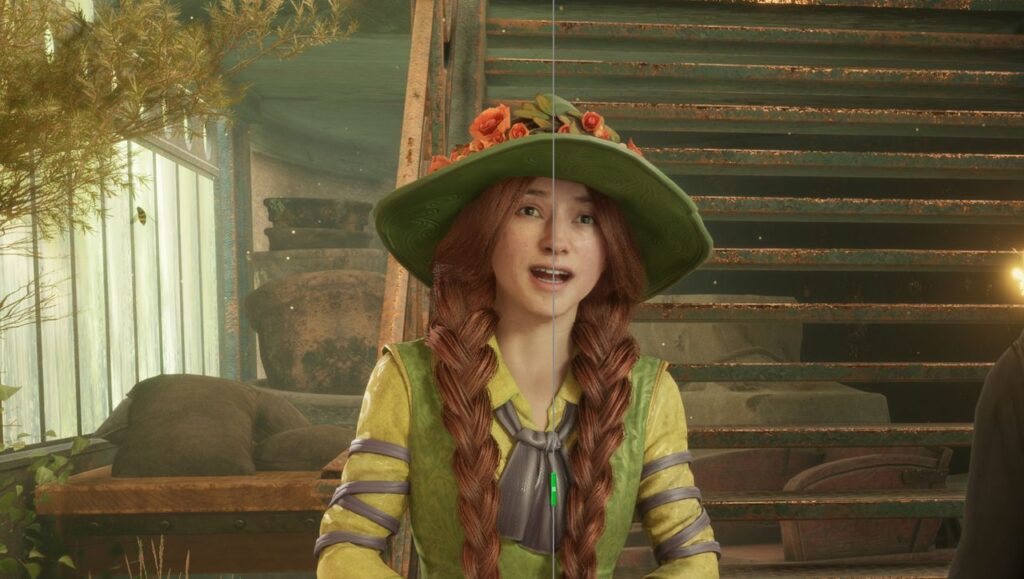
Super Resolution improves the image reconstructed from a lower internal resolution. Frame Generation creates additional display frames. Neural Rendering is a further final stage, using the rendered scene and associated data to give surfaces and lighting a more lifelike appearance.
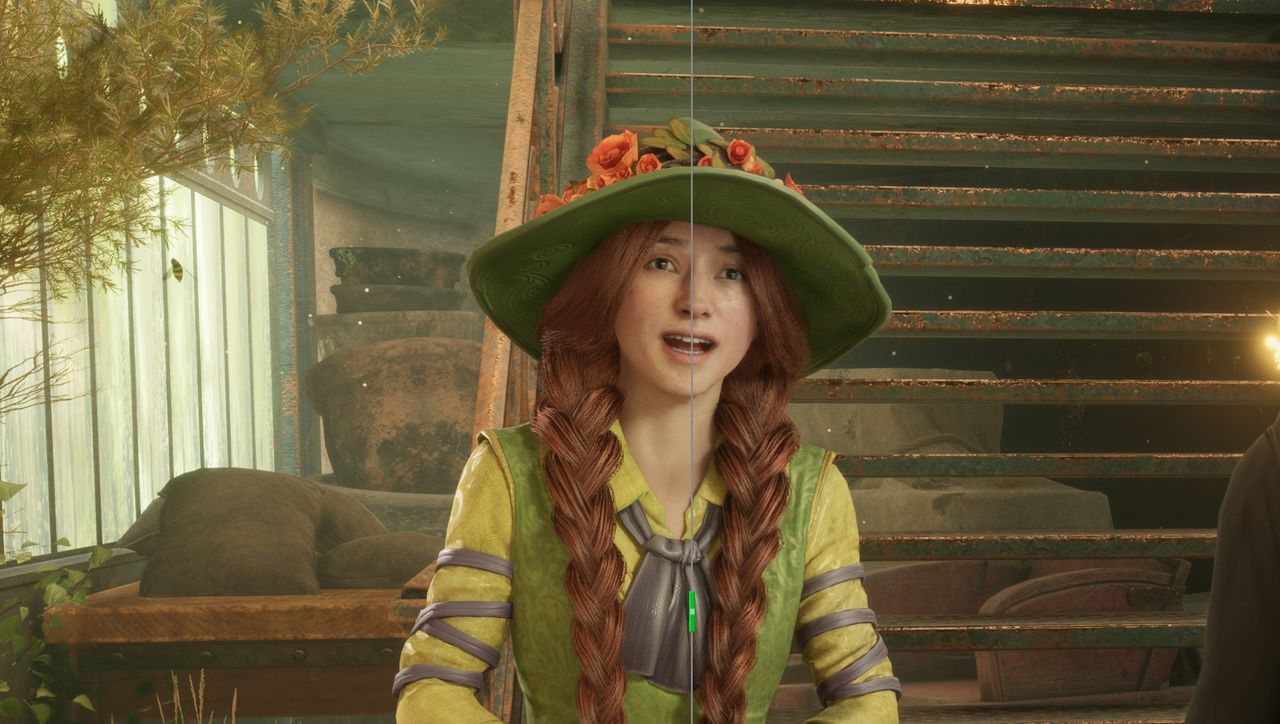
In Hogwarts Legacy, NVIDIA highlights improved stonework, shadows, fabrics, character surface detail and reflections. Avalanche’s developers control how strongly the AI model changes the presentation and have tuned it to keep the artistic direction intact. Those are tools for the developers, not sliders for players to redesign faces.
The effect can be switched off. If you prefer the original look, there is no need to keep Hogwarts Legacy DLSS 5 enabled just because your hardware supports it.
Does Hogwarts Legacy DLSS 5 increase FPS?
NVIDIA showcases up to 300 FPS at 4K on a GeForce RTX 5090 with selected settings, including 6X Multi Frame Generation and ray tracing. That is not a promise that every RTX 50 laptop or desktop will hit 300 FPS. Generated display frames are also not the same as the game’s actual rendered-frame rate.
When comparing your own results, keep the location, resolution, ray-tracing settings and frame-generation configuration consistent. Hogwarts Legacy DLSS 5 has a visual effect of its own, so the 6X multiplier in a demonstration should not be attributed solely to Neural Rendering.
What to check before playing
The practical order is to install the official game update, use NVIDIA driver 621.14 or a newer suitable release, and look for the Neural Rendering setting in Options on supported hardware. If you use cloud gaming, check that you’re on the eligible Ultimate tier.
The 5 November release date is confirmed, but the precise rollout time is not. That distinction matters if you’re checking for the update from a different time zone. Once the patch is available, compare familiar castle and Hogsmeade scenes with Hogwarts Legacy DLSS 5 on and off rather than assuming a promotional screenshot reflects every PC configuration.
Related Guides
Official source: NVIDIA’s Hogwarts Legacy DLSS 5 announcement.