NVIDIA Automatic Shader Compilation lets the NVIDIA app rebuild DirectX 12 shaders after a graphics driver update, without leaving all that work until you next open a game. The beta can run while your PC is idle, or you can start the process yourself.
If you’ve updated a graphics driver only to sit through another shader compilation screen, you’ll know why this matters. Here’s how to enable NVIDIA Automatic Shader Compilation, use the Compile Now button and understand which stutters it can actually help with.
What does NVIDIA Automatic Shader Compilation do?
Shaders are small programs used to render a game’s graphics. Before your GPU can run them, they need to be compiled for your hardware. Some games do that up front, often with a progress bar. Others do some of the work during gameplay, which can cause a noticeable hitch.
NVIDIA introduced NVIDIA Automatic Shader Compilation in app version 11.0.7 to handle some of that work after driver updates. It focuses on DirectX 12 shaders previously generated by games. Rebuilding them in advance can mean less compilation when you return to playing.
The catch is that this isn’t a replacement for a game’s first-run shader compilation. NVIDIA says you still need to generate shaders in-game after installing a new title. The beta then helps update those shaders after a driver change. It’s also separate from DLSS, which handles graphics rendering rather than this background compilation work.
How to enable NVIDIA Automatic Shader Compilation in the NVIDIA app
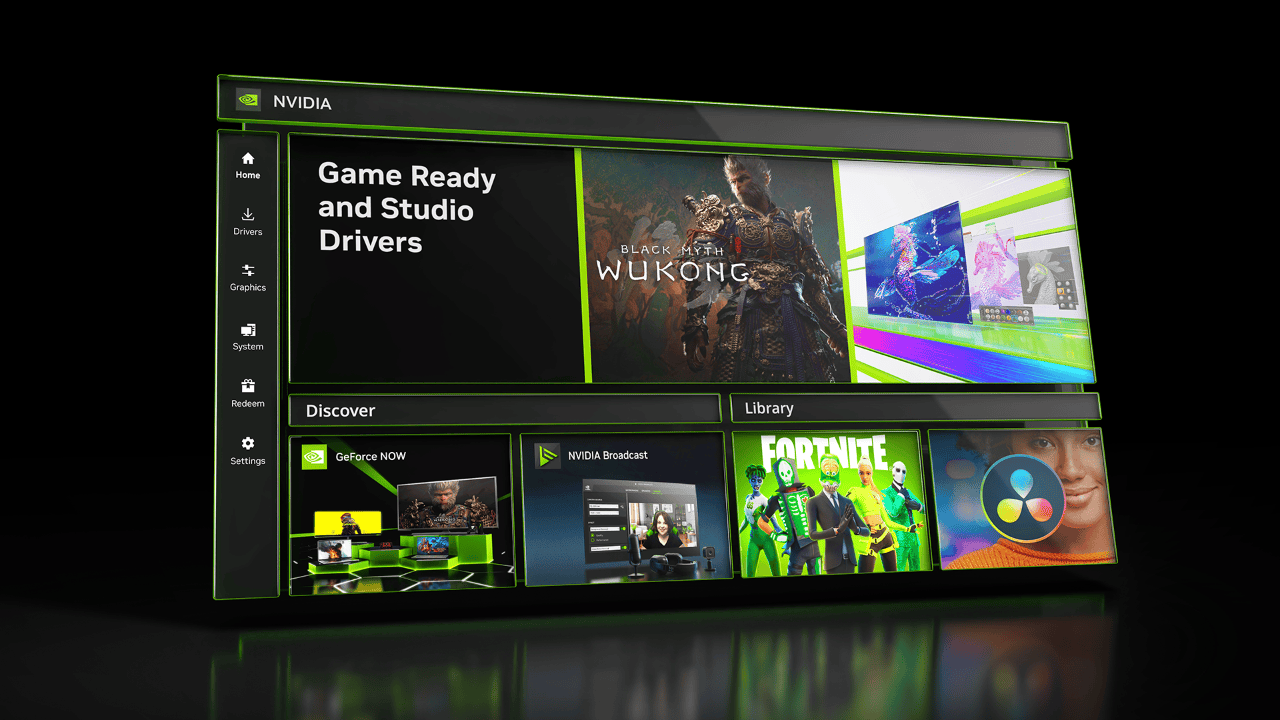
The beta is off by default. NVIDIA calls the setting Auto Shader Compilation inside the app. To enable it:
- Update the NVIDIA app, and check that your GeForce Game Ready Driver is version 595.97 WHQL or newer.
- Open the Graphics tab.
- Choose Global Settings, then find Shader Cache.
- Enable the Auto Shader Compilation beta option shown in that area.
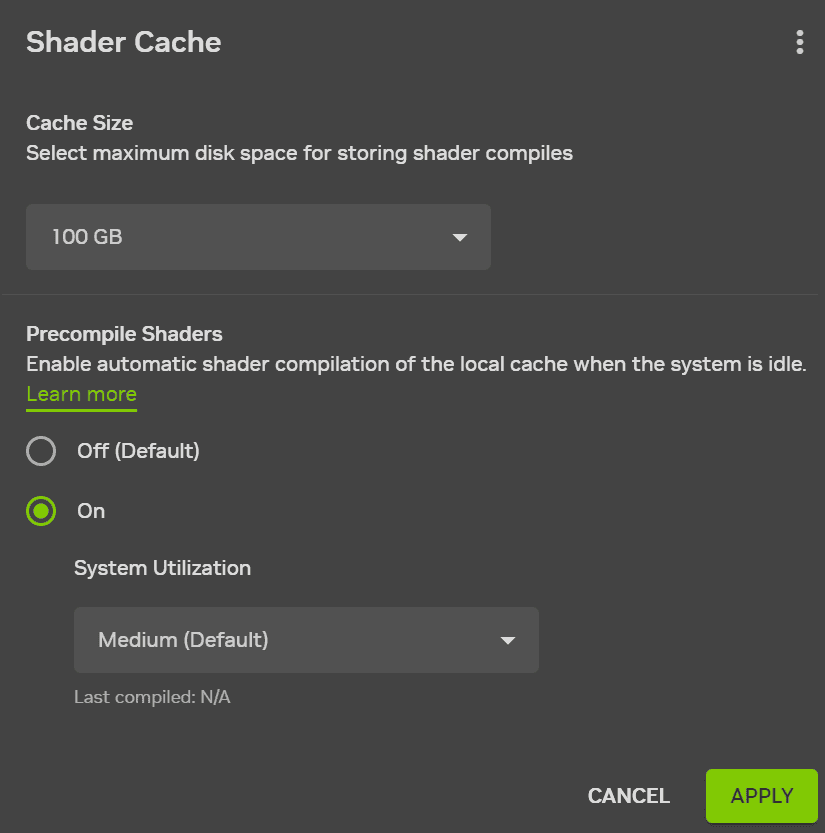
These controls are in the newer NVIDIA app, not the old NVIDIA Control Panel. If you can’t see them, check that both the app and your driver have been updated.
How to use Compile Now instead of waiting
With NVIDIA Automatic Shader Compilation enabled, the app can rebuild shaders while the computer is idle. You don’t need to leave a game open to make that happen.
If you’ve just updated your driver and want to deal with supported rebuilding before starting a game, return to Graphics > Global Settings > Shader Cache. Open the three-dot menu on the Shader Cache screen and select Compile Now. NVIDIA documents this as the on-demand alternative to waiting for idle compilation.
The task itself can still take time. And when you launch a new game, you’ll still need to let it generate its shaders normally. The point is to reduce repeat work after driver updates, not remove every loading screen.
Will NVIDIA Automatic Shader Compilation stop game stutter?
It can help with hitches caused by shader compilation after a driver update. It won’t fix every kind of stutter, though. Games can also hitch because of CPU bottlenecks, asset streaming, memory pressure or bugs unrelated to shaders.
NVIDIA Automatic Shader Compilation is most relevant when a driver update has prompted games to rebuild shaders they had already compiled. NVIDIA hasn’t promised a specific FPS increase or a stutter-free result across all games.
Does it work with every game, Steam and other launchers?
NVIDIA specifies DirectX 12 for this beta. That doesn’t mean it also supports DirectX 11 or Vulkan. It isn’t a Steam-only feature either: the game’s graphics API and the app’s support matter more than where you bought it. Don’t assume every DirectX 12 game will behave identically.
There’s no need to change a game’s graphics API just to try it. Avoid deleting shader caches without a specific reason, too, since doing so can force the game to compile them again.
NVIDIA Automatic Shader Compilation vs Advanced Shader Delivery
The names sound related, but they describe different systems. NVIDIA Automatic Shader Compilation uses the NVIDIA app to rebuild locally available DirectX 12 shaders after driver updates. Microsoft’s Advanced Shader Delivery is a separate scheme for providing compatible compiled shader data through supported delivery paths.
If you’re troubleshooting the Microsoft feature, our Advanced Shader Delivery not working guide deals with its requirements. Turning on one system isn’t the same thing as enabling the other.
What to check if the setting is missing
Check the NVIDIA app version first. NVIDIA introduced the beta in version 11.0.7. Then check your GeForce Game Ready Driver: 595.97 WHQL or newer is required, according to NVIDIA’s launch instructions. You’ll find the beta in Graphics > Global Settings > Shader Cache, not the older Control Panel.
If NVIDIA Automatic Shader Compilation still doesn’t appear after those checks, use the app’s built-in feedback option or NVIDIA’s support information. There isn’t an official reason to edit the Windows registry or change motherboard firmware to find this switch.
For other GeForce settings and fixes, see our NVIDIA driver 621.01 guide and NVIDIA 621.12 hotfix coverage. The companion NVIDIA app Resizable BAR per-game guide covers a completely different driver control.
For the original setup instructions and feature requirements, see NVIDIA’s official Auto Shader Compilation announcement.