There is no Moomin Midsummer Madness Switch 2 upgrade to buy or download. The original Switch game runs on Switch 2 through backwards compatibility, but the standalone Switch 2 version is a separate purchase. Nintendo confirms there’s no free upgrade or paid Upgrade Pass.
More importantly, your save data and DLC won’t transfer between the two editions. That doesn’t stop you playing your existing Switch copy on a newer console. It just means you can’t load that progress into the separate Switch 2 release.
Moomin Midsummer Madness Switch 2 Upgrade: Is There One?
No. A Moomin Midsummer Madness Switch 2 upgrade isn’t available. You can buy the original Switch version or the standalone Switch 2 edition, but there’s no Upgrade Pass that converts one into the other.
Already own the Switch game? Keep playing it through backwards compatibility. You only need to buy the standalone Switch 2 edition if that’s the version you actually want.
Check the eShop label carefully. The two listings have the same name and story, but buying one doesn’t give you the other.
Moomin Midsummer Madness Switch 2 Upgrade: Does the Original Game Work?
Yes. Nintendo lists the Switch version as compatible with Switch 2. If you own the original game, you can play it on the newer console without buying the standalone Switch 2 edition.
If you’ve already started the story, staying with the Switch edition is also the easiest way to keep playing. Use Nintendo’s supported transfer or cloud-save options to move the save between consoles for the same edition.
Nintendo and Shochiku haven’t published a clear enough technical comparison to promise a particular resolution, frame-rate or loading-time improvement. Don’t buy the separate edition based on guessed performance figures.
Moomin Midsummer Madness Switch 2 Upgrade: Can You Transfer Saves?
Not between the two editions. Nintendo’s publisher notice says their save data isn’t compatible. If you’ve spent hours playing the original Switch game, buying the native Switch 2 version won’t let you pick up where you left off.
Changing consoles is different from changing editions. The Switch game supports Save Data Cloud, so Nintendo Switch Online members can back up and restore supported saves between consoles. Normal system-transfer options may also apply. Just make sure you’re still running the same Switch edition.
Those tools cannot convert a Switch-edition save for use with the separate Switch 2 version. Check which edition you’ve installed on your new console before moving any save data.
Moomin Midsummer Madness Switch 2 Upgrade: Will DLC Carry Over?
No. Nintendo says add-on content isn’t compatible across the two editions. If you buy DLC for the original Switch version, don’t assume it’ll work with the standalone Switch 2 game.
That doesn’t mean paid DLC is necessarily available at launch. It’s a compatibility warning to remember if extra content is offered, so check the edition before buying an add-on.
Moomin Midsummer Madness Switch 2 Upgrade: Which Version Should You Buy?
| Your situation | Best option |
|---|---|
| You own a Nintendo Switch | Choose the original Switch edition. |
| You have a Switch 2 but already bought the Switch game | Keep using your Switch edition through backwards compatibility if you’re happy with it. |
| You’re buying the game for the first time on Switch 2 | Check both listings and choose the edition you actually want. They are separate purchases. |
| You want to use an existing Switch save | Stay with the Switch edition. The native Switch 2 release cannot read that save. |
| You bought one version and now want the other | Expect a separate purchase, as no Upgrade Pass is offered. |
If you’re buying the game for someone else, ask whether they already own a copy or have started playing. A Moomin Midsummer Madness Switch 2 upgrade isn’t available, so choosing the wrong edition could mean paying again or losing save compatibility.
Is the Native Switch 2 Edition Different?
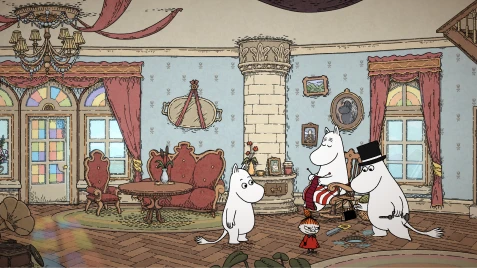
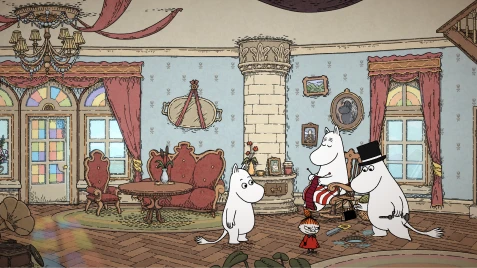
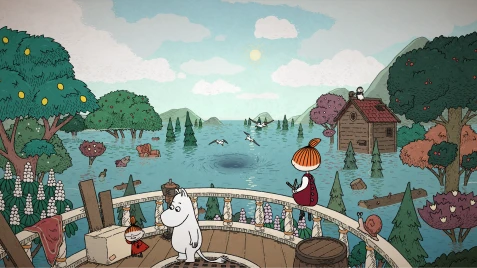
Both editions tell the same single-player adventure. Moomintroll and Little My explore a flooded Moominvalley, meet familiar faces, solve puzzles and use hints when they get stuck. Neither product page advertises an exclusive story or extra levels on Switch 2.
Nintendo’s UK Switch page lists an estimated 1.7 GB download, while its US Switch 2 listing shows around 1.4 GB. Those are estimates from different regions and editions, not proof that one version runs better. Check your own eShop listing for the current size.
Both Nintendo versions have free demos, so you can try the puzzles before paying. The official listings don’t confirm whether demo progress carries over to the full game, so don’t count on a transfer.
How to Avoid Buying the Wrong Edition
- Open the Nintendo eShop and search for Moomin: Midsummer Madness.
- Check whether the product says Nintendo Switch or Nintendo Switch 2.
- If you own the Switch version already, remember that it runs on Switch 2 without an additional purchase.
- If you’ve started playing, keep using the same edition if you want to preserve compatibility with your save.
- Only buy the separate native edition if that’s the version you specifically want.
There isn’t a Moomin Midsummer Madness Switch 2 upgrade, but you don’t need one to play your existing Switch purchase on newer hardware. To keep your current save, stick with the original Switch edition.
Related Guides
- Moomin Midsummer Madness Release Date and Free Demo
- Everything Is Crab Switch 2 Free Upgrade
- Pikmin 4 Switch 2 Edition: Full Game vs Upgrade
- Spirit Crossing Switch 2 Save Transfer
- How to Move Switch 2 Digital Games Between Consoles
- Nintendo Switch 2 Virtual Game Card Settings
- Can You Play Switch 2 Digital Games Offline?
Official source: Shochiku Games: Moomin: Midsummer Madness.