Brawlhalla Twitch Drops not showing even though you’ve watched a stream? Check your Twitch Drops Inventory first. There’s a big difference between a reward that’s still building watch time and one you’ve already claimed but can’t find in-game.
Brawlhalla now uses Twitch’s built-in Drops system, not the old Viewership Rewards overlay. If you’re following instructions about extension points or redemption codes, they’re out of date. Here’s how to work out where your reward has gone.
Brawlhalla Twitch Drops not showing: Check your Twitch Inventory first
Sign into the Twitch account you watched on, open Drops & Rewards, and check the item in your Inventory:
- No campaign or no progress: the broadcast may not be eligible, the campaign may not be live, or you may be watching from a different Twitch account.
- Progress is incomplete: you have not yet met the item’s watch-time requirement. Check the current campaign for the actual threshold.
- The item is ready to claim: claim it in Twitch. Finishing the watch time and pressing Claim are separate steps.
- The item is claimed: move on to the Ubisoft and Brawlhalla account checks below.
Brawlhalla Twitch Drops not showing after Ubisoft linking?
Brawlhalla’s official FAQ requires two connections: Twitch to Ubisoft and Ubisoft to your Brawlhalla game account. If either link points to the wrong account, Twitch can say Claimed while the cosmetic is missing from the profile you actually play on.
- Check that the Twitch account you watched on is the one linked to Ubisoft.
- Check that the Ubisoft account receiving Drops is the account linked to your Brawlhalla game profile.
- If you play on more than one platform, make sure you are checking the profile associated with the right Ubisoft link.
- After confirming those details, reopen Brawlhalla and check for the item again.
Don’t start unlinking accounts at random. First work out which Ubisoft account received the Drop and which game profile it connects to. If the account-linking page shows an error, use official support rather than guessing.
Brawlhalla Twitch Drops not showing progress?
If Brawlhalla Twitch Drops aren’t showing any progress, check that the campaign is active and the stream is actually eligible. Someone playing Brawlhalla isn’t automatically participating in a limited tournament campaign.
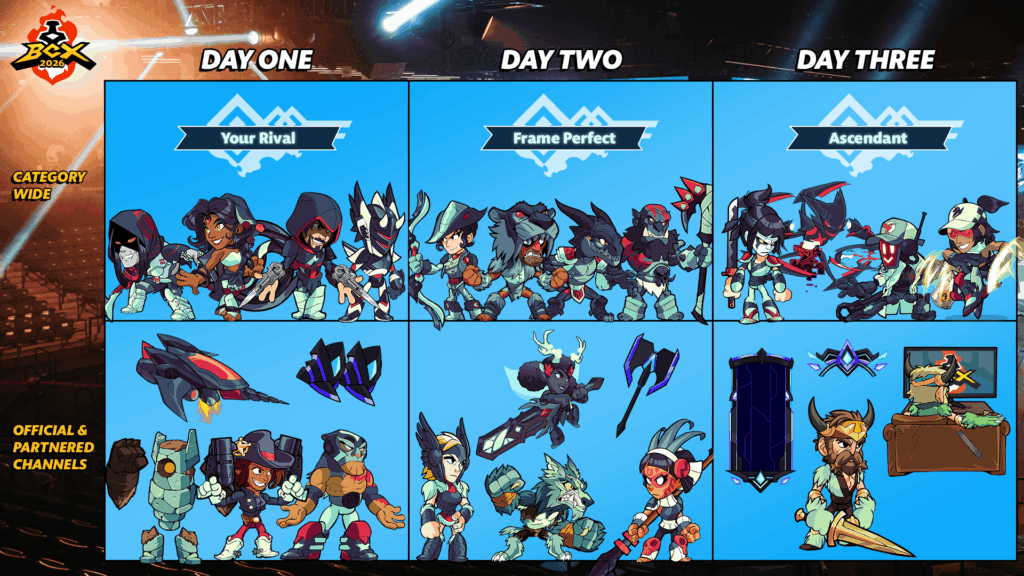
BCX 2026 is a good example: Friday has the Battle Boots, Saturday has the Axe and Sunday has the Bow. Watching an eligible stream on Friday doesn’t mean you’ve progressed the separate Saturday or Sunday rewards. Check the specific campaign in Twitch.
Check the progress bar for the specific item. A weapon skin and a title can have different watch-time milestones. If the bar isn’t complete, Twitch hasn’t marked that item as earned. Opening several streams won’t fix an ineligible campaign.
Where to find a claimed skin, colour or title
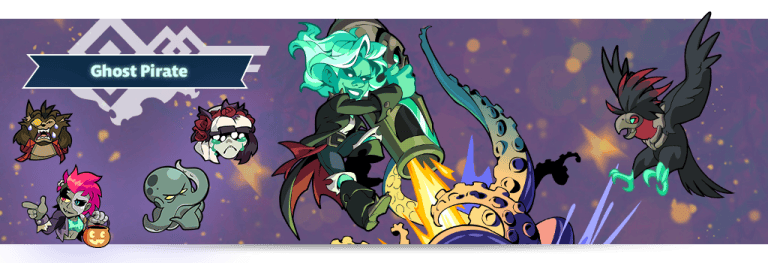
If your Brawlhalla Twitch Drops aren’t showing in the first menu you open, check what type of cosmetic you received. Weapon skins, titles, loading frames and colours live in different customisation areas.
Brawlhalla’s FAQ says a Twitch colour reward applies to one random Legend, not the whole roster. Check the correct Legend rather than looking for a universal colour unlock. Likewise, a Neo-City Axe won’t be filed under the Bow or Battle Boots weapon menus.
Do you still need the old Viewership Rewards extension or a code?
No. Brawlhalla officially retired the Viewership Rewards extension. Instructions telling you to collect overlay points or redeem extension codes are for the discontinued system.
If your Brawlhalla Twitch Drops are not showing and you’ve been trying to use that extension, go back to Twitch’s Drops Inventory. Current claims are delivered through your linked Ubisoft account.
Brawlhalla Twitch Drops not showing after being claimed?
Still seeing Brawlhalla Twitch Drops not showing after Twitch marks them Claimed? Save a screenshot of the claimed item and note the campaign name, your Twitch username and approximate claim time. Those details will help official support trace the issue.
Never give anyone your password, recovery codes or account tokens because they promise to unlock a missing Drop. Use the official Brawlhalla or Ubisoft support route, and check the campaign’s stated claim deadline.
For Brawlhalla Twitch Drops not showing after a claim, check Twitch, Ubisoft linking and the right in-game cosmetic before contacting support.
Related Guides on The Click
Official source: Brawlhalla Twitch Drops FAQ.