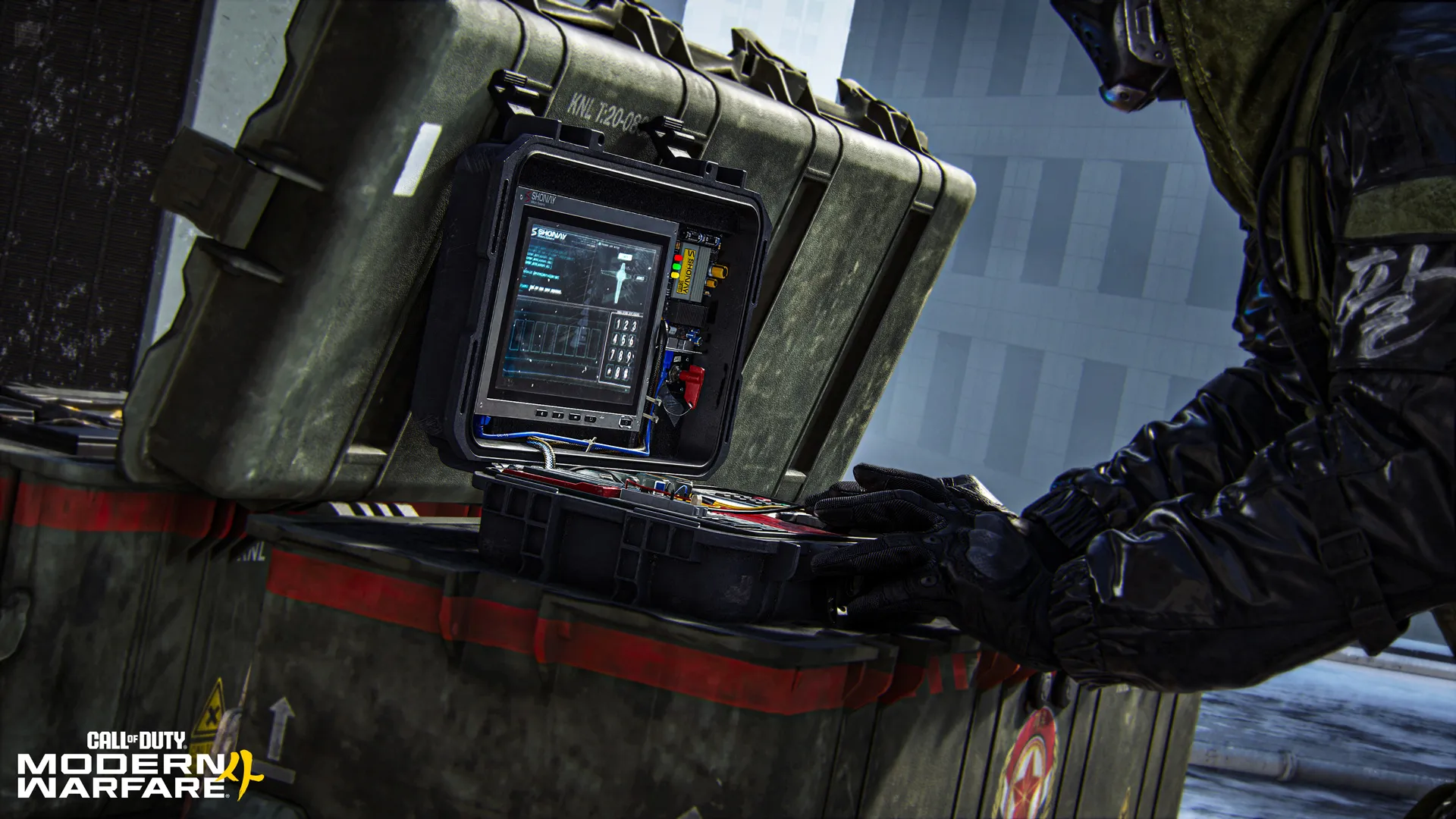
Modern Warfare 4 Search and Destroy is a single-life, round-based Multiplayer mode in which one team tries to plant and detonate a bomb at either of two sites while the other team defends or defuses it. A team can also win a round by eliminating its opponents. If you die, you spectate until the following round rather than respawning straight away.
Since the October 25 update, one kill awards 300 XP instead of 100 XP in Search and Destroy. Infinity Ward also rolled back an attempted fix for a separate bomb-stretching problem after that fix stopped players picking up the bomb from some positions. Here’s how to play the objective, what actually changed and how to approach the remaining bug.
Modern Warfare 4 Search and Destroy: how a round works
- Join the Search and Destroy playlist and check whether your team is attacking or defending.
- If attacking, advance with the bomb carrier toward one of the two marked plant sites. Clear space before planting rather than abandoning your carrier.
- If defending, cover routes into the bomb sites and keep track of the planted-bomb alert. A planted bomb changes the priority from holding space to reaching and defusing it.
- When teammates are eliminated, play with the remaining players. There are no mid-round respawns, so a reckless push can leave the last defender outnumbered.
- After the round ends, the teams continue to the next round with the attacking and defending roles changing according to the match rules.
The objective matters more than personal kills. If you’re last alive while defending, the real decision is whether there is enough time to reach and defuse a planted bomb. If attacking, planting at a clear site can force defenders to come to you instead of chasing them across the map.
How much kill XP does Search and Destroy give now?
The October 25 patch raised the base XP for one kill from 100 to 300 in both Modern Warfare 4 Search and Destroy and the new Collateral mode. That’s three times the previously listed kill XP, not a promise that total match XP or weapon levelling is tripled. Objectives, challenges and match performance still contribute separately.
Infinity Ward described this as the beginning of a broader look at Multiplayer XP earn rates. It did not give a release date or confirmed amounts for further mode changes. If you’ve avoided Modern Warfare 4 Search and Destroy because elimination XP felt low, the revised reward makes each successful fight count for more.
Search and Destroy bomb pickup problem: what is still broken?
Infinity Ward previously tried to repair a visual or mechanical issue called bomb stretching. That repair caused another bug: players could no longer pick up the bomb in certain positions. The studio rolled back the repair on October 25 and says it will tackle bomb stretching again in a future update.
The rollback is not the same as saying bomb pickups were permanently fixed. If a bomb appears awkwardly placed, try approaching from a different accessible position without relying on an interaction exploit. Avoid basing the entire round on a single teammate being able to collect it immediately. There is no confirmed date for the follow-up fix.
Does the October 24 defuse fix still apply?
The October 24 patch separately addressed players being able to defuse from an unintended distance or position. The October 25 notice specifically identifies the bomb-stretching rollback and its bomb pickup side effect. It doesn’t announce a general reversal of every previous Search and Destroy fix. Don’t confuse the pickup problem with the earlier long-distance defuse problem.

Attacking tips that actually help
In Modern Warfare 4 Search and Destroy, the bomb carrier should not have to clear a defended site alone. Move in pairs where possible, use a Tactical to force enemies off a doorway, and call which site you’re approaching. If a teammate is planting, hold nearby approaches rather than crowding the plant point. Once planted, fall into positions where you can cover the defuse route.
If the bomb carrier is eliminated before planting, the bomb location becomes a contested point. Make sure someone retrieves it before the attackers run out of time. When the team is short on players, a clean plant often creates a better chance than chasing the final defender.
Defending tips and useful loadout choices
Modern Warfare 4 Search and Destroy defenders can win by stopping the plant or defusing after a successful plant. Cover both bomb sites early, then rotate when you have reliable information about the attackers’ direction. If you’re alone with a bomb already planted, prioritise a route to the defuse point and avoid unnecessary gunfights.
Choose weapons and equipment around sightlines on the map, not a supposedly universal best loadout. In Modern Warfare 4 Search and Destroy, one long lane may reward an accurate rifle while tight corridors favour quicker handling. Create-a-Class and Perks give you ways to adjust between matches.
What to check if a bomb interaction fails
First distinguish which problem occurred: picking up the bomb, planting it, or defusing it. The October 25 rollback concerns a pickup failure that appeared after a bomb-stretching fix. If the interaction prompt never appears, reposition around the object and check the current official known-issues tracker. If the prompt appears but doesn’t respond, check whether the match or your input bindings are behaving normally.
Modern Warfare 4 Modern Warfare 4 Search and Destroy remains an objective mode, not simply Team Deathmatch without respawns. The easiest way to improve at Modern Warfare 4 Search and Destroy is to make your movement support a plant, a defence or a defuse rather than searching for fights that don’t help either site.
Related Guides
Official source: Infinity Ward’s October 24 and 25 launch updates.