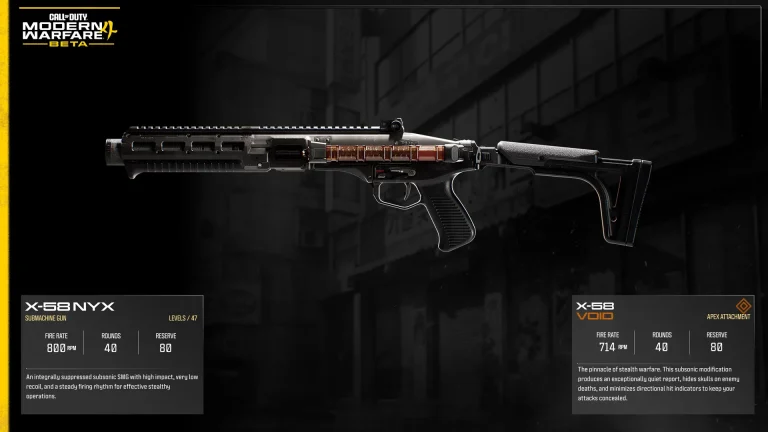
Modern Warfare 4 DMZ Gunsmith unlocks at DMZ Level 10 and lets you buy and customise weapons using DMZ Cash at the Forward Operating Base. To unlock repeat purchases of a base gun, you need to find and extract its Weapon Manual. Extracting with an ordinary weapon only gives you that individual copy to modify.
The October 25 update also fixed saved Builds made from modified Blueprints charging the full cost of the original Blueprint. Here’s how the Modern Warfare 4 DMZ Gunsmith works, where to find the purchase menu, how many attachment slots you can use, and what you actually pay for lost Blueprints.
How to unlock Modern Warfare 4 DMZ Gunsmith
- Play DMZ and gain Player XP until you reach DMZ Level 10.
- Open the Gunsmith station inside the FOB or access it from the base’s left-side menu.
- Choose an extracted weapon copy to customise, or enter Buy New Weapon to browse the base weapons you have unlocked for purchasing.
- Check the displayed DMZ Cash costs for the gun, attachment slots and attachments before confirming your Build.
- Move the finished weapon into the selected Active Duty Operator’s Loadout so you actually take it into your next deployment.
The Modern Warfare 4 DMZ Gunsmith isn’t the same as the DMZ Vendor. The Vendor unlocks at Level 5 and rotates ready-made stock, while Gunsmith is for purchasing and building particular weapons once its own Level 10 requirement has been met.
Weapon Manuals: how to unlock buying a gun again
Finding a gun in Hajin is useful, but it does not permanently unlock that weapon type in the Modern Warfare 4 DMZ Gunsmith purchase menu. Successfully extracting with it lets you modify that one weapon copy. Lose it during a later deployment and the copy is gone.
To unlock repeated purchases, you must find and extract with that weapon’s Weapon Manual. The Manual is consumed during extraction, adds the base weapon to the Gunsmith’s purchase options and grants 5,000 DMZ Cash. Look for useful loot around military containers, Police Stations and Compounds, but don’t count on a guaranteed fixed Manual in one specific crate.
This difference matters when a gun you used yesterday suddenly appears unavailable: check for its Manual. A weapon’s Multiplayer unlock does not replace the separate Weapon Manual requirement in DMZ.
How many attachments can you equip?
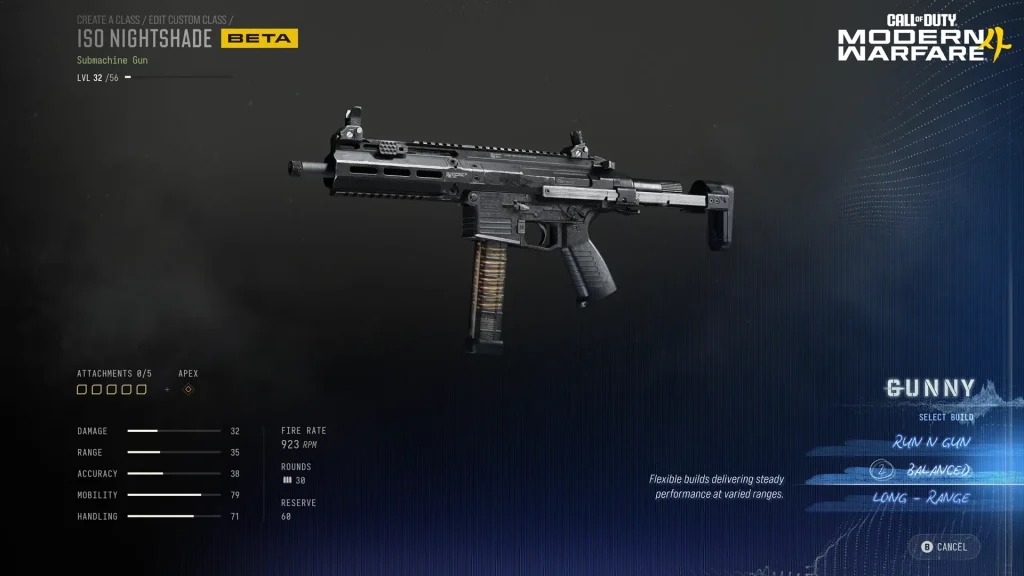
A gun purchased through the Modern Warfare 4 DMZ Gunsmith normally has five regular attachment slots, plus an Apex slot if you’ve unlocked its Apex Attachment. Buy the standard slots with DMZ Cash; the cost to open additional slots rises as you purchase more. The attachment itself also has a price and must be unlocked through weapon progression.
Weapons found out in Hajin can have up to eight attachments. That’s why a looted enemy weapon can have more parts than your standard five-slot Gunsmith purchase. Attachments earned by levelling the gun are shared between Multiplayer and DMZ, but a level unlock doesn’t make a DMZ slot or attachment purchase free.
How much does Modern Warfare 4 DMZ Gunsmith cost?
Activision uses a base M4 at about 5,000 DMZ Cash as an example. That is not a universal price for every weapon. Your bill can also include attachment slots and the attachments you install. You can unlock a Gunsmith Discount upgrade through the 3D Printer as you progress.
Before paying, review the Build you’ve selected and the price shown on screen. The Modern Warfare 4 DMZ Gunsmith uses DMZ Cash, not a fixed free attachment system merely because you’ve already levelled the gun.
What happens when you lose a Weapon Blueprint?
Owned Weapon Blueprints can be used once for free in the DMZ Gunsmith. If you lose the Blueprint weapon on a deployment, that free instance is gone. You can then buy a replacement using DMZ Cash at a discount compared with recreating the same gun from scratch.
This applies to owned Blueprints, including the Vault Edition Signature Weapon Collection. They aren’t endlessly free replacements. The MIA guide explains what else happens when you fail to extract.
October 25 saved Blueprint purchase price fix
Infinity Ward fixed an issue where purchasing a saved Build based on a modified Blueprint could incorrectly charge the full price of the original Blueprint. Following the October 25 update, the Modern Warfare 4 DMZ Gunsmith should show the correct saved-Build amount for that purchase instead.
The patch doesn’t provide a flat new Blueprint price. Open the saved Build, look at its displayed DMZ Cash cost and confirm it is the version you intended to buy. This is distinct from manual saving of Multiplayer Weapon Builds.
Do weapon camos and stickers cost DMZ Cash?
Regular cosmetics such as camos, reticles, stickers, decals and weapon accessories can be applied without spending DMZ Cash. The October 24 update also fixed a bug that could deduct cash when applying certain camos or reticles. Actual weapon and combat attachment purchases still cost cash.
For Modern Warfare 4 DMZ Gunsmith, check whether you’re in the Appearance menu or purchasing weapon components. A cosmetic adjustment should not silently charge you the price of a gun or a Blueprint.
Why is a gun or attachment still locked?
If you cannot open the Modern Warfare 4 DMZ Gunsmith, first check that your DMZ level is at least 10. For a locked base weapon, check that you extracted its Weapon Manual rather than just the weapon. For a locked attachment, inspect the weapon’s progression level and check both the slot and attachment price.
Finally, make sure the finished weapon is assigned to the current Operator’s Loadout, not just sitting in the shared Stash. If a newly saved Blueprint-based Build displays an unexpected charge, check the current official patch and known-issues tracker rather than guessing the correct amount.
Related Guides
Official source: Activision’s DMZ Gunsmith and Forward Operating Base guide.