Minecraft Switch 2 upgrade not showing in Nintendo eShop? Check which Nintendo Account bought the original game digitally. Eligible digital owners can claim Switch 2 Standard free in the UK. Old cartridge owners have a separate discounted Ultimate Collection offer.
The native game launched October 27, 2026. The promotion ends January 31, 2027 at 9 AM Pacific. Check the purchasing account, edition and eShop region before paying.
Minecraft Switch 2 upgrade not showing: check the purchasing account
Nintendo digital games are linked to the account that bought them. If a family member purchased Minecraft and shares the game on your console, your own account might not own the qualifying licence. Open eShop under the original purchasing Nintendo Account.
If a family member bought Minecraft, check eShop under their account. Digital purchases cannot be transferred between Nintendo Accounts, and deleting a user profile can remove its local saves.
Minecraft Switch 2 upgrade not showing on Standard Edition?
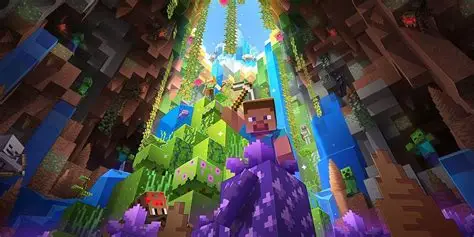
Look for Minecraft for Nintendo Switch 2 Standard Edition. It includes Vibrant Visuals and Super Mario Mash-Up. Deluxe and Ultimate include extra add-ons and Minecoins; digital owners can get a discount on those editions, but they aren’t the free Standard claim.
Open the native Switch 2 Standard Edition listing. The old Switch app running through backwards compatibility is not the new game, while Deluxe and Ultimate remain paid collections.
Does the old physical Minecraft cartridge qualify?
No, not for free Standard. Insert the original Switch cartridge into Switch 2 and launch the old Switch Minecraft application. Mojang says a message inside that game offers a discounted digital Ultimate Collection during the promotion.
For cartridge owners with Minecraft Switch 2 upgrade not showing in eShop, the missing free offer reflects eligibility: a cartridge qualifies for discounted Ultimate Collection, not free Standard. Our physical upgrade guide explains the in-game offer.
Check the account’s eShop region
Most territories, including the UK, have a free Standard Edition claim for eligible digital owners. Mojang lists three exceptions: Japan 100 JPY, Taiwan 30 NTD and Thailand 25 THB. A small charge in one of those regions isn’t the same as an ordinary full-price purchase.
Check the purchasing account’s eShop country. In an exception region, compare the price with Mojang’s listed Standard upgrade fee.
Minecraft Switch 2 upgrade not showing: six checks
- Confirm the original Minecraft purchase was digital.
- Use the Nintendo Account that purchased it.
- Find the native Switch 2 Standard Edition in eShop.
- Check your account’s region and any regional fee.
- Check that the promotion is still active, before January 31, 2027 at 9 AM PT.
- Reopen eShop if the eligible offer still doesn’t appear.
Minecraft Switch 2 upgrade not showing after those checks? If the original digital purchase qualifies but Standard still shows full price, reopen eShop. Contact Nintendo support with your purchase details before buying another copy.
What if your old worlds are missing instead?
Claiming the native edition doesn’t automatically copy your old console save data. A missing world is a separate issue from an upgrade entitlement. Nintendo stores saves under individual users, and individual save transfer requires matching Nintendo Accounts.
See our Minecraft Switch 2 world transfer guide for moving the old save and using Settings > Storage > Sync Old Worlds. For the full digital claim, read our Minecraft Switch 2 free upgrade guide.
Use the Minecraft Switch 2 upgrade not showing checklist before spending money. You can keep playing the original Switch game while sorting out the native edition.
Related Guides
Official source: Mojang’s October 27 Switch 2 upgrade announcement.