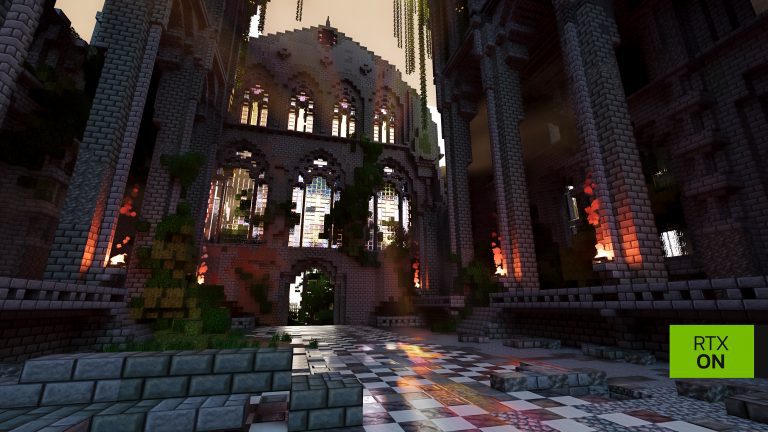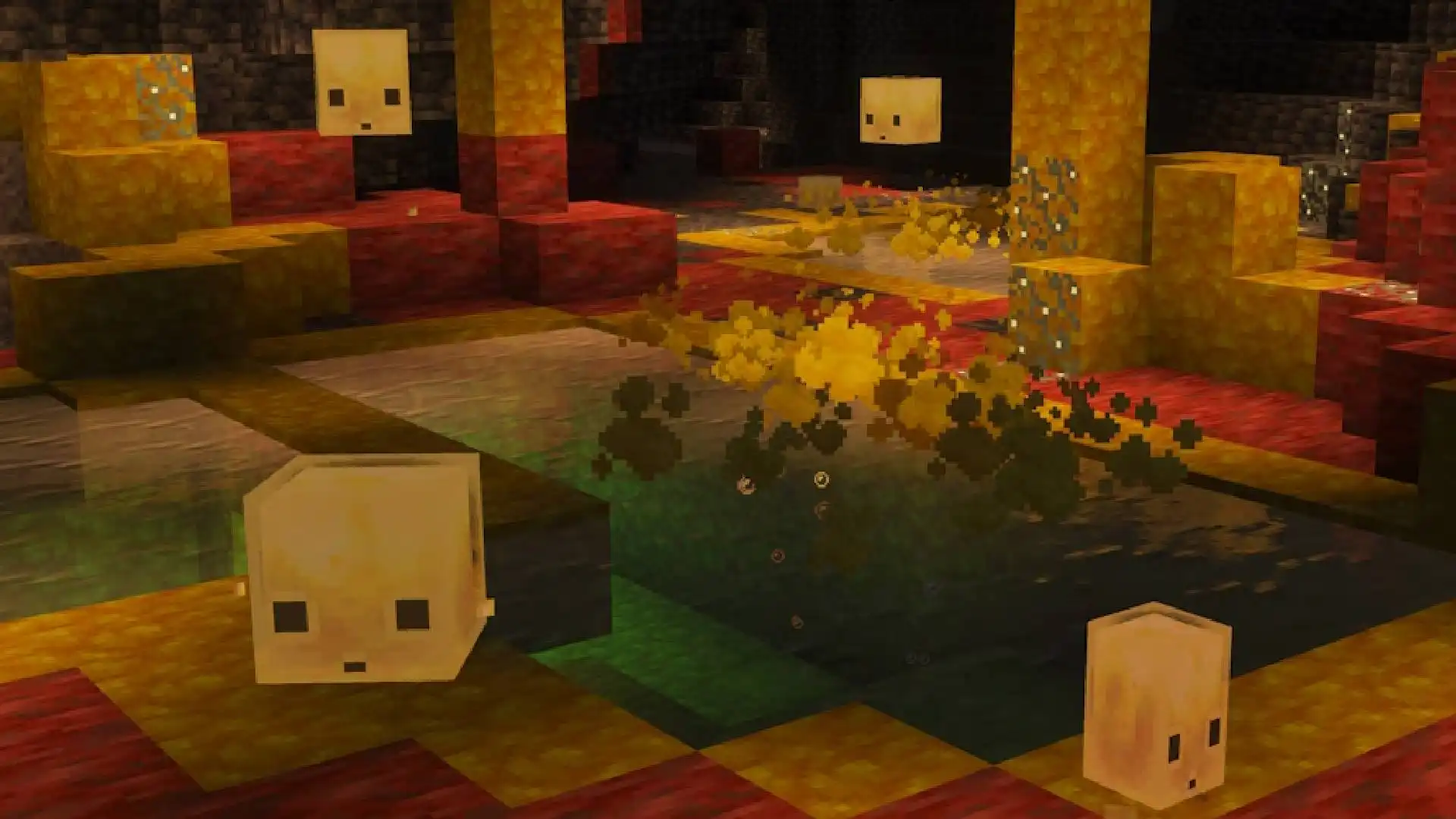
The Minecraft Sulfur Cube is the headline mob introduced in the Chaos Cubed game drop, which launched on June 16, 2026. Chaos Cubed also added Sulfur Caves, sulfur and cinnabar block sets, geysers and new physics-based gameplay built around the Sulfur Cube’s ability to absorb blocks.
A Minecraft Sulfur Cube begins as a living mob inside the new Sulfur Caves biome. Once it absorbs a compatible block, its normal artificial intelligence is disabled and it becomes a movable physical object. Players can punch it, push it, launch it across the ground and use its different properties in builds, transport systems, minigames and traps.
The block placed inside the Sulfur Cube determines its archetype. Wooden blocks make it highly bouncy, icy blocks make it slide quickly and TNT turns it into an explosive object that can be activated using fire, Redstone or another explosion.
Is the Sulfur Cube Part of Minecraft Chaos Cubed?
Yes. The Sulfur Cube is one of the main additions in Minecraft Chaos Cubed, the second game drop of 2026. It spawns inside Sulfur Caves and changes its movement and behaviour depending on the block it absorbs.
What Is a Minecraft Sulfur Cube?
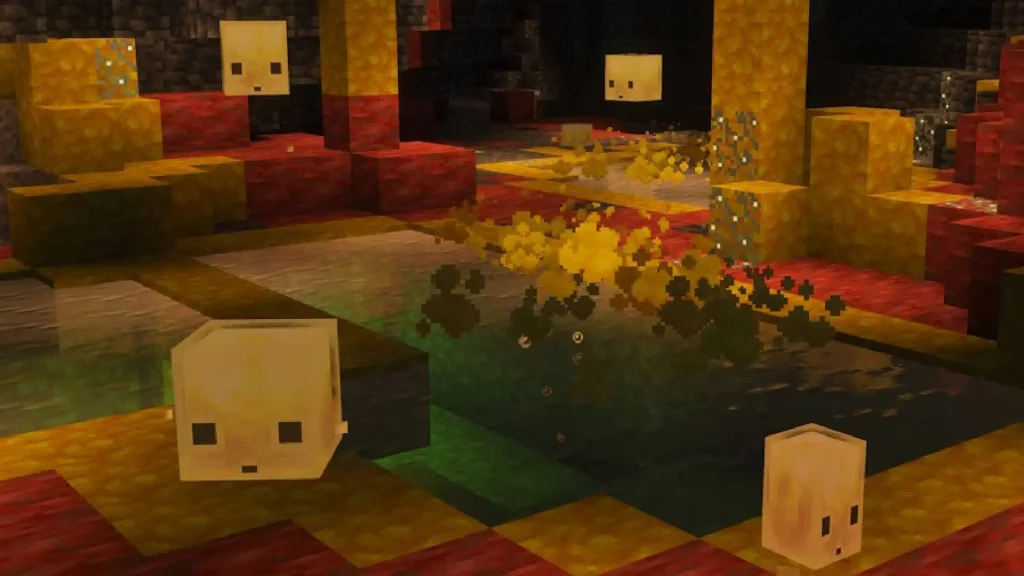
The Minecraft Sulfur Cube is a mob found naturally inside Sulfur Caves. Its appearance and behaviour change when it absorbs a block offered by the player.
When no block is inside it, the Sulfur Cube behaves like a normal mob. It can move around, follow players holding suitable blocks and search for nearby block items that it can absorb.
Once the Minecraft Sulfur Cube absorbs a block:
- Its normal AI is disabled
- It becomes a physics-based object
- Players can punch or push it
- It becomes immune to player and fall damage
- Its movement changes to match the absorbed block
- The block can be removed using shears
This makes the Sulfur Cube more than a decorative mob. It can become a ball, sliding object, explosive device, moving obstacle or transport tool depending on what it is fed.
Where Do Minecraft Sulfur Cubes Spawn?
A Minecraft Sulfur Cube spawns naturally inside the Sulfur Caves biome.
Sulfur Caves generate underground and contain large areas of yellow Sulfur blocks and red Cinnabar blocks. They also include Sulfur Pools, Potent Sulfur, Sulfur Spikes, shallow water, glow lichen and hostile Cave Spiders.
Players can look for a Sulfur Spring on the surface of the Overworld to help locate the biome. Sulfur Springs generate above Sulfur Caves and contain Sulfur, Potent Sulfur and Magma Blocks.
When you find one of these unusual yellow and red surface formations, dig beneath it carefully. The Sulfur Cave should be located underground in the surrounding area. Mojang confirms that Sulfur Springs can generate in four sizes: small, medium, large and extra large.
How to Feed a Minecraft Sulfur Cube
To feed a Minecraft Sulfur Cube, hold a compatible block and interact with the mob.
The Sulfur Cube will absorb the block and display it inside its body. Its behaviour then changes according to the category assigned to that block.
A Minecraft Sulfur Cube will also follow a player holding a block that it can absorb. If a compatible block is dropped nearby, the mob can detect the item, move towards it and absorb it without the player directly feeding it.
Not every block produces a completely unique result. Blocks are divided into archetypes based on their material and intended behaviour.
For example, different types of wood share the bouncy archetype, while different icy blocks use the fast-sliding archetype.
Minecraft Sulfur Cube Block Effects
The Minecraft Sulfur Cube has several standard and special archetypes. Each one changes its speed, bounciness, friction, air drag or ability to float.
| Block category | Sulfur Cube effect | Main behaviour |
|---|---|---|
| Loose minerals and soil | Regular | Balanced speed and bounce |
| Wooden blocks | Bouncy | Fast movement and high bounce |
| Stone-like blocks | Slow Bouncy | Slower movement with high bounce |
| Metal blocks | Slow Flat | Slow with little bounce |
| Organic blocks | Fast Flat | Fast with little bounce |
| Wool blocks | Light | Light, buoyant and affected by air drag |
| Icy blocks | Fast Sliding | Fast movement with no bounce and low friction |
| Mushroom blocks | Slow Sliding | Slow movement with no bounce and low friction |
| Soul Sand and Soul Soil | High Resistance | Very slow with high friction |
| Honeycomb Block | Sticky | Sticks to surfaces with almost no bounce |
| TNT | Explosive | Can be primed and detonated |
| Magma Block | Hot | Damages entities that touch it |
These categories create very different uses for the same mob. A wooden Minecraft Sulfur Cube can be turned into a ball for a football-style minigame, while an ice-fed cube can travel rapidly along a prepared track.
The official Chaos Cubed page highlights five particularly recognisable results: Honeycomb makes the cube sticky, wood makes it bouncy, TNT makes it explosive, Magma makes it hot and ice makes it slippery.
How to Make a Minecraft Sulfur Cube Bouncy
Feed the Minecraft Sulfur Cube a wooden block to give it the Bouncy archetype.
A bouncy cube moves quickly and retains more of its speed when it collides with blocks or other solid entities. It also floats in liquids.
Stone-like blocks produce the Slow Bouncy archetype instead. This version still has high bounciness, but it travels more slowly and experiences greater drag while moving through the air.
The difference makes wood better for fast minigames and launching contraptions, while stone-like blocks are more suitable when you want a slower and more controllable bounce.
How to Make a Minecraft Sulfur Cube Slide
Feed the Minecraft Sulfur Cube an icy block to create the Fast Sliding archetype.
The cube will move quickly, stop bouncing and experience very little ground friction. This allows it to travel across flat surfaces like a sliding game piece.
Mushroom blocks create the Slow Sliding archetype. It has similarly low friction and no bounce, but moves at a slower speed.
Sliding cubes could be used for:
- Racing courses
- Ice-style minigames
- Item-delivery mechanisms
- Moving obstacles
- Puzzle maps
- Target challenges
- Physics experiments
The Sulfur Cube’s exact speed and movement still depend on how it is hit and the environment around it.
What Happens When a Sulfur Cube Absorbs TNT?
When a Minecraft Sulfur Cube absorbs TNT, it becomes an explosive cube.
The TNT can be primed using:
- Redstone
- Fire
- A dispenser containing Flint and Steel
- A nearby explosion
TNT activated by fire or Redstone has a six-second fuse. When another explosion activates it, the fuse is randomised between 0.75 and three seconds.
A primed explosive Sulfur Cube cannot be collected in a bucket, and the TNT cannot be removed using shears once the fuse has started. The cube also does not split into smaller Sulfur Cubes when it explodes.
Having a Sulfur Cube absorb TNT unlocks the Uh Oh Husbandry advancement.
What Happens When a Sulfur Cube Absorbs a Magma Block?
A Minecraft Sulfur Cube containing a Magma Block uses the Hot archetype.
Its general physics remain similar to a regular cube, but it damages entities that come into contact with it. This creates obvious uses in traps, mob-control builds, obstacle courses and competitive minigames.
Players should take care when moving a hot cube around animals, villagers or other mobs they want to protect. Its contact damage is part of the cube’s active behaviour rather than a purely visual change.
How to Remove a Block From a Sulfur Cube
Use shears on a Minecraft Sulfur Cube to remove the block it has absorbed.
Once the block is removed:
- The cube stops using its current archetype
- Its normal AI is enabled again
- It returns to behaving like a living mob
- It can follow players and seek compatible block items again
Dispensers can also use shears to remove an absorbed block. This makes it possible to create automated systems that change or reset a Sulfur Cube without direct player interaction.
A dispenser can insert a block, replace the block already inside the cube, remove it using shears or release a cube stored inside a bucket.
Can You Put a Sulfur Cube in a Bucket?
A large Minecraft Sulfur Cube can be collected using an empty bucket.
Interact with the large cube while holding the bucket to create a Bucket of Sulfur Cube. This gives players a convenient way to transport the mob from a Sulfur Cave back to a base or another part of the world.
Small Sulfur Cubes cannot be collected in the same way. Feed a small cube Slime Balls to make it grow into a large Minecraft Sulfur Cube first.
Sulfur Cubes cannot enter boats, although they can ride inside minecarts. Buckets, leads and minecarts therefore provide the main practical transport options.
What Happens When You Kill a Minecraft Sulfur Cube?
Killing a large Minecraft Sulfur Cube causes it to split into two smaller Sulfur Cubes.
The smaller cubes can be fed Slime Balls to grow them back into large cubes. This provides a way to increase the number of Sulfur Cubes in your collection without repeatedly returning to the Sulfur Caves biome.
A Sulfur Cube holding an absorbed block is immune to direct player damage and fall damage. Remove the block using shears to return it to its normal mob state before attempting to damage it.
An explosive cube that detonates does not produce smaller Sulfur Cubes.
Can You Tame a Minecraft Sulfur Cube?
You cannot tame a Minecraft Sulfur Cube in the same way as a wolf, cat or parrot.
However, the cube can still be transported and kept at a base. Players can:
- Lead it
- Carry a large cube in a bucket
- Move it in a minecart
- Tempt it using compatible blocks
- Feed small cubes Slime Balls
- Place it inside a secure enclosure
The Minecraft Sulfur Cube does not require a formal taming system to be useful. Once transported home, it can be stored safely and given different blocks whenever a particular physical effect is needed.
What Can You Use Minecraft Sulfur Cubes For?
The Minecraft Sulfur Cube is designed for experimentation rather than one single progression purpose.
Possible uses include:
| Use | Recommended cube type |
|---|---|
| Football or target games | Wooden Bouncy cube |
| Racing tracks | Icy Fast Sliding cube |
| Slow puzzle pieces | Mushroom Slow Sliding cube |
| Moving traps | Magma Hot cube |
| Explosive contraptions | TNT Explosive cube |
| Sticky build mechanisms | Honeycomb Sticky cube |
| Water-based games | Buoyant Regular, Bouncy or Light cube |
| Automated experiments | Dispensers, blocks and shears |
Because the Minecraft Sulfur Cube becomes a physical object while holding a block, players can design games and mechanisms around pushing, striking and redirecting it.
The most useful approach is to keep several cubes available and assign each one a different role. A player could build a full course containing sliding sections, bouncing targets, sticky obstacles and explosive hazards without requiring every cube to behave identically.
The Minecraft Sulfur Cube is one of the most experimental additions in Chaos Cubed. Finding one is only the beginning: its real value comes from testing different blocks, learning each archetype and building something around the resulting physics.