Minecraft Java 26.4 Snapshot 7 arrived on 3 November 2026 with new Calcite building blocks, a music disc called Flurry and keyboard controls for screens such as the Crafting Table. It’s a test build for the fourth game drop of 2026, not the normal Java release. Here’s what has changed and how to try it.
Mojang calls these the final gameplay features for the next drop. That doesn’t mean Snapshot 7 is the final test build, or that the update has reached regular Survival worlds. Minecraft Java 26.4 Snapshot 7 also changes some cold mob behaviour, adds narrator support and temporarily tests two graphics backends. If you’re opening an older Survival world, make a backup before loading it in the snapshot.
What’s new in Minecraft Java 26.4 Snapshot 7?
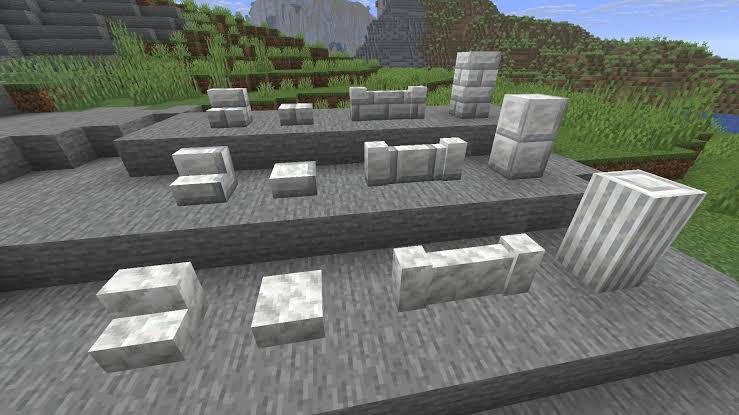
Builders get three connected Calcite sets: regular Calcite, Polished Calcite and Polished Calcite Bricks. Regular Calcite gains pillar, slab, stair and wall shapes. Polished Calcite and its brick variant also have their own slabs, stairs and walls, so you can finish roofs, windows and edges without swapping to a different material. They’re primarily for building. Calcite, Polished Calcite and Polished Calcite Bricks also give Sulfur Cubes the Slow Bouncy behaviour when absorbed.
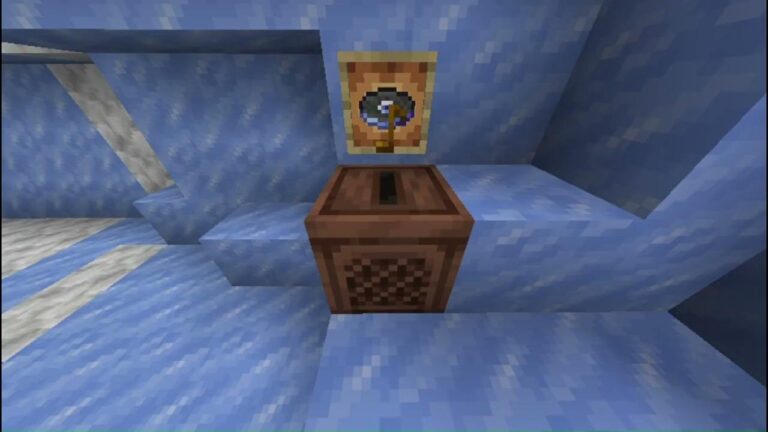
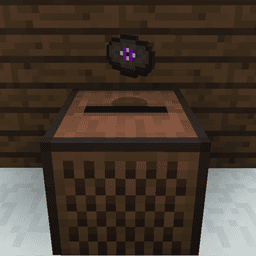
If you want to hear the new track, start looking for an Igloo with a basement. Flurry, a new disc by Hyper Potions, can appear in an Igloo basement chest. In Minecraft Java 26.4 Snapshot 7, playing it in a Jukebox gives comparator signal strength 7. Mojang confirms that the disc is possible chest loot, but does not give a Java drop percentage. Our Flurry music disc guide explains the location separately.
How to make the new Calcite blocks
Place four Calcite in a 2 by 2 square to craft Polished Calcite. Four Polished Calcite arranged the same way make Polished Calcite Bricks. The Stonecutter gives access to the different shapes, including pillars, slabs, stairs and walls. Those recipes are documented for Java testing; don’t assume every Bedrock crafting output has the same quantity without checking the Bedrock build.
Use pillars for columns, stairs around rooflines, walls for low borders and bricks for larger surfaces. The different textures match, so you can add detail without mixing in another stone type. For the full block list and recipes, use our Calcite blocks guide.
There’s one more decorative addition: Snapshot 7 includes a hidden block. The changelog doesn’t identify it or explain where to get it, so it isn’t part of the confirmed Calcite recipe list above.
Minecraft Java 26.4 Snapshot 7 keyboard controls
Gameplay screens now support keyboard navigation and narration. Press Tab to move between groups of item slots and use the arrow keys to move within a group. Enter or Space acts as a left click; Ctrl plus either key acts as a right click. Shift plus Enter or Space moves items as a shift click would. Double pressing the selection key collects matching items, and holding it while using arrow keys distributes a carried stack.
The Stonecutter, Loom, Enchanting Table and Villager trading menus support this new approach, and the narrator reads out slot positions and contents. Creative Inventory and the Recipe Book still don’t support these controls. The keyboard navigation guide has the complete shortcut list and explains how narration works.
Cold mobs and graphics changes
Wearing any piece of leather armour now stops Zombies and Skeletons from converting into Frostbites or Strays. The armour must be worn by the mob being converted. It doesn’t remove every freezing risk for players. Being on fire now counters the Freezing effect. Strays also gain natural spawning in Deep Frozen Ocean, Frozen Ocean, Frozen Peaks, Frozen River, Jagged Peaks and Snowy Slopes.
In Minecraft Java 26.4 Snapshot 7, for graphics testing, the Default Graphics API option randomly picks OpenGL or Vulkan at startup. Mojang wants more testing of OpenGL after recent rendering changes. Don’t treat the random selection as a performance upgrade. The Realms Play buttons are now purple, the menu panorama has changed, and focused interface elements get clearer outlines. Minecraft Java 26.4 Snapshot 7 also includes bug fixes affecting inventories, trading screens and rendering.
How to install Minecraft Java 26.4 Snapshot 7
Open the official Minecraft Launcher, choose Installations and enable Snapshots. Select the 26.4 Snapshot 7 installation and launch it. Use a separate game directory or a copied world if you want to test the changes without putting your main save at risk. Development builds can corrupt or change existing world data.
There’s no confirmed final game-drop release date in these notes. Bedrock users should look at Preview 26.70.23 instead: it brings several matching features, but the testing versions and some of their details differ. Minecraft Java 26.4 Snapshot 7 remains a Java-only snapshot.
Related Guides
Official source: Mojang Studios’ Java 26.4 Snapshot 7 notes.