
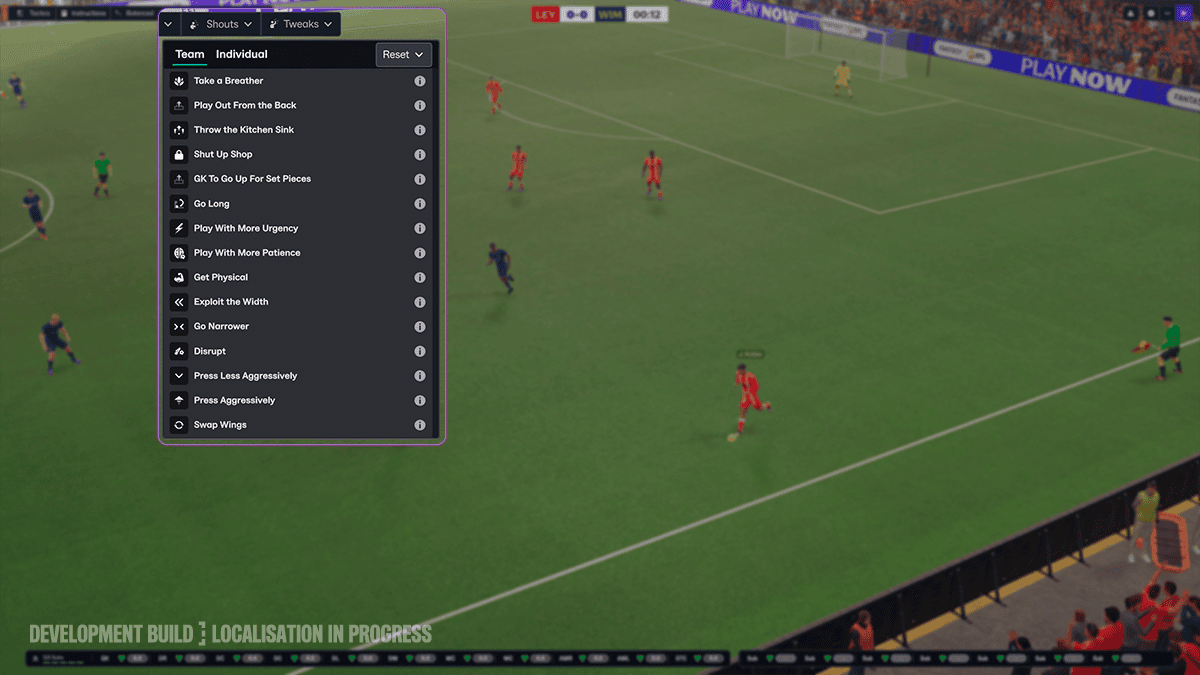
Football Manager 27 Tactical Tweaks let you react to a match without opening the full Tactics screen. Instead of changing several instructions separately, you can select a quick option such as Play With More Urgency, Go Long, Exploit The Width or Swap Wings. The game applies the relevant tactical adjustments for you.
The feature is playable in the PC/Mac Launch Preview, which opened on 29 October and is free until 3 November at 6 PM GMT. Tactical Tweaks aren’t the same as Shouts, and they remain active until you deselect them. Check your choices again after scoring, conceding or changing shape.
How to use Football Manager 27 Tactical Tweaks during matches
On the match screen, open Tweaks beside Shouts. The developer’s preview shows Team and Individual tabs. Choose the instruction that suits the game. You don’t need to navigate away into the full Tactics screen to use it.
A selected Tweak stays active until you deselect it. If you’re throwing players forward to find a late equaliser and then score, return to the same menu and reconsider the aggressive setup. Leaving it on could create unnecessary space for your opponent.
Which Football Manager 27 Tactical Tweaks options are confirmed?
Sports Interactive has demonstrated several choices, including playing with urgency or patience, going long, exploiting width, pressing more or less, switching wide players and bringing your goalkeeper forward for an attacking set piece. The team menu also shows more dramatic game-state instructions such as Shutting Up Shop or Throwing The Kitchen Sink.
| Tweak | Use it when |
|---|---|
| Play With More Urgency | Chasing a goal and looking to speed up attacks |
| Go Long | Trying to get the ball forward quickly |
| Exploit The Width | Facing a crowded central midfield |
| Swap Wings | Changing your winger versus full-back match-ups |
| Press Less Aggressively | Reducing pressing intensity |
| GK To Go Up For Set Pieces | Desperate attacking set pieces late in the game |
A Football Manager 27 Tactical Tweaks choice should answer something you’re seeing on the pitch. More urgency can help when you need a goal but may rush play; pressing less can protect tired players but concede more time on the ball. Swapping wings changes which opposing full-backs your wide players face.
Can you combine Football Manager 27 Tactical Tweaks together?
Yes. Sports Interactive confirms that you can use multiple Tactical Tweaks together, with no fixed limit. Just make sure they support the same plan: asking your side to hurry every possession while also playing more patiently is likely to pull the team in opposite directions.
If you’re chasing a goal against opponents defending deep, more urgency and extra width may suit the situation. Protecting a narrow lead calls for a different approach: pressing less aggressively can save tired legs, but it may also allow more opposition possession. Judge what you’re seeing rather than stacking every available option.
What is the difference between Football Manager 27 Tactical Tweaks and Shouts?
Tactical Tweaks alter football instructions. Shouts deal with emotional messages to players. FM27 revamps Shouts so their effect on confidence and body language is clearer, instead of simply giving players a temporary attribute boost.
Both menus appear on the match screen, and your dugout staff can point out tactical changes by the opposing manager. They may suggest an appropriate Tweak or advise that it’s time to stop using one. It’s useful feedback, but you retain control of your instructions.
Do Football Manager 27 Tactical Tweaks replace full tactical editing?
No. They offer quick changes to your existing plan, not a new formation or an entirely separate saved tactic. If you want to redesign player roles, positioning or the full shape of your team, the standard Tactics screen remains available.
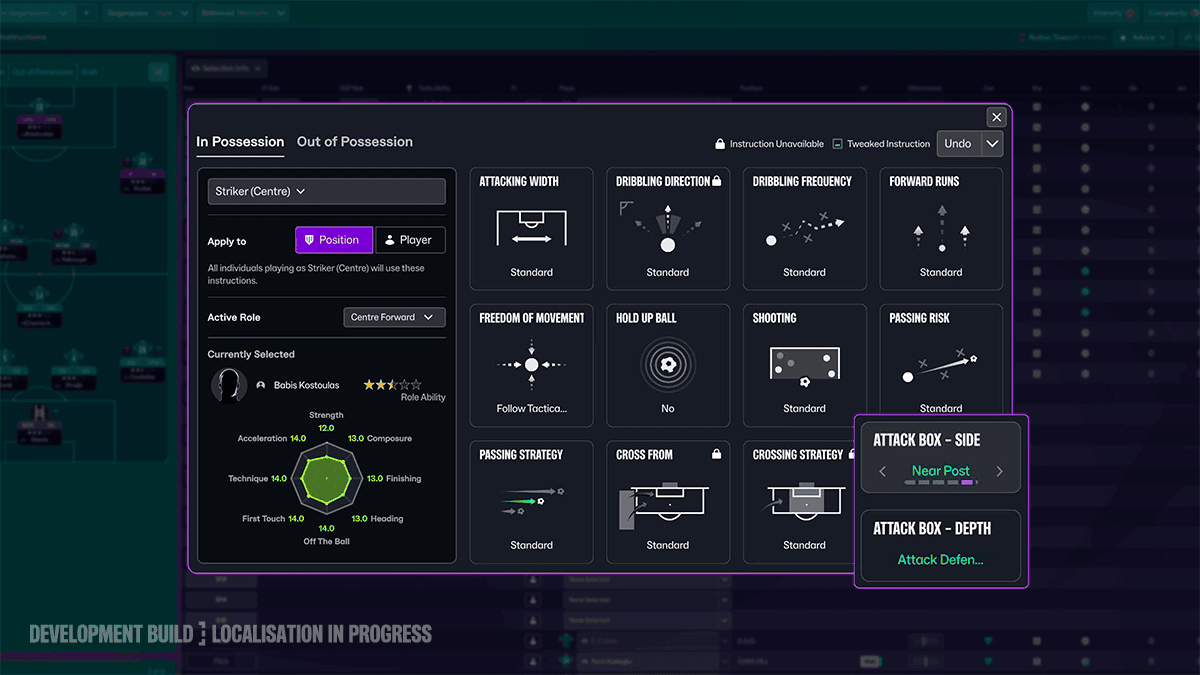
FM27 separately adds player instructions for movement in the penalty area. You can ask suitable players to attack the near post, far post or centre, or arrive late in the box. Attributes including Anticipation and Off The Ball affect how well they read those runs. Those instructions are part of your broader tactical plan, rather than a replacement for quick touchline changes.
How to switch Football Manager 27 Tactical Tweaks off
To turn off Football Manager 27 Tactical Tweaks, open the Tweaks menu during a match and deselect the active instruction. It will remain in effect until you remove it. After a goal, formation change or opposition substitution, check whether that instruction still suits the match.
You can try Tactical Tweaks during the free PC/Mac Launch Preview, then keep the same save when you move to a qualifying paid preview or full version. The free period ends at 6 PM GMT on 3 November; the full game launches on 10 November.
Official developer source: Sports Interactive: Football Manager 27 official details.





