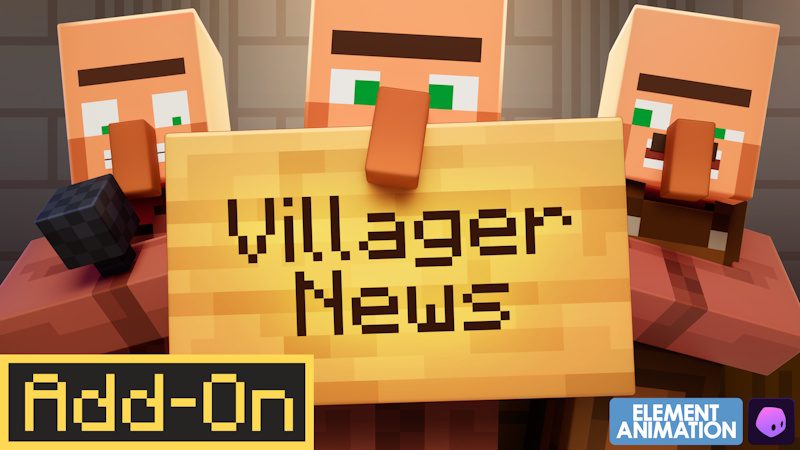
Does Minecraft Villager News Work on Realms? – That is the question we are all asking. Minecraft Villager News Realms compatibility matters if you want an entire group to hear the new voiced villagers rather than keeping the Add-On in a solo world. Villager News 1.0 is a Bedrock Marketplace Add-On, so the relevant service is Bedrock Realms/Realms Plus rather than a Java Realm running server-side Java mods.
Marketplace Add-Ons can be applied to Bedrock worlds, but the Realm owner needs to configure the world correctly and everyone joining must be able to receive the required resource content.
Does Minecraft Villager News work on Realms?
Minecraft Villager News Realms use should be approached like other Bedrock Marketplace Add-Ons: apply the Add-On to the world that will be uploaded or used on the Realm, then make sure the required packs are active for players joining it.
The Villager News feature set includes voiced reactions, animations, reputation, gossip and special characters, so clients need the relevant content rather than seeing a purely server-side vanilla change.
Before replacing a Realm world you care about, download a backup. Test the Add-On on a copy first, especially if the Realm already uses several other behaviour packs.
How to add Villager News to a Realm world
Start with a Bedrock world where Villager News is activated and working locally. Visit a village and confirm the voiced reactions appear before involving the Realm. That prevents you from troubleshooting two things at once.
Once the local copy works, use your Realm’s world-management options to upload or replace the active world with the configured copy, or edit the Realm world according to the current Bedrock interface.
Minecraft Villager News Realms setup is much easier when the underlying world has already passed a local test.
Do every Realm member need to buy Villager News?
Marketplace world and Add-On sharing rules can depend on how content is packaged and applied. The Realm owner should follow the prompts Minecraft presents when members connect and require the relevant resource content where appropriate.
Do not tell every friend to repurchase the Add-On before testing the Realm. Bedrock can distribute required world resource packs to joining players in many Add-On scenarios, while the owner controls the world and its Marketplace content.
If Minecraft displays an ownership or download restriction for a particular member, follow that current platform message rather than an old rule from a different Marketplace product.
What if Villager News works locally but not on the Realm?
First verify that the Realm is actually using the updated world with the Villager News packs active. It is surprisingly easy to test one local copy and upload another.
Next, have affected players leave fully, restart Minecraft and rejoin so required content can download again. If only one player has a problem, their client cache or game version is more suspicious than the world itself.
If nobody gets Villager News behaviour, inspect the Realm world’s active packs and confirm the Add-On survived the upload.
Can Villager News conflict with other Realm Add-Ons?
Potentially. Villager News is officially compatible with Actions & Stuff, but a Realm can contain many third-party packs that alter entities, behaviour or resources.
If Minecraft Villager News Realms problems appear only in a heavily modified world, test a copy with Villager News alone. Then add the other packs back gradually.
A conflict test is especially worthwhile for other packs that modify villagers. Two Add-Ons trying to control the same entity behaviour are more likely to interfere with one another than an unrelated furniture pack.
Does Villager News work on Java Realms?
The official Villager News 1.0 Add-On is Bedrock Marketplace content. It is not an official Java mod, so a Java Realm cannot simply install the Marketplace pack.
Minecraft Villager News Realms discussion should therefore distinguish Bedrock Realms from Java Realms. Players on Java need a separate Java-compatible project, and there is currently no announced official Java edition of Oreville’s Villager News Add-On.
Best way to use Villager News with friends
Make a backup, confirm the pack works locally, activate it on the Bedrock Realm world and have everyone join on an up-to-date Bedrock client. Then visit a busy village together.
The pack’s reactive dialogue, gossip and reputation systems are arguably more entertaining with multiple people causing chaos around the same settlement. Just keep a clean backup before experimenting with a long-running Realm.
For official details and support, visit Oreville Studios’ Villager News guide.