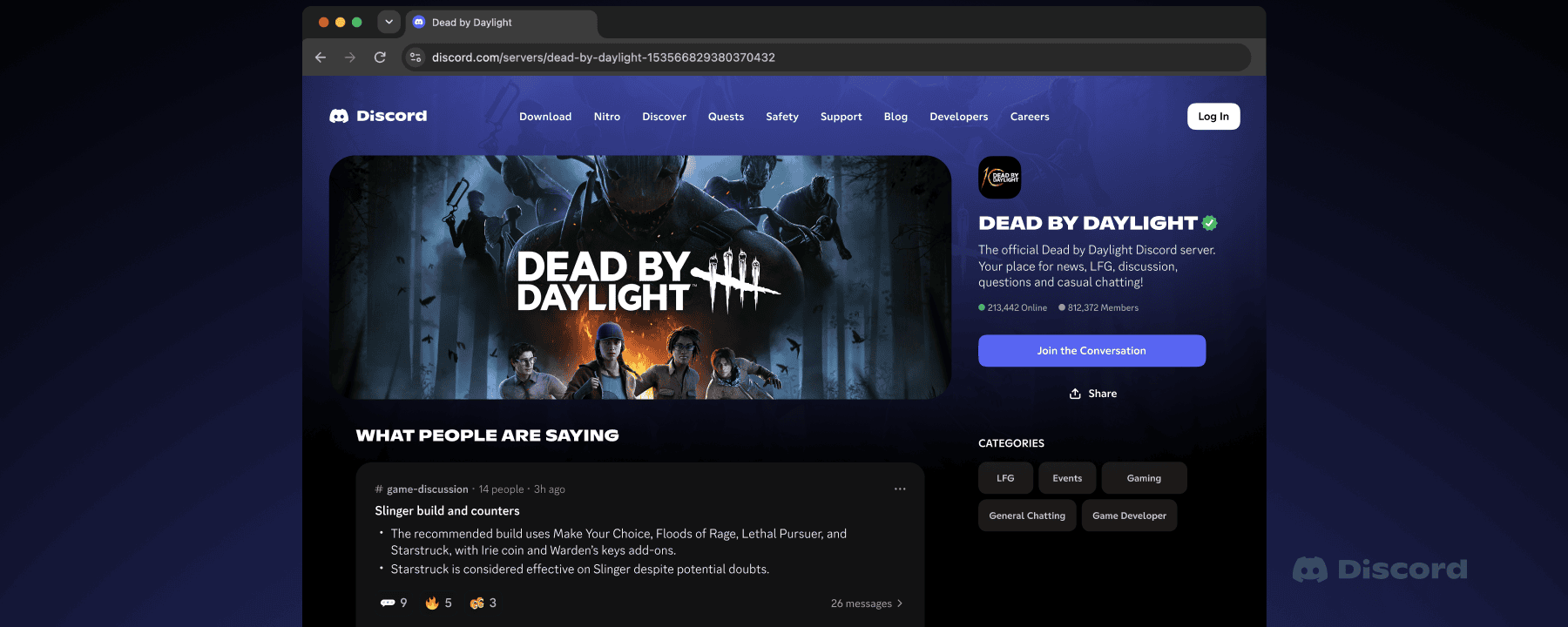
Discord messages on Google will begin rolling out from mid-December 2026. The change affects eligible public channels in Discoverable Servers, not private servers, direct messages or group DMs.
Members can turn off message sharing, and server admins can exclude channels. In the UK, individual message sharing is off by default. Here are the confirmed dates and settings.
Discord messages on Google: when does it start?
Only Discoverable Servers are included. These have at least 1,000 members and have been listed in Server Discovery by their admins. Reaching 1,000 members alone does not make a server Discoverable.
| Date | Change |
|---|---|
| October 27, 2026 | New member and server-admin privacy controls begin rolling out. |
| November 16, 2026 | Discoverable Servers get web pages, which may show summaries of public discussions. |
| Mid-December 2026 | Selected new messages in eligible public channels may start appearing on server web pages and in Google or other searches. |
Discord says the rollout of Discord messages on Google will take several weeks. Messages sent before mid-December 2026 are excluded. Channel Summaries are separate and cover public discussions from November 16 onward.
Will private Discord messages appear in Google searches?
No. Discord messages on Google will not include direct messages, group DMs, private servers, private threads or role-restricted channels. Public forum posts and threads are eligible only when their parent channel is public and participating.
Discord will not display the sender’s username or avatar beside an individual message. The feature displays text only. Personal details written inside a message remain part of that text.
How to stop your Discord messages appearing on Google
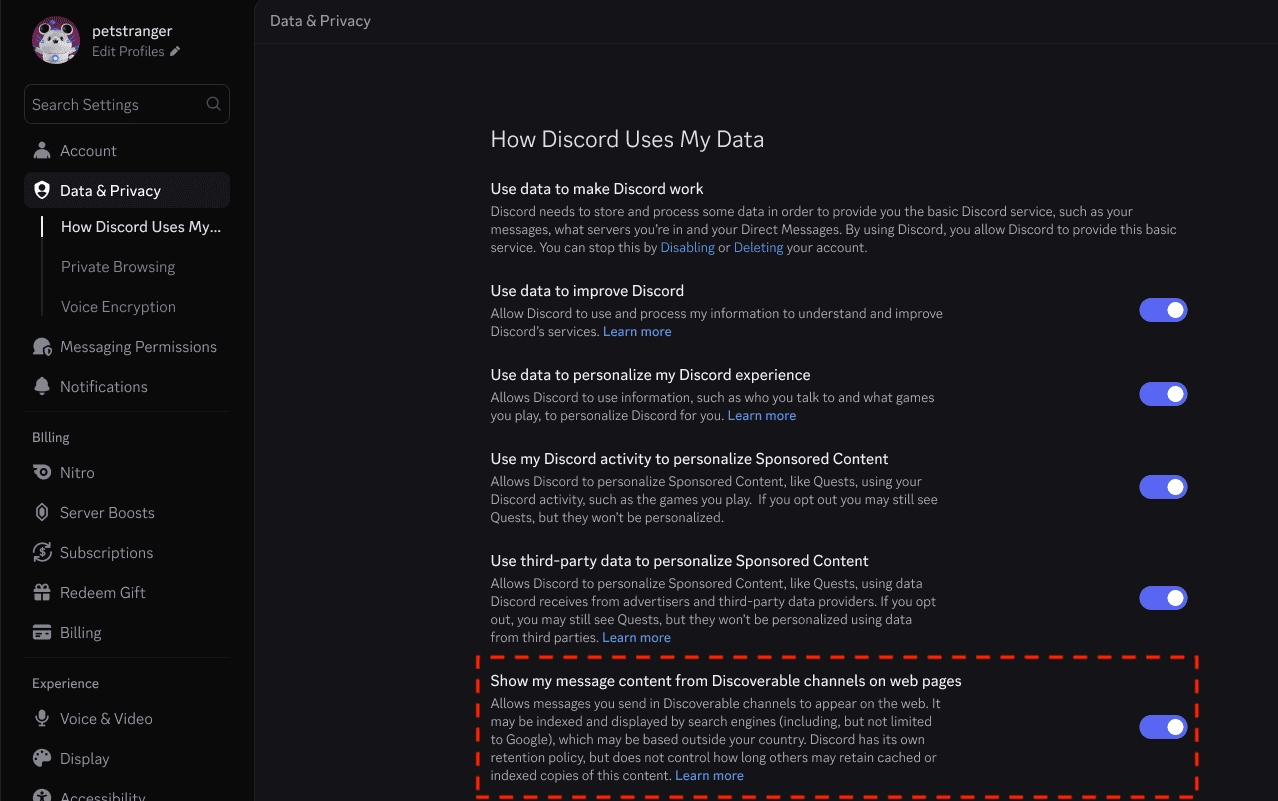
To stop future Discord messages on Google, use the account-wide setting in Discord’s desktop app or web browser. It also applies when you send messages from mobile.
- Open Discord on desktop or in a web browser, then select User Settings.
- Go to Data & Privacy.
- Find Show my message content from Discoverable channels on web pages.
- Turn the setting off. Messages you send while it is off cannot be included as Channel Messages on the public web.
The setting applies to every Discoverable Server you use. The controls began rolling out on October 27, so not every account has received them yet.
Are Discord messages on Google off by default in the UK?
Yes. The setting is off by default in the UK, EU/EEA, Canada, Brazil, Australia and South Korea. Members there must enable it before their eligible messages can appear. In most other regions, the default is on.
Members in Discord’s teen age group cannot turn the feature on until they are adults. These rules affect individual messages, not Channel Summaries managed by server admins.
Can you remove Discord messages on Google after opting out?
Turning the setting off only protects messages sent while it is off. Messages sent while sharing was enabled remain eligible, even if they have not reached a search result yet. Messages posted before the December launch are excluded.
To remove an eligible message, delete it in Discord. This removes it from Discord’s public server page. Search engines can keep cached copies, so removing a search result can take longer or require a separate request.
Your setting does not disable Channel Summaries. Server admins manage summaries separately, and they do not show members’ usernames.
How can server admins stop Discord messages on Google?
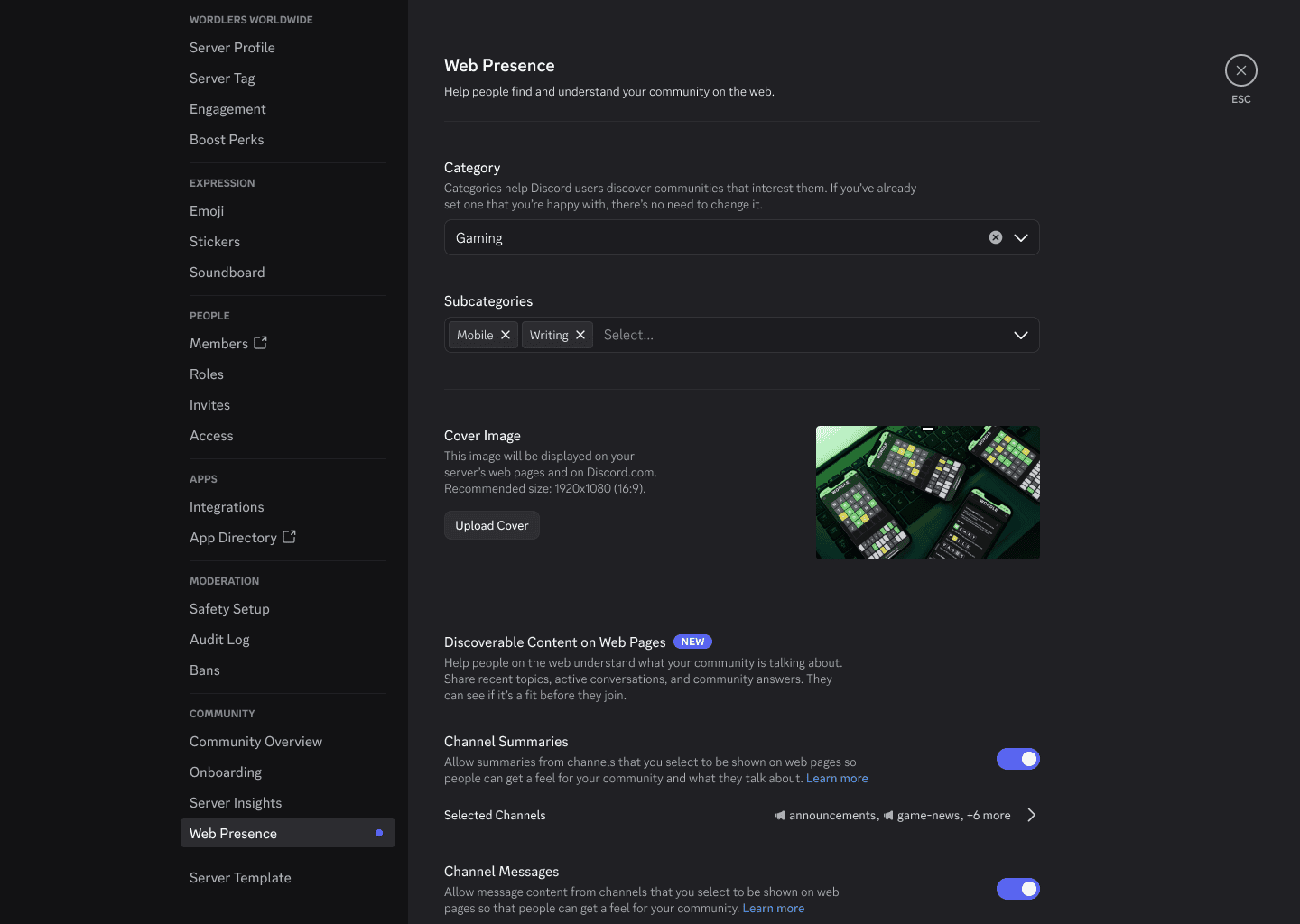
Server owners and members with Administrator permission can change Web Presence on desktop or in a browser.
- Open your Discoverable Server and go to Server Settings.
- Under Community, choose Web Presence.
- Find Channel Summaries on the web and Channel Messages on the web.
- Disable either feature or choose exactly which public channels can contribute. Each feature has its own toggle and channel list.
Both features are on by default for eligible public channels. Turning them off stops new content, but previously published content can remain. To take down the entire server page, disable Server Discovery.
Which channels can show Discord messages on Google?
Participating channels display an icon in the channel header. Discord also shows a notice when a channel enables web visibility. Admins choose which public channels contribute to messages or summaries.
Is Discord selling messages to AI companies?
Discord says no. The Discord messages on Google change makes selected public content searchable; Discord says it is not selling messages to AI companies. It does use AI to generate Channel Summaries, which it says can be inaccurate.
Related Guides
Official source: Discord Help Center: Discoverable Content on the Web.