Steam launcher crashing AMD Radeon is a problem AMD lists as fixed in Adrenalin 26.10.2, released on 30 October 2026. The relevant symptom is Steam’s desktop client closing as it starts, rather than an individual game crashing after you’ve clicked Play.
If Steam shuts down before the library loads on a Radeon Windows PC, check your driver version first. There’s no reason to reinstall a library of games to test a problem with the launcher itself.
Steam launcher crashing AMD Radeon: what 26.10.2 fixes
AMD’s fixed-issues list says an intermittent application crash can happen when launching the Steam launcher on AMD Radeon graphics. This is distinct from a crash after a game has loaded or while Steam downloads an update. Confirm which part of the process actually fails.
The Steam launcher crashing AMD Radeon fix is included in the 26.10.2 package, but AMD doesn’t say it resolves every Steam Beta or client bug. Valve issues its own Steam client updates independently of AMD’s drivers, so a problem caused by a particular Steam build needs a separate check.
Install AMD Adrenalin 26.10.2 for Steam
Open AMD Software: Adrenalin Edition and search for System Settings. Under Hardware & Drivers, check the installed driver and full Radeon product name. This is particularly important on laptops, where the manufacturer may supply a validated driver with special features.
Select Manage Updates, then choose Recommended + Optional in the Install Manager preferences. If AMD offers 26.10.2 for your hardware, download and install it. The official AMD release-notes page also provides a download for compatible graphics products.
Close Steam and other unnecessary apps while the update installs. Restart if prompted, open AMD Software again and confirm the version. Then launch Steam normally without changing its beta channel, installation folder or game files.
For Steam launcher crashing AMD Radeon, try opening the client the same way you did before the update. If it starts normally, you’ve tested the actual fault; leave your installed game files alone unless one specific title is also failing.
What if the Steam launcher still closes?
If it still fails, note whether Steam closes without warning, Windows shows an error, or the Radeon driver times out. The distinction helps separate AMD’s documented fix from an unrelated client or connection issue.
Try launching Steam directly from its desktop shortcut and note exactly how far it gets. If the window never opens or closes before the library appears, that’s the symptom closest to AMD’s launcher entry. If Steam opens normally but a game crashes after you press Play, that title needs its own graphics or game-file checks.
To prepare a support report, press Windows + R, type winver and note the Windows build shown. In AMD Software, expand Software & Driver Details on the System page to find the installed driver. Record the Steam version if the client opens long enough to show it, along with any error message and whether Windows restored the display.
For Steam launcher crashing AMD Radeon after the 26.10.2 update, test once without changing Steam’s beta branch and once after a normal Windows restart. If you can reproduce the failure, the point at which the client closes, your driver version and any Windows error give AMD and Valve useful evidence.
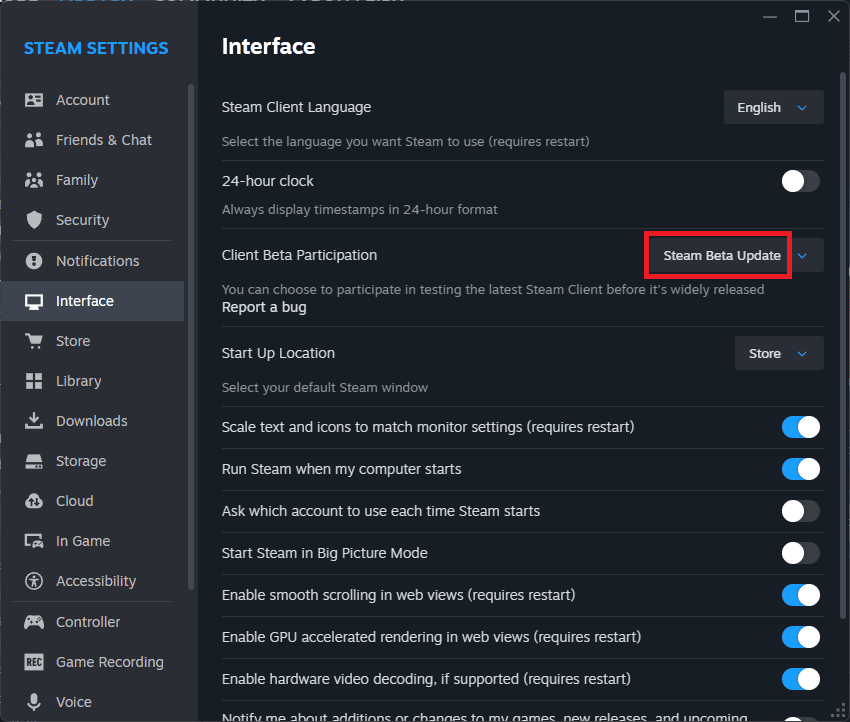
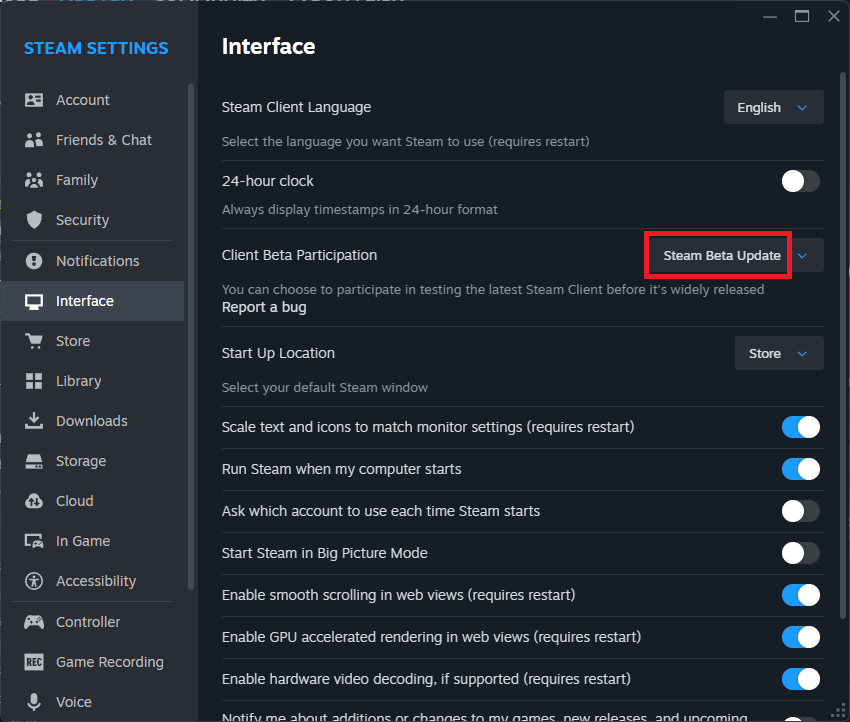
Check whether Steam is running a beta client build. Our Steam Client Beta guide shows how to inspect and change that setting, although leaving beta is not a specific AMD 26.10.2 instruction.
If Steam launcher crashing AMD Radeon continues, keep the exact AMD version, Windows build, GPU name, Steam client version and any visible error. Those details are more helpful for Valve or AMD than downloading a third-party ‘Steam repair’ package.
Does the driver fix Steam games crashing too?
A game crashing after you launch it through Steam needs its own diagnosis. AMD’s same driver also fixes separate problems in Valor Mortis and Death Stranding 2, each with specified hardware and symptoms.
The new driver package also excludes gaming handheld devices, and AMD recommends system-maker drivers for certain laptops and all-in-one computers. Don’t force a generic desktop Radeon package onto a device AMD hasn’t marked compatible.
If Steam launcher crashing AMD Radeon continues on a supported PC after 26.10.2, keep the GPU, driver and Steam versions to hand for a support report rather than applying unrelated changes.
Official manufacturer source: AMD Adrenalin 26.10.2 release notes.