Modern Warfare 4 Weapon Builds must be saved manually when you change attachments in Gunsmith outside a match. After you’ve finished, use the Save command for the weapon configuration and confirm the build appears in that gun’s saved Build list. Exiting Gunsmith alone no longer records a new variant.
Builds edited during a match still save automatically. That’s why a change made mid-game may be there next time, while a setup you tested between matches isn’t. The two saving behaviours are intentional changes from the beta.
How to save Modern Warfare 4 Weapon Builds
For Modern Warfare 4 Weapon Builds, follow this sequence in Multiplayer:
- Reach Player Level 4 to unlock Create-a-Class.
- Open Multiplayer → Create-a-Class, select a custom class, and choose your weapon.
- Enter Gunsmith and equip the attachments you want.
- Use the on-screen Save option to confirm the setup. Check the bottom or side of your Gunsmith screen for the correct platform control.
- Return to that weapon’s saved Build selection and confirm your configuration appears there.
Infinity Ward confirms the saving change in the launch patch notes but doesn’t give a universal controller shortcut. Follow the Save command displayed on your Gunsmith screen for your input device. If Create-a-Class isn’t unlocked yet, reach Player Level 4 first. Our Create-a-Class guide covers the loadout menu.
Why do Gunsmith builds no longer save automatically?
Previously, Gunsmith could create another saved setup when you backed out, even after a tiny adjustment. With Modern Warfare 4 Weapon Builds, you now choose when to keep a separate variant. Editing the weapon in your current class and adding a new entry to its saved builds aren’t the same action.
If the configuration you wanted isn’t listed, return to Gunsmith, set the attachments again and use Save. Resetting the class or prestiging the gun won’t recover an unsaved variant. The Gunsmith guide explains the attachment menus.
| Where you make changes | Saving behaviour | Next action |
|---|---|---|
| Gunsmith before a match | Manual | Use the Save option |
| Gunsmith after leaving a match | Manual | Save before exiting |
| Weapon build edited during a match | Automatic | Check that the new version is the one you wanted |
How to find an existing saved build
To reuse Modern Warfare 4 Weapon Builds, open the class selection, choose the appropriate weapon and look through its saved Build choices. Select the variant you want, then open Gunsmith only if you need to change it further.
Two saved Modern Warfare 4 Weapon Builds for the same M4 can be useful: one with an optic suited to close fights and another for longer sightlines. Choose the correct saved entry when you change classes, and manually save new changes made outside matches.
Do builds edited in a match save automatically?
Yes. Infinity Ward explicitly confirms that Modern Warfare 4 Weapon Builds edited during matches continue to save automatically. If you’re experimenting with different attachments, check the selected configuration afterwards before loading into another match.
Between matches, use Save and then check that the build appears under the correct weapon. Otherwise, don’t assume that leaving the menu has created a reusable copy.
Why are my attachments missing after Weapon Prestige?
Locked attachments are not necessarily a failure to save Modern Warfare 4 Weapon Builds. When you choose Weapon Prestige, the gun returns to Level 1 and its regular attachments become locked again, including shared ones. Apex Attachments and Weapon Blueprint Attachments are exceptions, and your unlocked cosmetics remain. You then unlock standard attachments through the gun’s new classic level-based progression. Shared attachments stay available on other weapons that haven’t been prestiged.
If you can see a saved build but cannot equip an attachment, inspect your weapon’s Prestige state before changing anything. See our weapon progression guide and Apex Attachments guide for related unlock mechanics.
October 25 fix: incorrect DMZ saved Blueprint prices
In DMZ, Infinity Ward fixed a bug where buying a saved Build based on a modified Blueprint could charge the full cost of the original Blueprint instead of the correct saved-build price. This is a DMZ Gunsmith purchase issue, not the Multiplayer manual-save rule described above. If you buy a DMZ saved build, inspect the current purchase price in the Gunsmith before confirming.
The DMZ Gunsmith guide covers Weapon Manuals, weapon costs and Blueprint purchasing. The October 25 fix does not mean Blueprints are free for every repeat purchase, and Infinity Ward did not list a universal new price.
How to check your build before saving
For reliable Modern Warfare 4 Weapon Builds, use Gunsmith’s Details screen to compare Advanced Weapon Stats. Optic Rail Placement changes the sight position cosmetically, while the Firing Range shows how a build actually feels when aiming and firing. Save the version you prefer after testing rather than recording every minor adjustment.
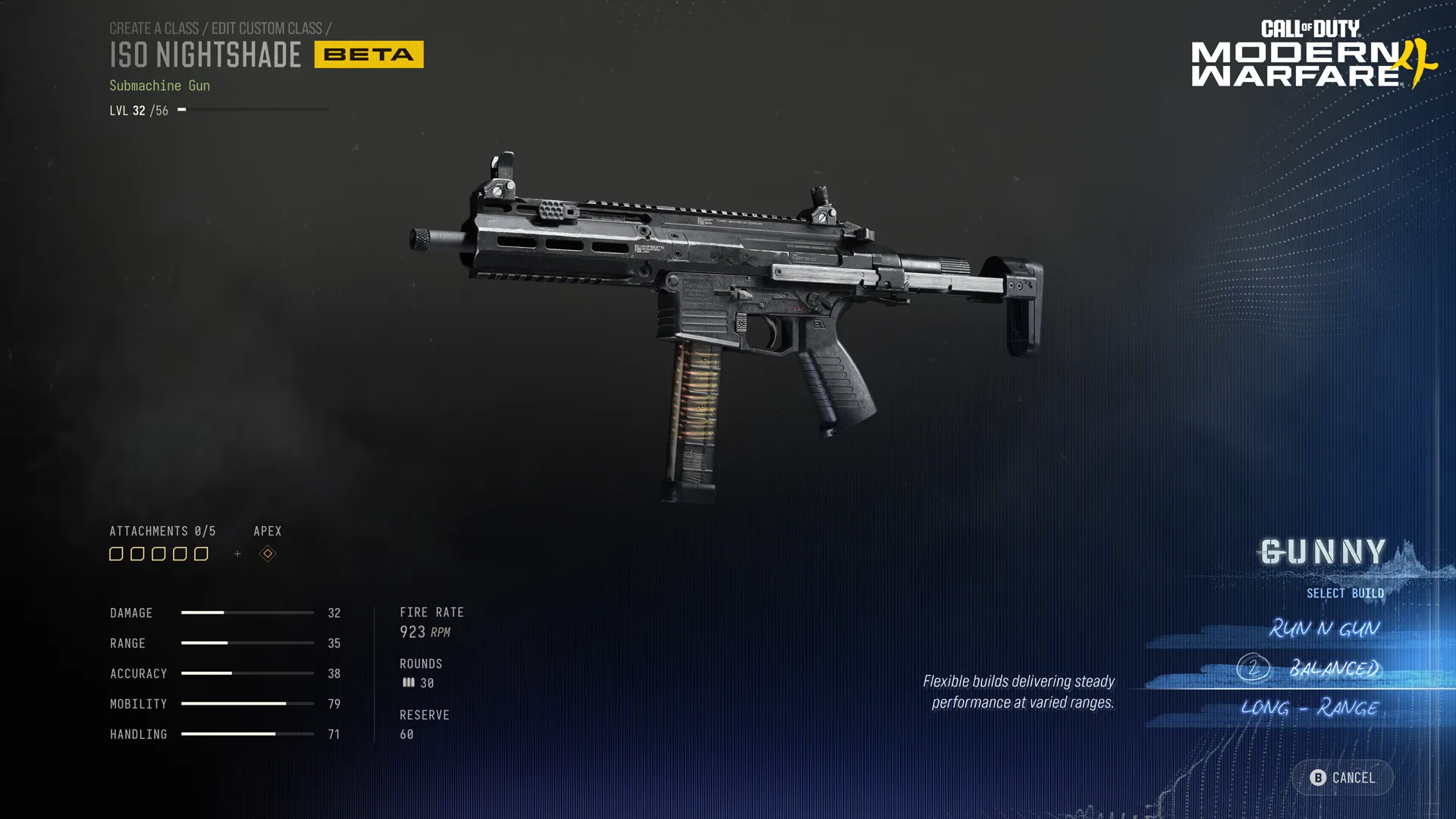
Gunny suggests attachment sets using equipment you’ve already unlocked, but you’re free to adjust them before saving. Our Gunny guide covers that tool. DMZ uses a different procurement system, explained in the DMZ Gunsmith guide.
What to check if a Weapon Build keeps disappearing
If Modern Warfare 4 Weapon Builds still seem to vanish, start by confirming that you used the manual Save command outside a match. Next check that you’re opening the same base weapon, not another gun with similar attachments. Finally check whether you recently prestiged it and lost access to formerly equipped parts.
Related Guides
Official source: Infinity Ward’s Modern Warfare 4 launch patch notes and Gunsmith saving changes.