OSRS Jagex Account Upgrade Without Old Email is possible even if you no longer have access to the email address attached to your old RuneScape character. Jagex has confirmed that the November 2026 migration does not require a verification link sent to your legacy email. You can use the login details you already know and choose a new mailbox for the upgraded account.
There’s one important condition: you still need the username or login email and password for the existing character. If you’ve also forgotten the password, that’s an account-recovery issue, not the normal migration. Here’s which route applies to you and how to avoid losing access during the November 17 changeover.
Can you upgrade without access to your legacy email?
Yes. For OSRS Jagex Account Upgrade Without Old Email, Jagex says you don’t have to receive or confirm a message at the old email address. You need your login username or login email and password, exactly as you use them for your legacy RuneScape login today. The new Jagex Account can use a different email address that you control.
Your old contact email and login username aren’t always the same. If your character has a username-based legacy login, use that username and your password to begin. If you normally log in with an email address, you still need to know that login email even if you can no longer open the inbox.
How to perform an OSRS Jagex Account Upgrade Without Old Email
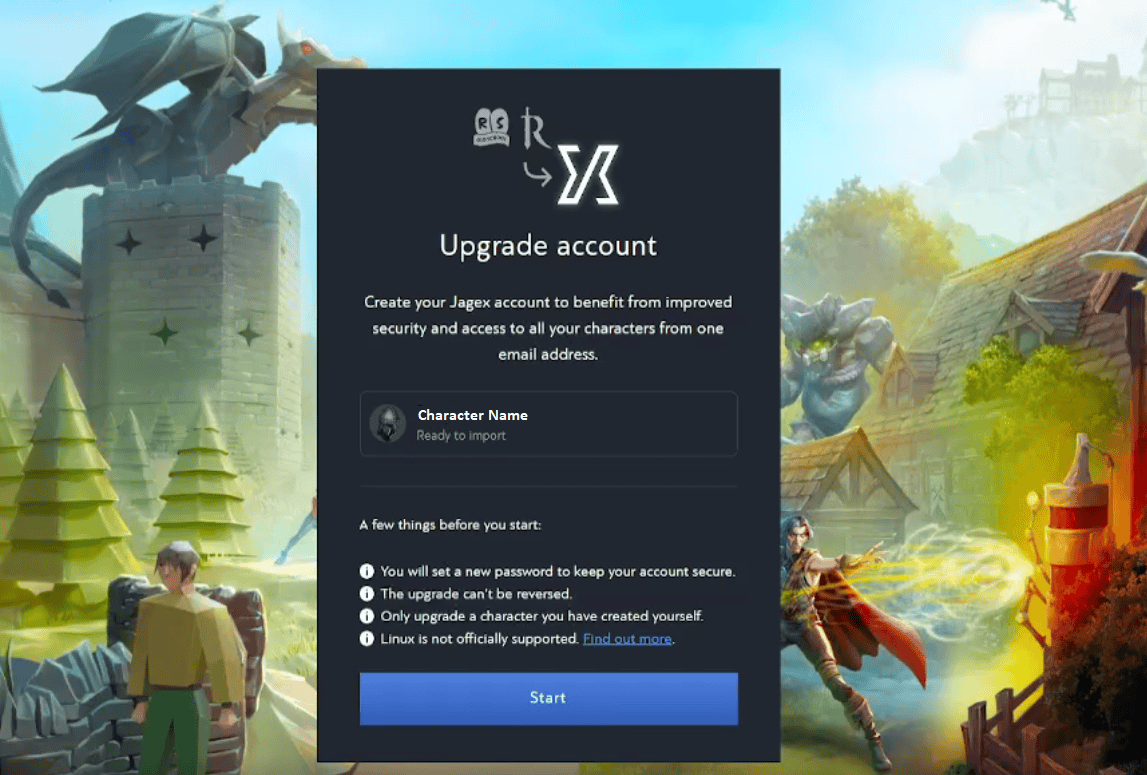
Start from the official RuneScape account settings, not a link from another player. The OSRS Jagex Account Upgrade Without Old Email follows the same steps as a normal upgrade, because Jagex doesn’t require old-email verification during migration.
- Visit RuneScape Account Settings and sign in using the character’s current username or email and password.
- Select Upgrade Now when the character upgrade option appears.
- Create a Jagex Account with a new email address you can access and a strong new password.
- Follow the account setup and security prompts to import the legacy character.
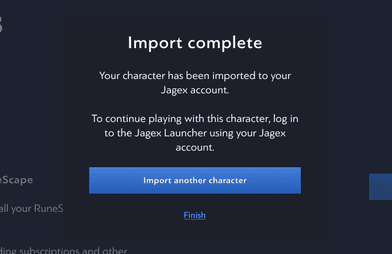
- Finish the import and log into the Jagex Launcher with your new Jagex Account email and password.
When the import is complete, log in with the new Jagex Account details and select your existing character. You aren’t making a replacement character or resetting its items and levels. Imports are permanent, though, so choose the Jagex Account you actually want to use.
What if you’ve also forgotten your old RuneScape password?
The OSRS Jagex Account Upgrade Without Old Email instructions still require your legacy password. Jagex doesn’t offer a way to skip that credential. If you don’t know it, you need to recover access to the original character first. Jagex’s October 16 announcement removes the old-email verification requirement, but doesn’t let you skip the character password.
Go through Jagex Support to find the appropriate recovery process. Be careful with websites promising instant migration without a password. You shouldn’t give anyone your bank PIN, authentication codes, backup codes or login details to perform an account transfer on your behalf.
What if you already have a Jagex Account but lost its email?
That situation is different from an OSRS Jagex Account Upgrade Without Old Email. Once a character has already been imported, the Jagex Account’s new email and password are the login credentials. The October 16 migration announcement only waives access to the legacy email during the initial upgrade, not the requirements for recovering an existing Jagex Account.
If you’ve lost access to the new Jagex Account inbox, use the official Jagex Account recovery and support instructions for that account instead of trying to migrate the same character again. A character already attached to one Jagex Account cannot simply be removed and imported somewhere else.
Will your OSRS character, name or items be lost?
No. Upgrading moves your existing character under the new login; it doesn’t start another profile. Jagex says character names and progress are preserved during migration. The new system now supports up to 50 characters linked under one Jagex Account.
The November 17 deadline doesn’t delete unmigrated characters either. If you miss the date, your legacy login will be blocked until you upgrade. Jagex confirms your characters remain safely stored while you complete that process.
How to protect the new login after upgrading
Since the new account email replaces your old legacy sign-in, choose an address you’ll be able to access long term. The OSRS Jagex Account Upgrade Without Old Email starts with email authentication by default; you can enable an authenticator app and keep backup codes using Jagex Account settings.
The OSRS Jagex Account Upgrade Without Old Email gives access to the same Jagex Account benefits as other upgrades: Jagex lists 20 extra bank slots per OSRS character and Fancier Boots. Those are tied to the Jagex Account system and don’t depend on still having the original email inbox.
OSRS Jagex Account Upgrade Without Old Email: November 17 deadline
You can migrate afterwards, but you won’t be able to use the legacy login once the OSRS Jagex Account Upgrade Without Old Email deadline takes effect on November 17, 2026. Jagex hasn’t announced a precise switch hour. Completing it earlier gives you time to check the new email and authentication setup before your next game session.
Related Guides
Official sources: Jagex’s November 17 migration notice and Jagex’s character upgrade help page.