
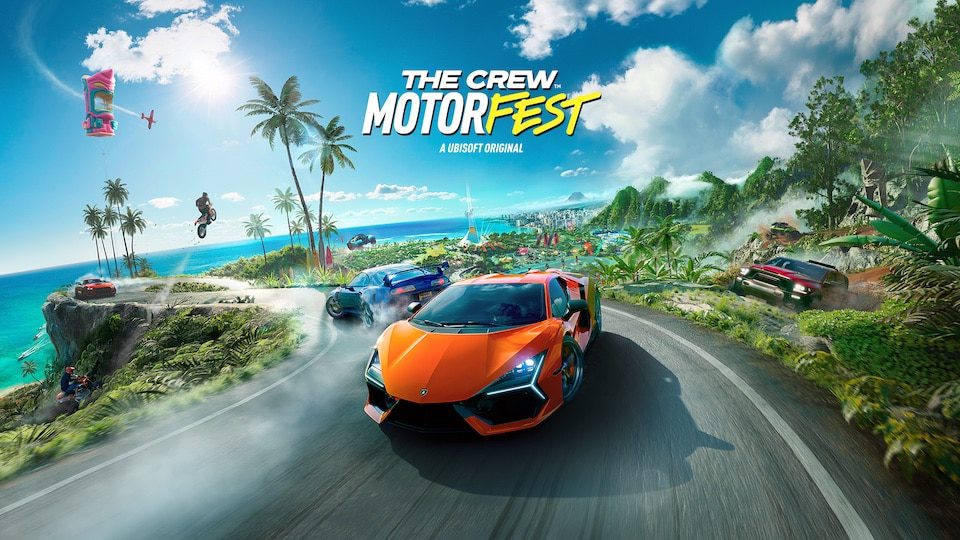
Motorfest Switch 2 cross save is one of the most useful launch details for players who have already spent months building a garage on PlayStation, Xbox or PC. The new Nintendo version arrives during Year 4, so starting again would be a much bigger commitment than it was at the original 2023 launch. Ubisoft’s account system is designed to reduce that friction, but progress transfer, multiplayer compatibility and game ownership are three different things.
Cross-save, cross-platform multiplayer and store ownership have separate rules on Switch 2. Progression, multiplayer compatibility and store ownership each answer a different question, and a positive result for one does not automatically settle the others. Ubisoft’s current support pages give enough detail to work through them in order, including an important limitation around how purchased content behaves between platforms.
How Motorfest Switch 2 cross save works
Image credit: Ubisoft
Motorfest Switch 2 cross save works through The Crew Motorfest’s automatic cross-progression system. Ubisoft says progress is supported between all platforms. To use it when moving to Switch 2, sign in with the same Ubisoft account that is linked to the platform where your existing Motorfest progress lives.
There is no manual save-file export described in Ubisoft’s current Motorfest guidance. Motorfest Switch 2 cross save is account based rather than a file you copy to Nintendo hardware. That makes account-link checks more useful than hunting for a transfer menu. The system is account based, so the important preparation is checking your Ubisoft account links before launch. If you accidentally start the Switch 2 version under a different Ubisoft account, you should not expect the correct Motorfest Switch 2 cross save data to appear.
Does The Crew Motorfest support crossplay on Switch 2?
Ubisoft’s dedicated Switch 2 FAQ confirms limited crossplay, not full crossplay. Players on Nintendo Switch 2 can compete against other platforms in Grand Race and Demolition Royale. Summit Contest and Event leaderboards are shared too, but Ubisoft does not promise that every Crew session or mode works across platforms.
Nintendo lists online sessions of up to 32 players, but that isn’t confirmation of full crossplay. The official FAQ also confirms that TrackForge creations can be played across platforms, so you can try community tracks regardless of where their creators play.
Do you need the same Ubisoft account?
Yes. The same Ubisoft account is central to Motorfest Switch 2 cross save. Ubisoft explicitly tells players moving between platforms to log in with the same account. Before buying, it is worth checking which Nintendo, PlayStation, Xbox or PC account is linked rather than trying to repair account ownership after progress appears missing.
A Ubisoft account is also part of the Switch 2 base requirement. Nintendo’s store page says a Ubisoft account and internet connection are required to play. That makes account setup part of the normal launch path, not an optional extra added only for cross-progression users. Motorfest Switch 2 cross save depends on getting that identity right from the start.
Does all purchased content carry over?
No. Ubisoft confirms that purchases through PlayStation, Xbox, Ubisoft Connect, Epic Games Store and Steam do not transfer to Nintendo Switch 2. You will need to buy those items again on Nintendo if you want to access them there.
Ubisoft also says The Crew 2 Collection Import is not supported on Nintendo Switch 2. That is different from Motorfest’s own cross-save, which carries supported career progress through your Ubisoft account.
Do you get the Switch 2 game free if you own Motorfest elsewhere?
No free cross-buy programme has been announced. Motorfest Switch 2 cross save carries progression, not the licence itself. Ubisoft’s general explanation of cross-progression notes that accessing a game on another linked platform can mean purchasing the game multiple times.
That is the cleanest way to plan the move. Buy the Switch 2 version if you want to play there, then use your existing Ubisoft account to bring supported progression across. Do not buy on the assumption that a PlayStation disc, Xbox digital purchase or Steam licence automatically creates an eShop entitlement.
What should you do before switching platforms?
Open the Ubisoft account you already use for Motorfest, verify the connected platform accounts, and make sure your current game has successfully communicated with Ubisoft’s online services. Then sign into the Switch 2 version with that same identity. If the Motorfest Switch 2 cross save does not look right, stop before creating unnecessary new progress or unlinking accounts at random.
Motorfest Switch 2 cross save means returning players can continue their supported career progress, but full crossplay and cross-platform store entitlements aren’t included. Nintendo Switch Online is required for multiplayer features, and Ubisoft says the Free Trial and Friend Pass are unavailable on Switch 2. Year 1, 2 and 3 Passes and several DLC packs are available at launch, but Year 4 Pass and car packs are not.
Official source: Ubisoft Help cross-progression guide.





