
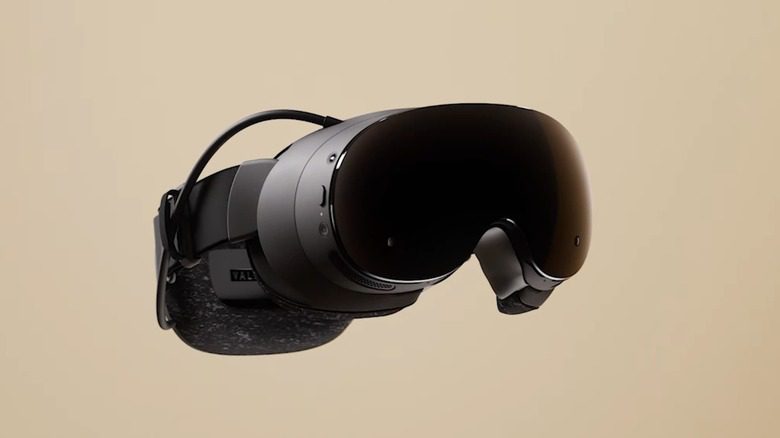
Can Steam Frame Play PC VR Games Without a PC? Yes, but with an important compatibility caveat. Steam Frame is a standalone SteamOS headset, so it can run supported VR and flat-screen games locally without a desktop computer. It can also translate some Windows/x86 software for its ARM processor. That does not mean every SteamVR game in existence suddenly becomes a native headset game.
Can Steam Frame Play PC VR Games Without a PC locally?
The basic answer to Can Steam Frame Play PC VR Games Without a PC is yes because Steam Frame contains its own Snapdragon 8 Gen 3-class processor, 16GB of memory and local storage. It is not a wireless display with no computer inside. Valve built SteamOS for the headset so compatible games can install and launch directly on the device.
Valve also uses Proton for Windows compatibility and FEX-style translation for x86 code on ARM. That gives developers and existing games more routes onto the headset than a completely separate mobile storefront, but performance and compatibility still need to be evaluated game by game.
Half-Life: Alyx proves the concept
Can Steam Frame Play PC VR Games Without a PC is easiest to understand through Half-Life: Alyx. The original 2020 release was a demanding PC VR title, yet Valve has now created a native ARM64 build specifically for Steam Frame. It runs locally and is included with the headset.
That is stronger evidence than a theoretical compatibility promise, because Alyx is exactly the sort of game people would normally expect to need a desktop GPU. Valve uses eye tracking and foveated rendering to help the standalone version run on the headset hardware. Our Steam Frame vs PC VR comparison explains what runs locally versus on a desktop, and Steam Frame performance settings covers reprojection and streaming.
What games will work without a PC?
For Can Steam Frame Play PC VR Games Without a PC, look for Valve’s Steam Frame compatibility labels rather than assuming the entire SteamVR library is local-ready. Valve has been building a “Great on Frame” style compatibility program so players can identify games tested for the standalone hardware.
Some lightweight Linux games, Windows titles running through compatibility layers and dedicated ARM builds can work locally. Other VR games may be too demanding, rely on unsupported features or simply have not been validated yet. The badge is much more useful than trying to guess from a PC system-requirements box.
When do you still need a PC?
You still need a gaming PC if the title you want is not suitable for standalone play or if you want the highest possible PC VR graphics. In that setup, Can Steam Frame Play PC VR Games Without a PC becomes a streaming question instead: the included wireless dongle creates a low-latency connection and the PC does the heavy rendering.
Steam Frame is deliberately designed for both modes. Local play is convenient and portable; PC streaming gives you access to more demanding hardware and a broader established library. You can choose per game rather than buying two separate headsets.
Does storage matter for standalone PC VR?
If your answer to Can Steam Frame Play PC VR Games Without a PC is mostly “yes, I want local games,” storage matters more. Native games live on the headset, so the 256GB model will fill faster than it would for someone who mainly streams from a desktop. The 1TB version provides more breathing room, and both support microSD expansion.
If nearly everything you care about will be streamed, the cheaper 256GB model is easier to justify because your desktop is still holding the large game installations.
Can Steam Frame Play PC VR Games Without a PC therefore has a qualified yes: Steam Frame can run compatible PC and VR games locally, with Half-Life: Alyx as the flagship example, but compatibility is not universal. Treat the headset as a standalone Steam gaming device with an optional high-end PC streaming mode, not as magic hardware that turns every SteamVR executable into an ARM-native game.
Check Valve’s official Steam Frame hardware page for the current compatibility and purchase information.
More Steam Frame on The Click
Can Steam Frame Play PC VR Games Without a PC will become easier to answer title by title as Valve’s compatibility labels expand. Treat those labels like the Steam Deck program: a practical shortcut for ordinary buyers, while enthusiasts can still experiment with games that have not yet earned the strongest rating.




