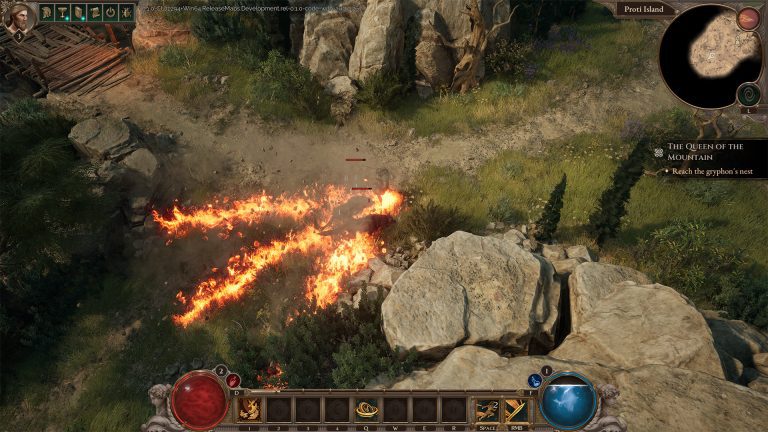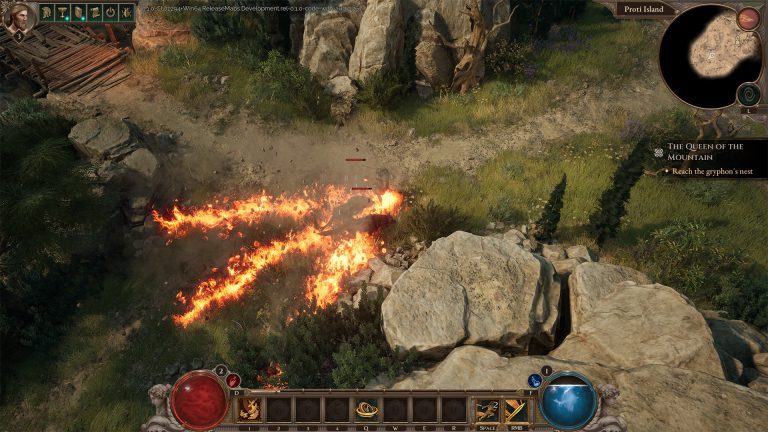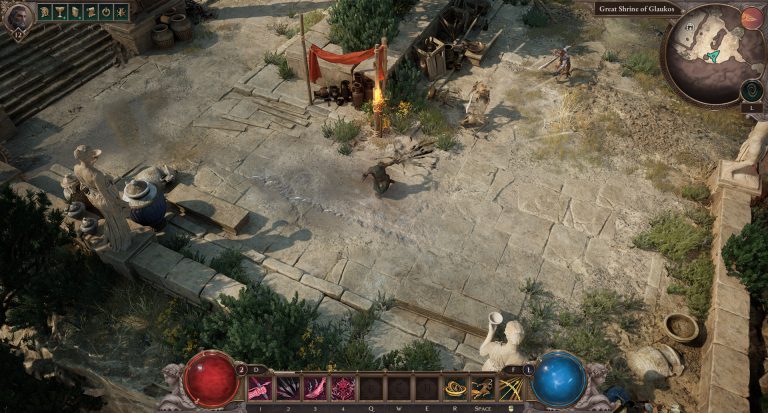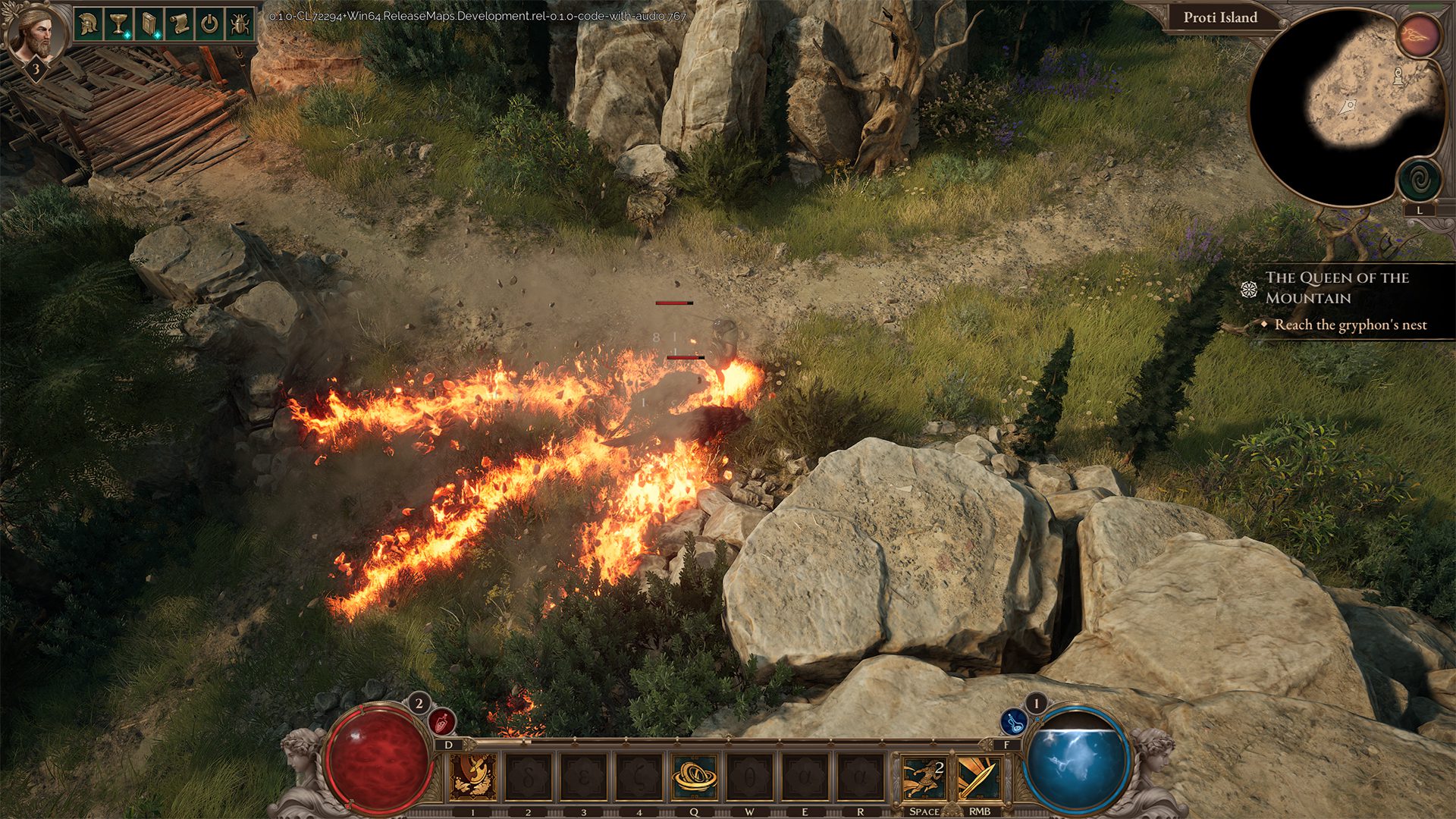
Titan Quest II missing skill slots were restored in the October 29 feature update. Grimlore Games added back two ability-bar slots that had disappeared when the new Sustained Ability UI was introduced. If your hotbar has changed, install build 0.7.1 or later and check your custom keybindings before entering combat.
The change affects how many abilities you can place on the bar, not the number of skills unlocked through your Masteries. Some players may also see a startup message about controls being reset. The October patch restores the positions, while the controls menu handles any keybindings affected by the change.
Why Titan Quest II missing skill slots happened
The Titan Quest II missing skill slots issue began when a Sustained Ability UI update removed two general hotbar positions. Players objected to losing room for their skills, especially on builds that use multiple active abilities. Grimlore acknowledged that feedback and restored both slots in the October 29 patch.
You don’t need a special quest, Mastery level or piece of equipment to unlock those two positions. They were a general interface change. After installing the new build, the expanded bar is available as part of the updated UI.
How to restore the Titan Quest II missing skill slots
Update Titan Quest II on Steam or Epic Games Store to the October 29 build or a later version. Launch the game and look at the ability bar. The two positions removed by the Sustained Ability interface change should now be available again.
If your existing skill placements look different, open the ability and controls menus and reassign the skills you want to use. A previously customised setup may need adjustment because adding the positions back also changes how the game maps the bar to keybindings.
Titan Quest II missing skill slots and custom keybindings
Grimlore warns that certain custom keybinding setups may be reset when the two slots return. The game may display a notification at startup if that happens. This is a control-configuration change rather than a loss of character progression or learned skills.
Open your keybindings and check each assigned ability slot, including the restored positions. Reapply the keys or buttons you normally use, then test the layout against safe enemies rather than discovering a missing binding during a difficult boss fight.
Do the restored slots replace Sustained Abilities?
The Titan Quest II missing skill slots are general ability-bar positions, restored alongside the Sustained Ability UI. The update reverses the earlier reduction of general slots after the Sustained Ability UI changes. You can therefore assign more of the active skills that suit your two-Mastery build without the same space restriction.
This is especially useful for Forge and Spirit players who may want to combine active attacks, supporting abilities and summons. Your number of equipped skills still depends on what you’ve unlocked, but the bar no longer removes the two positions that prompted complaints.
What if the Titan Quest II missing skill slots still aren’t visible?
First confirm the installed game version and restart the client after the update. Then check whether you are looking at the correct ability bar and have restored any reset bindings. If a skill itself isn’t available, open its Mastery tree to check whether it has been learned and assigned.
An ability that displays permanent cooldown is a separate issue that the same October patch also addressed. Don’t confuse a cooldown display bug with a missing slot. You can read the October update guide for both fixes.
How the Titan Quest II missing skill slots fix changes builds
With two positions back, builds using several skills are easier to organise. A player mixing Storm control with Forge traps, for example, has more hotbar room than the temporary Sustained Ability layout offered. You can adjust the skill order based on what you need in combat rather than losing two assignments outright.
If you’re still exploring the character system, our Masteries guide covers the six choices and the 15 combinations. This update changes the interface, not the choice of Masteries available to your hero.
Related Guides
Official source: Grimlore Games’ restored ability bar patch notes.