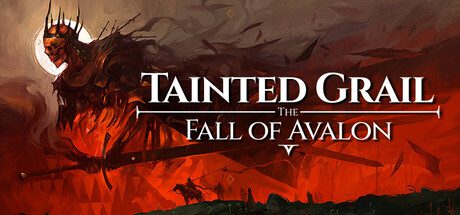
Tainted Grail Xbox Play Anywhere support is now listed on the Xbox store, which is useful for players who switch between an Xbox console and a Windows PC. The same store listing also includes Xbox cloud saves, giving the game the account-based save support needed for a practical cross-device setup.
Play Anywhere does not mean every version of the game on every storefront shares progress. It specifically refers to the Xbox ecosystem, so a Steam copy should not be treated as interchangeable with an Xbox purchase just because both run on PC.
Image credit: Official publisher/developer source
What Tainted Grail Xbox Play Anywhere means
When a game supports Xbox Play Anywhere, a digital purchase through the Xbox ecosystem can be used on supported Xbox consoles and Windows PC without buying a second copy. The same Xbox account is central to the experience, and supported saves can follow that account between devices.
For Tainted Grail, the store now shows both Xbox Play Anywhere and Xbox cloud saves. That combination is the important part for anyone who wants to play on console at one point and continue on PC later.
How Tainted Grail Xbox Play Anywhere works between Xbox and PC
Use the same Microsoft account on both devices and install the Xbox version of Tainted Grail through the Microsoft Store or Xbox app on PC. Once the save has synced to Xbox cloud storage, launching the game on the second device should allow the account to pull down the current progress.
Give the game time to finish its cloud sync before shutting down or swapping devices. Jumping between platforms while a save is still uploading is one of the easiest ways to end up with an older local copy or a sync prompt.
Does Tainted Grail Xbox Play Anywhere include Steam?
Xbox Play Anywhere should not be read as a promise of Steam cross-save. The capability is attached to the Xbox store version and Microsoft account ecosystem, not to every PC storefront.
If you already own the game on Steam, keep that installation separate unless Questline or Microsoft explicitly announces cross-store save support. A Windows PC can run both versions of a game, but that does not make their entitlements or cloud saves identical.
What to check if your save is missing
First confirm that both devices are signed into the same Xbox account. Then check that you launched the Xbox or Microsoft Store version on PC rather than a Steam install. Finally, make sure the console had time to upload the latest save before you switched machines.
Cloud saves can also appear delayed after a network interruption. If the game offers a choice between local and cloud data, read the timestamps carefully rather than automatically choosing whichever option appears first.
Who Play Anywhere is useful for
The feature is most valuable if you regularly move between a living-room Xbox and a Windows PC. It means one Xbox ecosystem purchase can cover both devices, while cloud saves reduce the friction of keeping two separate playthroughs.
For players who stay on one platform, nothing about the core game changes. The benefit is flexibility, not an exclusive mode or content pack, so there is no reason to alter a working setup if you already play comfortably on a single device.
What carries between devices
Tainted Grail Xbox Play Anywhere is most useful because the purchase and save ecosystem line up. Using the same Microsoft account on console and the Xbox app for Windows means you are not maintaining two completely separate copies of the game.
Your actual handoff still depends on the cloud save finishing correctly. Before moving devices, return to a safe point, quit the game normally and give the console or PC a moment to sync. Tainted Grail Xbox Play Anywhere removes a lot of friction, but it cannot protect a save that never finished uploading.
On the second device, allow the sync prompt to complete before loading into the world. If Tainted Grail Xbox Play Anywhere presents a choice between local and cloud data, compare timestamps carefully rather than automatically choosing the newest-looking button.
What Play Anywhere does not include
Tainted Grail Xbox Play Anywhere should not be confused with universal cross-save. The feature applies to the Xbox ecosystem, which is why the Windows version needs to come through Microsoft’s store or Xbox app rather than Steam.
A Steam purchase can live on the same PC, but that does not make it part of Tainted Grail Xbox Play Anywhere. Entitlements, achievements and cloud storage are handled differently between storefronts unless the developer explicitly adds its own account-based cross-save system.
For households that use both Xbox and PC, Tainted Grail Xbox Play Anywhere can still be a strong reason to choose the Microsoft version. One purchase and one account are easier to manage than separate platform copies when the same person wants to continue the same adventure in different rooms.
Official source: https://www.xbox.com/en-US/games/store/tainted-grail-the-fall-of-avalon/9NNMH5ZRPQJZ