
Silent Hill Townfall Stuttering has a documented fix in Patch 1.3.1, released on September 30, 2026 to reduce gameplay hitches caused by shader precompilation. If the game has been freezing briefly as you move through new areas or encounter effects for the first time, updating should be the first thing you try before changing every graphics setting.
The useful part of the Silent Hill Townfall Stuttering update is that the developers have identified a specific cause rather than describing it as a generic performance problem. Patch 1.3.1 targets shader precompilation stutter, and the updated PC build should show version v1.4.153829 in the lower-right corner of the main menu.
Silent Hill Townfall Stuttering Patch 1.3.1 fix
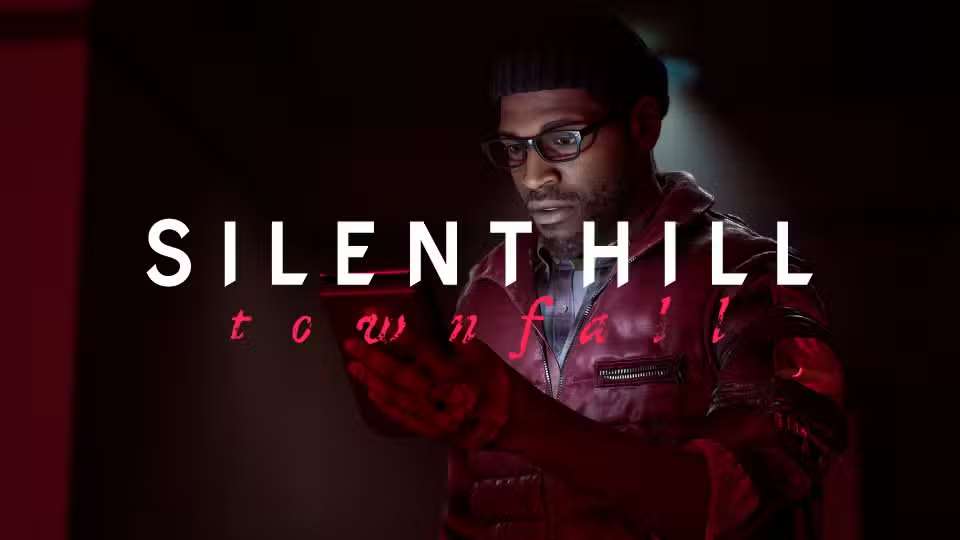
Silent Hill Townfall Stuttering Image KONAMI / Screen Burn Interactive.
Patch 1.3.1 contains one focused performance fix: reduced gameplay stuttering caused by shader precompilation issues. That wording matters because shader hitches are different from simply running the game at a low average frame rate.
A PC can hold a good frame rate most of the time and still hitch when a shader or pipeline state is prepared during play. Townfall’s launch performance testing showed exactly that pattern, including noticeable stutters even on very powerful hardware.
How to install Patch 1.3.1 on Steam
- Close Silent Hill: Townfall completely.
- Open Steam and go to your Library.
- Select Silent Hill: Townfall and allow Steam to download the latest update.
- If no download appears, restart Steam and check the Downloads page.
- Launch the game after the update finishes.
- Check the lower-right corner of the main menu for version v1.4.153829.
If the version number does not match v1.4.153829, do not judge the patch yet. The Silent Hill Townfall Stuttering fix is tied to the September 30 update, so an older executable can still show the original behaviour.
What Patch 1.3.1 fixes and what it does not
The patch specifically reduces shader-precompilation stutter. It is not described as a complete overhaul of CPU, GPU or streaming performance, so other causes of low frame rate can still remain after updating.
For example, ray tracing, high resolutions and demanding reflection or shadow settings can create sustained GPU load. That feels different from the sudden short hitch associated with a shader being prepared. If the game is constantly running slowly rather than briefly hitching, graphics settings still matter.
Silent Hill Townfall Stuttering still happening after the patch
If Silent Hill Townfall Stuttering continues on v1.4.153829, first replay the same area where the problem occurred. A shader-related hitch should be judged separately from a repeatable frame-rate drop caused by a demanding scene.
- Verify that v1.4.153829 is shown on the main menu.
- Restart the PC after the game and GPU driver have both been updated.
- Use Steam’s Verify integrity of game files option if the update behaved strangely.
- Install the current NVIDIA or AMD graphics driver for your GPU.
- Turn off ray tracing temporarily to check whether the remaining issue is GPU load rather than shader compilation.
- Use DLSS or FSR if the game is GPU-limited at your chosen resolution.
Do one change at a time. Applying five graphics tweaks at once makes it much harder to tell whether Patch 1.3.1 fixed the original problem or whether a separate setting was causing the remaining slowdown.
Why lowering settings did not always fix the launch stutter
Silent Hill: Townfall uses Unreal Engine 5 and launch testing found that the game could deliver strong average performance while still suffering from shader-related hitches. Lowering texture, shadow or reflection quality can improve GPU performance, but it does not automatically solve a shader compilation stall.
That is why the official Silent Hill Townfall Stuttering patch is more important than a generic low-settings preset. The developer-side change targets the behaviour that normal graphics sliders could not reliably remove.
Should you delete shader caches?
Do not start by deleting Windows or GPU shader caches after installing the patch. Clearing them can force cached shader work to be rebuilt and can make the first run less representative of the new fix.
Only use cache-clearing as a later troubleshooting step if you have a specific corrupted-cache reason. For most players, update the game, restart, confirm the build number and retest the same gameplay section first.
Does Patch 1.3.1 fix every PC performance issue?
No. The September 30 notes only claim a reduction in gameplay stuttering caused by shader precompilation. They do not claim that every frame-rate drop, traversal hitch or hardware-specific problem has been eliminated.
Silent Hill Townfall Stuttering is therefore much easier to diagnose after Patch 1.3.1: if the sharp shader hitches improve but a heavy scene still runs slowly, treat the remaining problem as ordinary PC performance tuning rather than assuming the patch failed.
How to confirm the Silent Hill Townfall Stuttering fix is installed
The quickest check is the main menu. Version v1.4.153829 is the build number listed in the September 30 update notice. If that number is present, you are testing the current Patch 1.3.1 build.
From there, revisit an area that previously hitched and compare it before changing any additional settings. That gives you the clearest answer about whether the Silent Hill Townfall Stuttering fix has improved the shader-precompilation problem on your PC.
More Silent Hill Townfall guides
- Silent Hill Townfall Guide
- Silent Hill Townfall Release Date
- Silent Hill Townfall All Document and Clue Locations
- Silent Hill Townfall Chapter 8 CRTV Signal Location
- Silent Hill Townfall Axe Location in New Game Plus
- Silent Hill Townfall Dog Ending
- Silent Hill Townfall Justice Ending
- Silent Hill Townfall Forever Ending
For the official fix description and required build number, read the Silent Hill: Townfall Patch 1.3.1 Steam announcement.





