
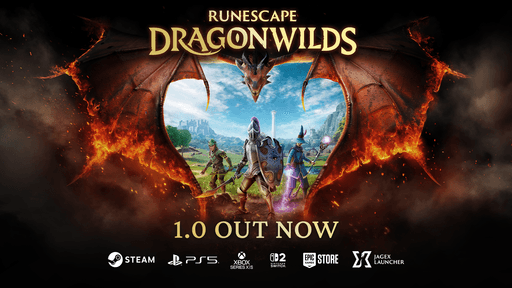
RuneScape Dragonwilds Switch 2 Save Corrupted is now a partly fixed launch problem rather than an unfixed warning. Patch 1.0.0.4 fixes the bug that could corrupt a world save when exiting a game session on Nintendo Switch 2, and the approved Nintendo build also restores crossplay for Switch 2 players.
The important distinction is that RuneScape Dragonwilds Switch 2 Save Corrupted does not mean every missing or damaged save is automatically restored by installing the patch. Jagex is still investigating other save-related problems, including character save loss after appearance editing and world-save inconsistencies across platforms. If a world disappeared before the patch, there is not currently a documented one-button recovery method from Jagex.
RuneScape Dragonwilds Switch 2 Save Corrupted: what patch 1.0.0.4 fixes
Image credit: Jagex
Patch 1.0.0.4 directly addresses the specific RuneScape Dragonwilds Switch 2 Save Corrupted issue where a World Save could become corrupted while exiting a game session. Nintendo approved the Switch 2 build after the same hotfix had already reached other platforms, and Jagex then restored Switch 2 crossplay.
- World Saves becoming corrupted when exiting a game session
- A crash caused by casting a Fishing Rod at a player-made structure
- A crash triggered by changing some settings
- Nintendo Switch 2 crossplay availability after the approved patch
You should install the latest game update before continuing a world that was created on the launch build. The official RuneScape: Dragonwilds website is the first-party game page to use for current game and support information.
What patch 1.0.0.4 does not fix yet
The patch fixes the known corruption-on-exit route, but RuneScape Dragonwilds Switch 2 Save Corrupted can still be confused with several separate problems that Jagex says are under investigation. Those issues should not be described as fixed simply because version 1.0.0.4 is installed.
- Some players reporting character save loss after editing appearance
- World-save inconsistencies across platforms
- Raid instances not resetting correctly
- Console and controller inventory navigation problems
- Further stability work still in progress
Jagex has also previously discussed worlds disappearing from the world list or appearing invisible. A world that does not appear in the list is not necessarily the same failure as a world file being corrupted on exit. The developer has been investigating the missing-world behaviour separately.
What to do if your Switch 2 world was corrupted
If you hit RuneScape Dragonwilds Switch 2 Save Corrupted before version 1.0.0.4, the safest first step is to update the game before opening or creating additional worlds. The patch is intended to prevent the exit-related corruption from continuing, but Jagex has not said that installing it repairs every world that was already damaged.
- Check that RuneScape: Dragonwilds has downloaded the latest Switch 2 update.
- Restart the game after the update so you are not continuing an older suspended session.
- Check the Worlds screen carefully for the original world before creating a replacement with the same name.
- Do not delete a missing or damaged world entry while Jagex is still investigating recovery behaviour.
- If the world remains missing, report the problem to Jagex with the platform, approximate time of loss and what happened immediately before the save disappeared.
There is no verified manual file-repair process for a Switch 2 local world that Jagex has published for this incident. Avoid guides that tell you to edit console save files or replace data manually unless Jagex or Nintendo documents that recovery route.
Does the patch restore an already missing world?
No automatic restoration guarantee has been published for RuneScape Dragonwilds Switch 2 Save Corrupted. Version 1.0.0.4 is a prevention and stability patch for the corruption issue Jagex identified. That is different from confirming that a world already lost on an older build will reappear after updating.
This matters because the developer is still investigating world-list and cross-platform save inconsistencies. If your world vanished rather than showing an obvious corrupted-save error, keep the game updated and avoid overwriting the slot while that investigation continues.
Should you still exit to the main menu before sleep mode?
Before the hotfix, Jagex specifically warned console players to exit to the main menu before using rest or sleep mode because of the save-risk investigation. Patch 1.0.0.4 addresses the identified world corruption issue, so RuneScape Dragonwilds Switch 2 Save Corrupted is no longer in the same unpatched state.
Even so, fully returning to the main menu before suspending a long survival-game session remains a sensible precaution while Jagex is still investigating other save and stability reports. Treat that as cautious save hygiene rather than a guaranteed fix for every remaining issue.
Is Switch 2 crossplay working again?
Yes. Crossplay was temporarily unavailable for Nintendo Switch 2 while patch 1.0.0.4 waited for Nintendo approval. Once the patch was approved and deployed, Jagex said Switch 2 crossplay was available again. That means RuneScape Dragonwilds Switch 2 Save Corrupted and the temporary crossplay outage were related to the patch rollout, but they are not the same bug.
Our RuneScape Dragonwilds friends guide now tracks that restored status. You can also use our RuneScape Dragonwilds crossplay guide for the normal platform support and our cross-progression guide for the separate question of moving saves between platform ecosystems.
What if your character disappeared after editing appearance?
That remains a separate known investigation from RuneScape Dragonwilds Switch 2 Save Corrupted. Jagex says some users have reported character save loss after editing appearance. Patch 1.0.0.4 has not been described as the final fix for that problem.
If your character is still present, avoiding unnecessary appearance edits until Jagex publishes a resolution is a reasonable precaution. If the character has already disappeared, report it rather than assuming the world-corruption hotfix will restore the character record.
What if the world is different on another platform?
Cross-platform world-save inconsistencies are also still being investigated, so RuneScape Dragonwilds Switch 2 Save Corrupted should not be used as a catch-all explanation for every mismatch between devices. Dragonwilds supports crossplay, but that is not the same thing as universal cross-progression or one shared local save across every storefront.
Our RuneScape Dragonwilds cross-progression guide explains that distinction, while the Early Access save transfer guide covers what carries within the existing PC progression path.
Current patch status
The current status for RuneScape Dragonwilds Switch 2 Save Corrupted is therefore mixed but much better than at launch. The specific world corruption bug tied to exiting a session is fixed in 1.0.0.4, the fishing-rod and settings crashes are fixed, and Switch 2 crossplay is restored. Character-save loss after appearance editing, raid-instance problems and cross-platform save inconsistencies remain under investigation.
Keep RuneScape: Dragonwilds updated before opening an important world and avoid assuming an older missing save has been repaired until it actually reappears. We will update this RuneScape Dragonwilds Switch 2 Save Corrupted guide when Jagex publishes a confirmed recovery path or another save-focused patch.





