
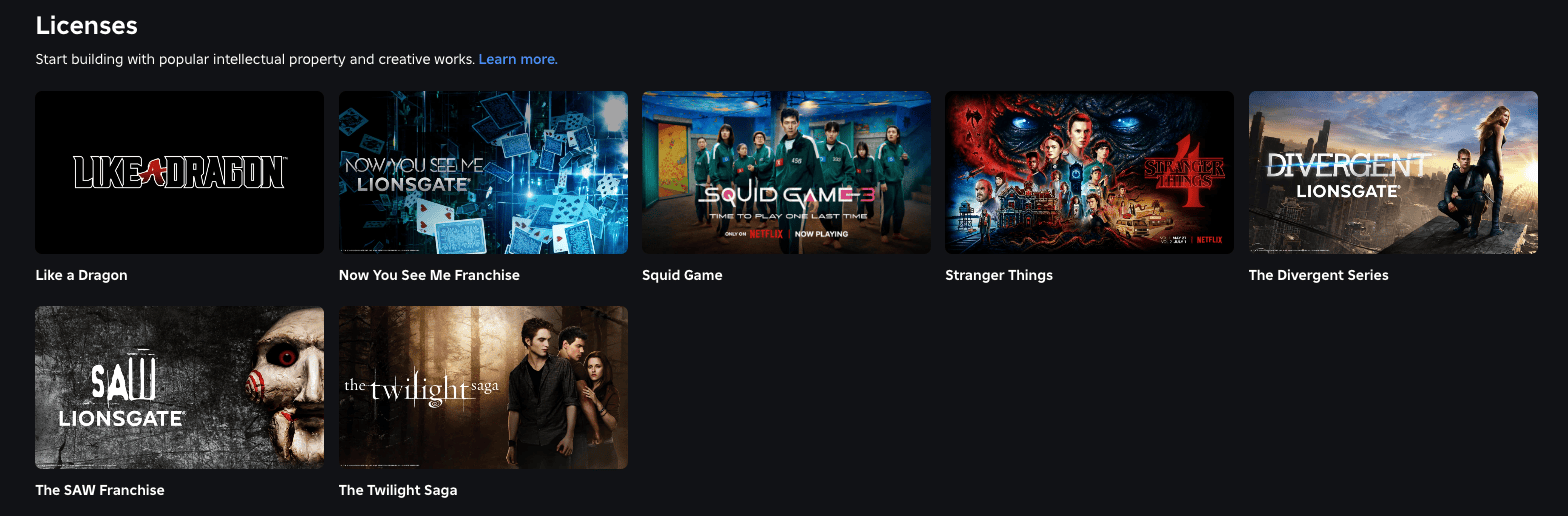
Roblox IP licensing starts in the Licenses catalogue in Creator Hub, where creators request an available agreement from the rights holder. The application is more than a button press: you need an eligible experience, a clear proposed use and a willingness to follow the rights holder’s commercial and content rules.
Roblox now supports both full-game licences and in-game sales licences, so the first decision is what you are actually building. A game centred on an IP is a different proposal from adding a small set of licensed game passes or developer products to an existing experience.
How Roblox IP licensing works in Creator Hub
To Roblox IP licensing, start with an available Creator Hub listing.
Open Creator Hub and go to the Licenses catalogue. Each available IP has its own details page, where the rights holder can set eligibility requirements, content standards, restrictions, duration and revenue share. Read those terms before designing around the property, because they define what the agreement can cover.
When you submit a request, choose the Roblox experience that will use the IP and explain the intended implementation. A strong pitch should make the scope obvious: what players will see, how the licensed material fits the game, and whether the collaboration is a full experience or a smaller monetised feature.
Choose the correct licence type
To Roblox IP licensing, choose the licence type that matches the project.
A full-game licence is for an experience where the IP is central and present throughout the game. Roblox’s newer in-game sales licence is narrower: it covers approved IP-based passes and developer products inside one eligible experience. That narrower route is useful when the existing game does not need to become an official adaptation.
Licences can also be perpetual or time-limited depending on what the rights holder offers. For a time-limited agreement, the proposed dates matter and Roblox uses midnight UTC for the boundaries. Do not assume a licence remains valid indefinitely just because the feature was approved once.
What rights holders can review before approving you
To Roblox IP licensing, give the rights holder a concrete proposed use.
Rights holders can set conditions such as content standards, maturity expectations and minimum audience or activity requirements. They can approve, reject or, for some perpetual licences, issue a conditional approval that asks for changes before the agreement activates.
That is why a concrete proposal is better than “I want to use this anime.” Describe the mechanic, the type of item or experience, the intended audience and how the licensed elements will be presented. If mock-ups are accepted by the listing, use them to make the request easier to judge.
Do not build the licensed content first and hope
To Roblox IP licensing, wait for approval before publishing protected material.
Roblox warns creators against using protected IP without permission. Early use can also affect the licensing workflow, because detected use may trigger agreement or cancellation consequences. The sensible order is licence terms first, approval second, implementation third.
You should also plan for rejection. Keep your core game functional without the proposed collaboration so an unsuccessful request does not leave a large part of the project unusable.
What to check before submitting a licence request
To Roblox IP licensing, check duration and revenue share before submitting.
Check the revenue-share percentage, exactly which experience the agreement covers, whether it is time-limited, what product types are allowed and what happens when it ends. If you are applying for an in-game sales licence, decide whether each paid feature should be a one-time pass or a repeat-purchase developer product before you pitch it.
Finally, keep the official terms available to the people actually building the feature. Licensing is not only an owner-level business decision: artists, designers and programmers need to know the boundaries so an approved collaboration does not accidentally ship with unapproved characters, assets or themes.
To Roblox IP licensing, keep the approved scope available to the development team.
To Roblox IP licensing, recheck the live terms before launch.
Official Roblox licensing information
Use the official Roblox Creator Hub to browse live licences and submit requests. The licence details shown there are the terms that matter when you apply, so review them again if your project changes between planning and submission.
THE CLICK CREATOR GUIDE





