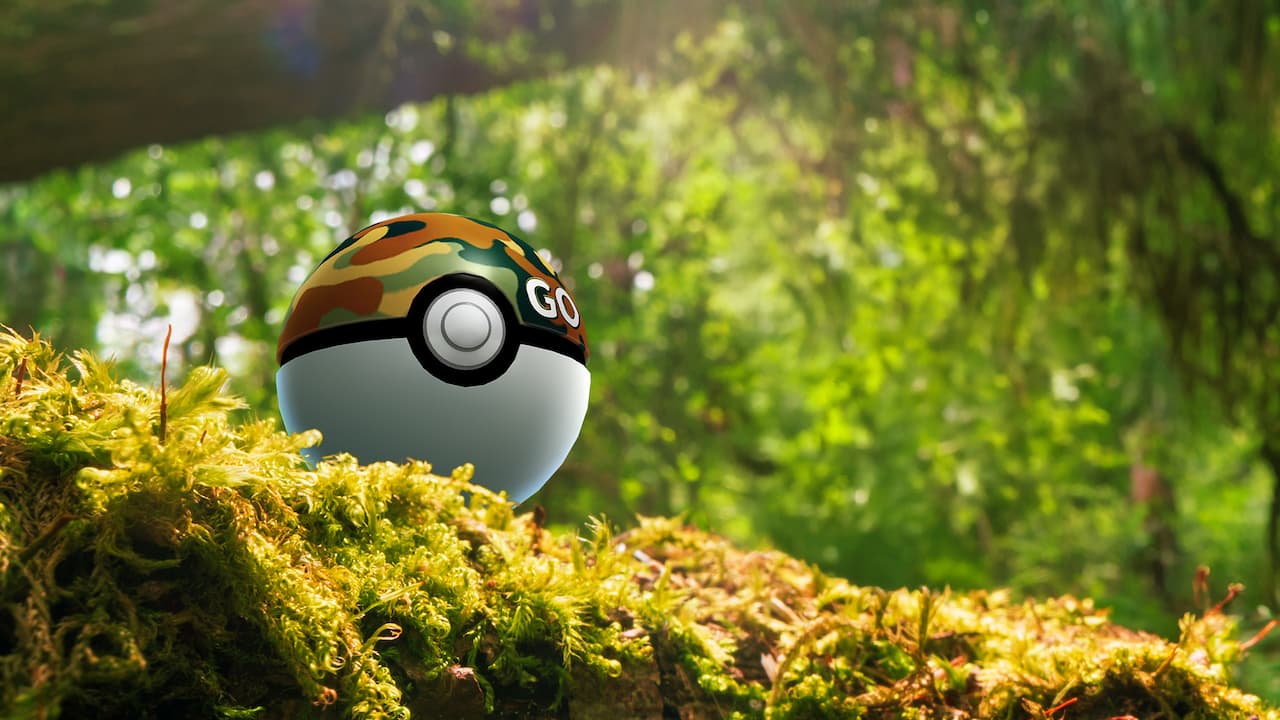
Pokémon GO Safari Ball Pokémon HOME Transfer is now supported. Pokémon caught using a GO Safari Ball can be sent to Pokémon HOME, and HOME displays the Ball as a Strange Ball. The change arrived with HOME version 4.1.0 on 7 October 2026 and was reiterated in Pokémon GO’s 3 November Wild Area announcement. You transfer the Pokémon, not unused Safari Balls from your Bag.
That means a favourite mighty Pokémon caught during a Wild Area event can join your HOME collection, provided it meets the usual transfer requirements. Here’s how to move it and what happens to the Ball.
Pokémon GO Safari Ball Pokémon HOME Transfer: what has changed?
The new Pokémon GO Safari Ball Pokémon HOME Transfer rule removes the GO Safari Ball itself as a reason a Pokémon cannot go to HOME. The update doesn’t erase all other transfer restrictions. A Pokémon may still be unavailable because of its species, form or current status, even though it was caught in a now-supported Ball.
| Question | Answer |
|---|---|
| Can GO Safari Ball catches go to HOME? | Yes, under the 2026 update |
| Can you transfer unused GO Safari Balls? | No, the Pokémon is transferred |
| Which Ball appears in HOME? | Strange Ball |
| Can it go back to Pokémon GO? | No, the transfer is one-way |
| Are all Pokémon eligible? | No, standard restrictions still apply |
Pokémon HOME’s 7 October 2026 version 4.1.0 update introduced compatibility with GO Safari Ball catches. Pokémon GO then repeated the rule in its November 3 Wild Area news. Older help text that still says these catches cannot move to HOME has not caught up with the newer announcement.
Pokémon GO Safari Ball Pokémon HOME Transfer: step-by-step instructions
Use the normal GO Transporter, not a special Safari Ball conversion screen. You’ll need to have completed the mobile Pokémon HOME tutorial and linked the same Nintendo Account to Pokémon GO and Pokémon HOME. Pokémon’s official support guide confirms the following transfer process.
- In Pokémon GO, open the main menu and Settings.
- Choose Connected Devices and Services, then Pokémon HOME.
- Link the Nintendo Account you use for HOME, if it is not already connected.
- Select Send Pokémon to open the GO Transporter.
- Pick the Pokémon that you originally caught in a GO Safari Ball.
- Review the GO Transporter Energy requirement and select Transport to confirm.
- Open Pokémon HOME and receive the transferred Pokémon into your HOME collection.
Pokémon HOME doesn’t automatically place a Pokémon into your Boxes the moment you send it. There is a separate receiving step in HOME. If you see a pending transfer, complete that step before attempting another. The GO Transporter also checks whether the Pokémon you’re trying to move is currently eligible.
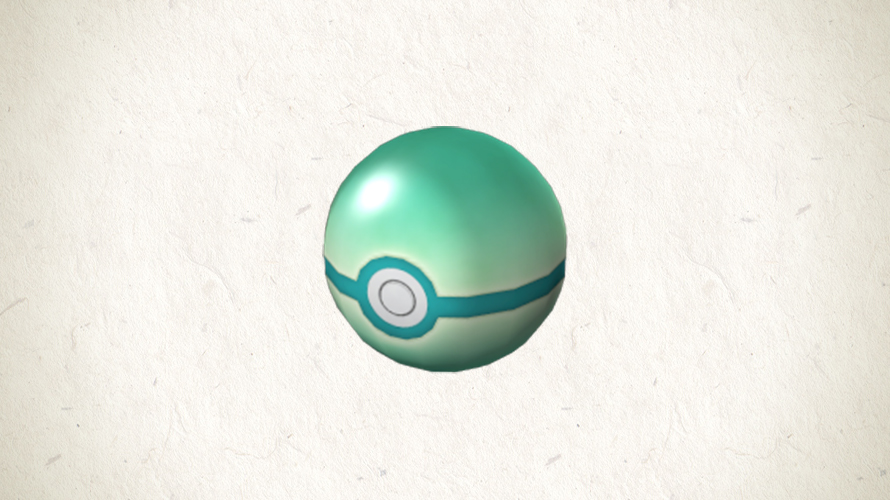
Why does the Pokémon GO Safari Ball Pokémon HOME Transfer show a Strange Ball?
The Strange Ball is the display chosen for GO Safari Ball catches in HOME. It isn’t a transfer error. Pokémon HOME also uses alternative Ball appearances for some Pokémon moved between games with different Poké Ball support.
Your original GO Safari Ball does not appear as the same item in HOME. Unused Safari Balls left in Pokémon GO are a separate matter: those catching items expire when their event ends, but Pokémon you’ve already caught remain in storage.
Do you need a paid Pokémon HOME plan?
No Pokémon HOME Premium subscription is needed just to link accounts and send eligible Pokémon from GO to HOME. You do need sufficient GO Transporter Energy, which regenerates over time. The precise energy cost depends on the Pokémon, and you can use PokéCoins to recharge early if you choose.
The Pokémon GO Safari Ball Pokémon HOME Transfer uses the standard GO Transporter; there’s no Safari Ball-specific fee. Check that you’re sending to the correct Nintendo Account and have enough energy before confirming.
Pokémon GO Safari Ball Pokémon HOME Transfer: remaining restrictions
The Safari Ball rule doesn’t override every other restriction. Pokémon GO’s support information lists various ineligible groups, including favourited Pokémon, active buddies, Gym defenders, Shadow Pokémon, many costumed Pokémon and Gigantamax Pokémon. Some statuses can be changed before transfer, such as removing a favourite marker, but others reflect the Pokémon itself.
If you can’t select a Safari Ball catch in the GO Transporter, check whether it’s favourited, your active buddy, defending a Gym or belongs to another restricted category. The Ball itself is no longer the reason for blocking the transfer.
Can you transfer it back from HOME to Pokémon GO?
No. The Pokémon GO Safari Ball Pokémon HOME Transfer is a one-way move. Pokémon transferred to HOME cannot be returned to Pokémon GO, so don’t use a valuable Shiny, a rare catch or a Pokémon with a favourite Location Background as a test transfer unless you’re genuinely prepared to keep it out of GO.
Once in HOME, a Pokémon can potentially move to supported main-series games, but not every species can enter every game. Check the destination game’s compatibility list and any extra restrictions. Getting into HOME doesn’t automatically grant access to every Pokémon title.
Why do some guides still say GO Safari Ball transfers are blocked?
Niantic’s older transfer help still mentions GO Safari Balls under restricted Poké Balls. However, the official Pokémon HOME update and Pokémon GO’s November announcement both confirm that compatible GO Safari Ball catches can now be sent. Check any other transfer restrictions before assuming your particular Pokémon is eligible.
Our Pokémon GO Wild Area Safari Balls guide explains where to get the catching items and when they expire. The Global 2026 guide covers the event itself. With the Pokémon GO Safari Ball Pokémon HOME Transfer change, the item may be time-limited, but an eligible Pokémon you’ve successfully caught with one is no longer automatically barred from HOME.
Related Guides
Official source: Pokémon HOME version 4.1.0 official update notice.